

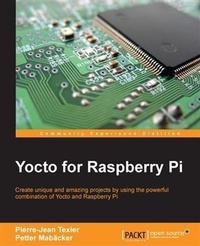
Yocto for Raspberry Pi
Create unique and amazing projects by using the powerful combination of Yocto and Raspberry Pi
Published on 13. January 2025
214 pages
978-1-78528-805-0 (ISBN)
Description

Create unique and amazing projects by using the powerful combination of Yocto and Raspberry Pi
Key Features
[*]Set up and configure the Yocto Project efficiently with Raspberry Pi
[*]Deploy multimedia applications from existing Yocto/OE layers
[*]An easy-to-follow guide to utilize your custom recipes on your Raspberry Pi
Book DescriptionThe Yocto Project is a Linux Foundation workgroup, which produces tools (SDK) and processes (configuration, compilation, installation) that will enable the creation of Linux distributions for embedded software, independent of the architecture of embedded software (Raspberry Pi, i.MX6, and so on). It is a powerful build system that allows you to master your personal or professional development. This book presents you with the configuration of the Yocto Framework for the Raspberry Pi, allowing you to create amazing and innovative projects using the Yocto/ OpenEmbedded eco-system. It starts with the basic introduction of Yocto's build system, and takes you through the setup and deployment steps for Yocto. It then helps you to develop an understanding of Bitbake (the task scheduler), and learn how to create a basic recipe through a GPIO application example. You can then explore the different types of Yocto recipe elements (LICENSE, FILES, SRC_URI, and so on). Next, you will learn how to customize existing recipes in Yocto/OE layers and add layers to your custom environment (qt5 for example).What you will learn
[*] Explore the basic concept of Yocto s build
system and how it is organized in order to
use it efficiently with Raspberry Pi
[*] Generate your first image with Yocto for
the Raspberry Pi
[*] Understand how to customize your Linux
kernel within the Yocto Project
[*] Customize your image in order to integrate
your own applications
[*] Write your own recipes for your graphical
applications
[*] Integrate a custom layer for the Raspberry Pi
Who this book is forIf you are a student or a developer of embedded software, embedded Linux engineer or embedded systems in competence with Raspberry Pi and want to discover the Yocto Project, then this book is for you. Experience with Yocto is not needed.
Key Features
[*]Set up and configure the Yocto Project efficiently with Raspberry Pi
[*]Deploy multimedia applications from existing Yocto/OE layers
[*]An easy-to-follow guide to utilize your custom recipes on your Raspberry Pi
Book DescriptionThe Yocto Project is a Linux Foundation workgroup, which produces tools (SDK) and processes (configuration, compilation, installation) that will enable the creation of Linux distributions for embedded software, independent of the architecture of embedded software (Raspberry Pi, i.MX6, and so on). It is a powerful build system that allows you to master your personal or professional development. This book presents you with the configuration of the Yocto Framework for the Raspberry Pi, allowing you to create amazing and innovative projects using the Yocto/ OpenEmbedded eco-system. It starts with the basic introduction of Yocto's build system, and takes you through the setup and deployment steps for Yocto. It then helps you to develop an understanding of Bitbake (the task scheduler), and learn how to create a basic recipe through a GPIO application example. You can then explore the different types of Yocto recipe elements (LICENSE, FILES, SRC_URI, and so on). Next, you will learn how to customize existing recipes in Yocto/OE layers and add layers to your custom environment (qt5 for example).What you will learn
[*] Explore the basic concept of Yocto s build
system and how it is organized in order to
use it efficiently with Raspberry Pi
[*] Generate your first image with Yocto for
the Raspberry Pi
[*] Understand how to customize your Linux
kernel within the Yocto Project
[*] Customize your image in order to integrate
your own applications
[*] Write your own recipes for your graphical
applications
[*] Integrate a custom layer for the Raspberry Pi
Who this book is forIf you are a student or a developer of embedded software, embedded Linux engineer or embedded systems in competence with Raspberry Pi and want to discover the Yocto Project, then this book is for you. Experience with Yocto is not needed.
More details
Edition
Digital original
Language
English
Place of publication
Birmingham
United Kingdom
Target group
Professional and scholarly
US School Grade: College Graduate Student
Edition type
Digital original
File size
16,39 MB
ISBN-13
978-1-78528-805-0 (9781785288050)
Copyright in bibliographic data and cover images is held by Nielsen Book Services Limited or by the publishers or by their respective licensors: all rights reserved.
Schweitzer Classification
Other editions
Additional editions
TEXIER Pierre-Jean | Petter Mabaecker
Yocto for Raspberry Pi
Create unique and amazing projects by using the powerful combination of Yocto and Raspberry Pi
Book
06/2016
Packt Publishing
€45.40
Shipment within 3-4 weeks
Persons
Pierre-Jean TEXIER :
Pierre-Jean TEXIER has been an embedded Linux engineer at Amplitude Systemes (Amplitude Systemes was a pioneer in the marketing of Ytterbium femtosecond lasers) since 2014 where he maintains a custom system on chip i.MX6 with the Yocto project (meta-fsl-arm), which is made by a French company: EUKREA. He is a graduate of ESTEI school at Bordeaux where he spent 3 years as a student in order to become an embedded Linux Engineer. He is a big ardent of the world of free software and the embedded world. His knowledge background includes C/C++, Yocto, Linux, Bash, Kernel development but he is also open to trying new things and testing new technologies. First, I want to thank my patience wife for her during my writing sessions. I also give thanks my parents and my brother, who without them, this book possibly would not have happened. I would also like to thank all of the mentors that I've had over the years. Mentors such as Cyril SAGONERO, Sylvain LE HENAFF, Pierre BORDELAIS, Vincent POULAILLEAU, Fabrice BONNET, Jean-Claude PERESSINOTTO, Pierre AUBRY. Without learning from these teachers, there is not a chance I could be doing what I do today. To finish I would like to thanks Eric MOTTAY the CEO of Amplitude Systemes, Luca TESTA the head of Electronics team at Amplitude Systemes for his trust, Hitesham WOODHOO, Alexandre GAMONET, Kevin PINTO and Guillaume MACHINET For the various discussions about the raspberry pi during coffee breaks. Mabaecker Petter :
Petter Mabcker is a senior software developer specializing in embedded Linux systems. For the past 8 years, he has been working with embedded Linux professionally. Currently, Petter works as a Scrum Master and senior software developer at Ericsson AB. Additionally, his knowledge includes C/C++, shell scripting, Yocto Project (including BitBake and OpenEmbedded), Scrum, and Git. In 2013, Petter started the small business Technux, which he runs as a side project in parallel with his duties at Ericsson. Some of the focus areas of the business are open source embedded Linux projects, such as the Yocto Project, together with different projects that involve the Raspberry Pi. As part of the work with Technux, Petter works as a contributer to the Yocto Project (including the Raspberry Pi BSP layer, known as meta-raspberrypi).
Pierre-Jean TEXIER has been an embedded Linux engineer at Amplitude Systemes (Amplitude Systemes was a pioneer in the marketing of Ytterbium femtosecond lasers) since 2014 where he maintains a custom system on chip i.MX6 with the Yocto project (meta-fsl-arm), which is made by a French company: EUKREA. He is a graduate of ESTEI school at Bordeaux where he spent 3 years as a student in order to become an embedded Linux Engineer. He is a big ardent of the world of free software and the embedded world. His knowledge background includes C/C++, Yocto, Linux, Bash, Kernel development but he is also open to trying new things and testing new technologies. First, I want to thank my patience wife for her during my writing sessions. I also give thanks my parents and my brother, who without them, this book possibly would not have happened. I would also like to thank all of the mentors that I've had over the years. Mentors such as Cyril SAGONERO, Sylvain LE HENAFF, Pierre BORDELAIS, Vincent POULAILLEAU, Fabrice BONNET, Jean-Claude PERESSINOTTO, Pierre AUBRY. Without learning from these teachers, there is not a chance I could be doing what I do today. To finish I would like to thanks Eric MOTTAY the CEO of Amplitude Systemes, Luca TESTA the head of Electronics team at Amplitude Systemes for his trust, Hitesham WOODHOO, Alexandre GAMONET, Kevin PINTO and Guillaume MACHINET For the various discussions about the raspberry pi during coffee breaks. Mabaecker Petter :
Petter Mabcker is a senior software developer specializing in embedded Linux systems. For the past 8 years, he has been working with embedded Linux professionally. Currently, Petter works as a Scrum Master and senior software developer at Ericsson AB. Additionally, his knowledge includes C/C++, shell scripting, Yocto Project (including BitBake and OpenEmbedded), Scrum, and Git. In 2013, Petter started the small business Technux, which he runs as a side project in parallel with his duties at Ericsson. Some of the focus areas of the business are open source embedded Linux projects, such as the Yocto Project, together with different projects that involve the Raspberry Pi. As part of the work with Technux, Petter works as a contributer to the Yocto Project (including the Raspberry Pi BSP layer, known as meta-raspberrypi).
Content
Table of Contents
Meeting the Yocto Project
Building our first Poky image for the Raspberry-Pi
Mastered the Baking with HOB and TOASTER
Understanding the
Developing with the Yocto Project
Adding External Layer
Deploying a custom Layer on the Raspberry-Pi
Diving into the Raspberry-Pi
Making a Media hub on the Raspberry-Pi
Playing with a LCD Touchscreen and the Linux Kernel
Contributing to the Raspberry-Pi BSP Layer
Real case: Home Automation -> booting custom Image
Meeting the Yocto Project
Building our first Poky image for the Raspberry-Pi
Mastered the Baking with HOB and TOASTER
Understanding the
Developing with the Yocto Project
Adding External Layer
Deploying a custom Layer on the Raspberry-Pi
Diving into the Raspberry-Pi
Making a Media hub on the Raspberry-Pi
Playing with a LCD Touchscreen and the Linux Kernel
Contributing to the Raspberry-Pi BSP Layer
Real case: Home Automation -> booting custom Image
