

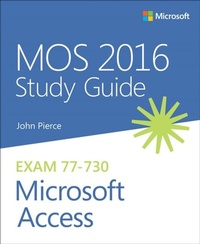
MOS 2016 Study Guide for Microsoft Access
1st Edition
Published on 28. December 2016
240 pages
978-1-5093-0022-8 (ISBN)
Description

Advance your everyday proficiency with Access 2016. And earn the credential that proves it!
Demonstrate your expertise with Microsoft Access! Designed to help you practice and prepare for Microsoft Office Specialist (MOS): Access 2016 certification, this official Study Guide delivers:
* In-depth preparation for each MOS objective
* Detailed procedures to help build the skills measured by the exam
* Hands-on tasks to practice what you've learned
* Practice files and sample solutions
Sharpen the skills measured by these objectives:
* Create and manage databases
* Build tables
* Create queries
* Create forms
* Create reports
Demonstrate your expertise with Microsoft Access! Designed to help you practice and prepare for Microsoft Office Specialist (MOS): Access 2016 certification, this official Study Guide delivers:
* In-depth preparation for each MOS objective
* Detailed procedures to help build the skills measured by the exam
* Hands-on tasks to practice what you've learned
* Practice files and sample solutions
Sharpen the skills measured by these objectives:
* Create and manage databases
* Build tables
* Create queries
* Create forms
* Create reports
More details
Series
Language
English
Place of publication
Boston
United States
Publishing group
Microsoft Press,U.S.
Target group
Professional and scholarly
ISBN-13
978-1-5093-0022-8 (9781509300228)
Copyright in bibliographic data and cover images is held by Nielsen Book Services Limited or by the publishers or by their respective licensors: all rights reserved.
Schweitzer Classification
Other editions
Additional editions
John Pierce
MOS 2016 Study Guide for Microsoft Access
Book
03/2017
Microsoft Press
€42.89
Shipment within 10-20 days
Person
John Pierce is a freelance editor and writer. He is the author of Team Collaboration: Using Microsoft Office for More Effective Teamwork and other books about Microsoft Office, including the MOS 2013 Study Guide for Microsoft Access.
Content
Chapter 1 Create and Manage a Database
1.1 Create and Modify Databases
1.2 Manage Relationships and Keys
1.3 Navigate through a Database
1.4 Protect and Maintain Databases
1.5 Print and Export Data
Chapter 2 Build Tables
2.1 Create Tables
2.2 Manage Tables
2.3 Manage Records in Tables
2.4 Create and Modify Fields
Chapter 3 Create Queries
3.1 Create a Query
3.2 Modify a Query
3.3 Create Calculated Fields and Grouping within Queries
Chapter 4 Create Forms
4.1 Create a Form
4.2 Configure Form Controls
4.3 Format a Form
Chapter 5 Create Reports
5.1 Create a Report
5.2 Configure Report Controls
5.3 Format a Report
1.1 Create and Modify Databases
1.2 Manage Relationships and Keys
1.3 Navigate through a Database
1.4 Protect and Maintain Databases
1.5 Print and Export Data
Chapter 2 Build Tables
2.1 Create Tables
2.2 Manage Tables
2.3 Manage Records in Tables
2.4 Create and Modify Fields
Chapter 3 Create Queries
3.1 Create a Query
3.2 Modify a Query
3.3 Create Calculated Fields and Grouping within Queries
Chapter 4 Create Forms
4.1 Create a Form
4.2 Configure Form Controls
4.3 Format a Form
Chapter 5 Create Reports
5.1 Create a Report
5.2 Configure Report Controls
5.3 Format a Report
