

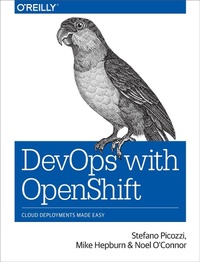
DevOps with OpenShift
Cloud Deployments Made Easy
Published on 10. July 2017
152 pages
978-1-4919-7593-0 (ISBN)
Description

For many organizations, a big part of DevOps appeal is software automation using infrastructure-as-code techniques. This book presents developers, architects, and infra-ops engineers with a more practical option. Youll learn how a container-centric approach from OpenShift, Red Hats cloud-based PaaS, can help your team deliver quality software through a self-service view of IT infrastructure.Three OpenShift experts at Red Hat explain how to configure Docker application containers and the Kubernetes cluster manager with OpenShifts developer- and operational-centric tools. Discover how this infrastructure-agnostic container management platform can help companies navigate the murky area where infrastructure-as-code ends and application automation begins.Get an application-centric view of automationand understand why its importantLearn patterns and practical examples for managing continuous deployments such as rolling, A/B, blue-green, and canaryImplement continuous integration pipelines with OpenShifts Jenkins capabilityExplore mechanisms for separating and managing configuration from static runtime softwareLearn how to use and customize OpenShifts source-to-image capabilityDelve into management and operational considerations when working with OpenShift-based application workloadsInstall a self-contained local version of the OpenShift environment on your computer
More details
Other editions
Additional editions
Book
08/2017
O'Reilly
€37.50
Shipment within 10-20 days
Content
- Intro
- Copyright
- Table of Contents
- Preface
- Who Should Read This Book
- Why We Wrote This Book
- Online Resources
- Conventions Used in This Book
- Using Code Examples
- O'Reilly Safari
- How to Contact Us
- Acknowledgments
- Stefano
- Mike
- Noel
- Chapter 1. Introduction to DevOps with OpenShift
- DevOps
- Containers
- Container Orchestration
- Continuous Integration
- Continuous Delivery
- Continuous Deployment
- Pipelines
- Software Configuration Management
- Deployment Patterns
- Continuous Improvement
- Summary
- Chapter 2. Installing the All-In-One OpenShift
- Software Requirements
- Install OpenShift oc Client Tools
- Install Docker
- Launch OpenShift
- Verify Your Environment
- Log In Using the Command Line
- Log In from Console
- Working with Storage
- Create a Persistent Volume
- Set Up the Volume Claim
- Create a GitHub Account
- Alternative Form Factors
- Summary
- Chapter 3. Deployments
- The Replication Controller
- Deployment Strategies
- Rolling
- Triggers
- Recreate
- Custom
- Lifecycle Hooks
- Deployment Pod Resources
- Blue-Green Deployments
- A/B Deployments
- Canary Deployments
- Rollbacks
- Summary
- Chapter 4. Pipelines
- Our First Pipeline Example
- Pipeline Components
- So What's Happened Here? Examination of the Pipeline Details
- Explore Jenkins
- Multiple Project Pipeline Example
- Build, Tag, Promote
- Create Projects
- Add Role-Based Access Control
- Deploy Jenkins and Our Pipeline Definition
- Deploy Our Sample Application
- Run Our Pipeline Deployment
- Quickly Deploying a New Branch
- Managing Image Changes
- Cascading Pipelines
- Customizing Jenkins
- Parallel Build Jobs
- Summary
- Chapter 5. Configuration Management
- Secrets
- Secret Creation
- Using Secrets in Pods
- Additional Information
- Configuration Maps
- Creating Configuration Maps
- Mounting Configuration Maps as Volumes
- Mounting the Configuration Map as Environment Variables
- Environment Variables
- Adding Environment Variables
- Removing Environment Variables
- Change Triggers
- Labels and Annotations
- Downward API
- Handling Large Configuration Data Sets
- Persistent Volumes
- Layered Images
- Summary
- Chapter 6. Custom Image Builds
- OpenShift Builds
- Build Strategies
- Build Sources
- Build Configurations
- Source to Image
- S2I Process
- Custom S2I Scripts
- Custom S2I Builder
- Builder Image
- S2I Scripts
- Adding a New Builder Image
- Building a Sample Application
- Troubleshooting
- Summary
- Chapter 7. Application Management
- Integrated Logging
- Container Logs Are Transient
- Aggregated Logging
- Kibana
- Some General Aggregated Kibana Queries
- Simple Metrics
- Resource Scheduling
- Quotas
- Quota Scopes
- Quota Enforcement
- Limit Ranges and Requests Versus Limits
- Multiproject Quotas
- Applications
- Eviction and Pod Rescheduling
- Overcommit
- Auto Pod Scaling
- Java-Based Application Monitoring and Management Using Jolokia
- Summary
- Afterword
- What We Covered
- Final Words
- Appendix A. OpenShift and 12 Factor Apps
- Codebase
- Dependencies
- Configuration
- Backing Services
- Build, Release, Run
- Processes
- Session Affinity
- Storage
- Stateful Pods
- Port Binding
- Concurrency
- Disposability
- Dev/Prod Parity
- Logs
- Admin Processes
- Security
- Summary
- Index
- About the Authors
- Colophon
