

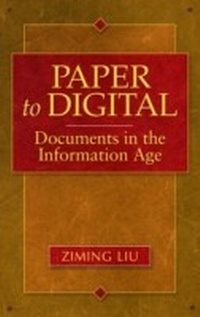
Paper to Digital
Documents in the Information Age
1st Edition
Published on 30. October 2008
176 pages
978-1-59884-763-5 (ISBN)
Description

Is the paperless society really possible? What is the future of paper in the Digital Age?
Based on extensive statistics and six separate surveys, Paper to Digital explores the evolution and changing characteristics of documents in the Information Age. Resultant implications are studied through the examination of emerging issues in the digital environment.
This timely book represents a useful and scholarly exploration of a major concern in our society.
Based on extensive statistics and six separate surveys, Paper to Digital explores the evolution and changing characteristics of documents in the Information Age. Resultant implications are studied through the examination of emerging issues in the digital environment.
This timely book represents a useful and scholarly exploration of a major concern in our society.
More details
Edition
1. Auflage
Language
English
Place of publication
New York
United States
Publishing group
Bloomsbury Publishing Plc
Target group
Interest Age: From 7 to 17 years
ISBN-13
978-1-59884-763-5 (9781598847635)
Copyright in bibliographic data and cover images is held by Nielsen Book Services Limited or by the publishers or by their respective licensors: all rights reserved.
Schweitzer Classification
Other editions
Additional editions
Book
10/2008
Libraries Unlimited Inc
€73.40
Shipment within 3-4 weeks
Person
Dr. Ziming Liu received his Ph.D. in library and information studies at the University of California at Berkeley in 1996. Prior to joining the faculty at San José State University in 2000, he was a research scientist at Ricoh California Research Center and a visiting faculty member at the University of Washington. He has published numerous papers in top-tier scholarly journals such as Annual Review of Information Science and Technology (1995), Communications of the ACM (2000; 2003), Information Processing and Management (2003; 2004; 2006), Journal of the American Society for Information Science (1996; 1997), and Journal of Documentation (1997; 2004; 2005).
Content
Chapter 1: Introduction
Chapter 2: The Evolution of Documents and Its Impacts
Chapter 3: Trends in Transforming Scholarly Communications
Chapter 4: Trust in the Preservation of Digital Information
Chapter 5: Reading Behavior in the Digital Environment
Chapter 6: Gender Differences in the Online Reading Environment
Chapter 7: Perceptions of the Credibility of Scholarly Information on the Web
Chapter 8: Cultural Differences in Credibility Assessment
Chapter 9: Print vs. Electronic Resources: User Perceptions, Preferences, and Use
Chapter 10: The Future of Paper in the Digital Age
Chapter 2: The Evolution of Documents and Its Impacts
Chapter 3: Trends in Transforming Scholarly Communications
Chapter 4: Trust in the Preservation of Digital Information
Chapter 5: Reading Behavior in the Digital Environment
Chapter 6: Gender Differences in the Online Reading Environment
Chapter 7: Perceptions of the Credibility of Scholarly Information on the Web
Chapter 8: Cultural Differences in Credibility Assessment
Chapter 9: Print vs. Electronic Resources: User Perceptions, Preferences, and Use
Chapter 10: The Future of Paper in the Digital Age
