

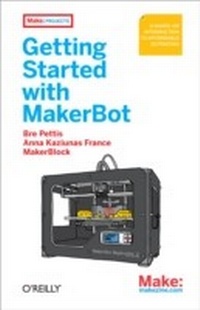
Getting Started with MakerBot
1st Edition
Published on 10. December 2012
228 pages
978-1-4493-3863-3 (ISBN)
Description

Ready to join the personal fabrication movement? This hands-on book shows you how to make a wide variety of physical objects with the amazing MakerBot 3D printer.Its handy when you need a replacement for something lost, broken, or no longer madelike a knob on your stove. You can make things instead of buying them, or solve problems with inventions of your own. The possibilities are endless, and MakerBot is the fun, affordable, and inspiring way to go. Get started with your own little factory today!Set up your MakerBot Replicator 2 and understand how it worksLearn the basics and print 10 useful objects right awayMake objects with sturdy yet biodegradable PLAGet examples of real-world problem solving, from ceiling hooks to hermit crab shellsChoose from thousands of free designs on Thingiverse.comand share your ownRepurpose disposable products by making them part of your designDesign your own 3D objects, using SketchUp, Autodesk 123D, OpenSCAD, and other toolsUse 3D scanning technology to replicate real objects around you
More details
Other editions
Additional editions
Bre Pettis | Anna Kaziunas France | Jay Shergill
Getting Started with MakerBot
A Hands-On Introduction to Affordable 3D Printing
Book
02/2013
1st Edition
Make Community, LLC
€15.50
Shipment within 10-20 days
Content
- Intro
- Copyright
- Table of Contents
- Preface
- What Is a MakerBot?
- How This Book Is Organized
- Conventions Used in This Book
- Using Code Examples
- Safari® Books Online
- How to Contact Us
- Acknowledgments for Bre Pettis
- Acknowledgments for Anna Kaziunas France
- Acknowledgments for Jay Shergill (MakerBlock)
- Chapter 1. Introduction
- How Does a MakerBot Work?
- The MakerBot Cupcake CNC, Thing-O-Matic, and Replicator Series
- What Can a MakerBot Make?
- Chapter 2. The House That MakerBot Built
- Make a Better Mousetrap: Inventing Things with a MakerBot
- No, Really, Make a Better Mousetrap
- With This Thing, I Thee.
- MakerBot in the Bathroom
- MakerBot in the Kitchen
- Close the Door/Open the Door
- Project Shellter
- Your MakerBot-Enabled Closeup
- Bounce Back From a Bear Attack
- Moving Physical Objects into the Thingiverse
- What Will You Make?
- Chapter 3. Growing Up with MakerBot
- MakerBot Heroes
- MakerBots in the Classroom
- Middle School Technology Club MakerBot Build
- First MakerBot Projects for Kids
- Chapter 4. Before You Get a MakerBot
- Think About What You Will Replicate
- Connect with the MakerBot Community
- Become Familiar with the Necessary Software
- Prepare Your Home
- Prepare an Area for Your Bot
- Social Implications
- Chapter 5. Meet the MakerBot Replicator 2
- Capabilities
- Facts and Figures
- The Frame
- The Gantry
- The Extruder
- The Electronics
- Evolution of the MakerBot Design
- Chapter 6. Getting Started Printing
- The LCD Panel
- Leveling Your Build Platform
- The Leveling Process
- Loading Filament into the Extruder
- Your First Prints
- Making from MakerWare
- Installing MakerWare
- Thingiverse to Thing
- Making the Object in MakerWare
- Advanced Settings
- Troubleshooting
- Maintenance
- Chapter 7. Your First 10 Things to MakerBot
- Hello, World
- Getting a Little More Fancy
- Something Tall
- A Little Something for Your Bot
- Multi-Part Printing, Part 1
- Multi-Part Printing, Part 2
- Overhangs
- Your Own Personal Army
- A Parametric Model
- Art
- You're Ready to Create
- Chapter 8. Designing for the MakerBot
- General Design Considerations
- Equipment Capabilities
- Overhangs
- Water Tight
- Corner Warping
- Friction Fit and Moving Parts
- Designing a Part to Be Dimensionally Accurate
- Surface Finishing
- How Large? Thinking Outside the Bot
- Material Strength
- Sizing and Scaling Models
- 3DTin
- Tinkercad
- Autodesk 123D
- SketchUp
- Exporting STL Files from SketchUp
- Installing SketchUp to DXF or STL via the Command Line
- Going Beyond
- Chapter 9. Scanning in 3D
- What is 3D Scanning?
- Limitations
- 123D Catch
- 123D Catch Tips
- Taking Photos with 123D Catch
- Uploading Your Photos to the Cloud
- Downloading Your Mesh
- ReconstructMe
- Installing ReconstructMe
- Tips for Reconstructing Yourself (Or Someone Else)
- Cleaning and Repairing Scans for 3D Printing
- netfabb
- Autodesk MeshMixer
- Meshlab
- Pleasant3D
- Repairing Most Scans
- Repair and Clean Up in netfabb
- Smoothing Out the Surface of Meshes
- Removing Bumps and Blobs with MeshMixer
- Final Cleanup/Repair in netfabb
- Print Your Model
- Repairing Relief Scans by Capping
- Fixing Holes, Non-Manifold Areas and Disconnected Components
- To Close Large Areas of Missing Mesh
- Scan Your World
- Chapter 10. Becoming Part of the Thingiverse Community
- What is Thingiverse?
- Becoming a User of Thingiverse
- User Profiles
- Finding Things
- Things
- Uploading a Thing
- Upload the First File
- Enter the Details
- Add Other Files to Your Thing
- Add Tags and Ancestry
- Publish Your Thing
- Dashboard
- Tips and Tricks
- Use Collections
- Take Good Photos
- Write Good Descriptions and Instructions
- Derivative Works
- Appendix A. Suggested Reading and Resources
- The MakerBot Manifesto
- Appendix B. Glossary
- Appendix C. OpenSCAD
- Parametric Modeling with Solid Geometries
- 2D Extrusion: DXF File to 3D Model
- Exporting From Inkscape Extensions
- Inkscape OpenSCAD DXF Export
- Inkscape to OpenSCAD Converter v2
- Using pstoedit
- About the Authors
