

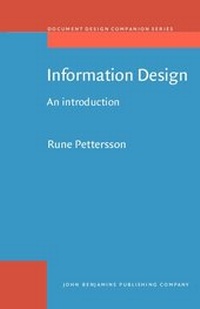
Information Design
An introduction
1st Edition
Published on 19. December 2002
X, 296 pages
978-90-272-9696-2 (ISBN)
Description

The goal of communication-oriented design of messages should always be clarity of communication. In information design the task of the sender is actually not completed until the receivers have received and understood the intended messages.
Information Design - An introduction includes chapters explaining verbo-visual communication, information and message design principles, design processes, and design tools. These chapters can be seen as a general framework for production of information and learning materials. Based on theories for verbo-visual communication this book presents several practial guidelines for the use of text, symbols, visuals, typography, and layout in information and learning materials.
Rune Pettersson is Professor of Information Design at the Department of Innovation, Design and Product Development (IDP) at Mälardalen University in Eskilstuna, Sweden.
Information Design - An introduction includes chapters explaining verbo-visual communication, information and message design principles, design processes, and design tools. These chapters can be seen as a general framework for production of information and learning materials. Based on theories for verbo-visual communication this book presents several practial guidelines for the use of text, symbols, visuals, typography, and layout in information and learning materials.
Rune Pettersson is Professor of Information Design at the Department of Innovation, Design and Product Development (IDP) at Mälardalen University in Eskilstuna, Sweden.
More details
Other editions
Additional editions
Book
12/2002
John Benjamins Publishing Co
€72.08
Shipment within 10-15 days
Person
Content
- Information Design
- Editorial page
- Title page
- LCC data
- Contents
- Preface
- Chapter 1: Message design
- Chapter 2: Text design
- Chapter 3: Image design
- Chapter 4: Graphic design
- Chapter 5: Cognition
- References
- Index
