

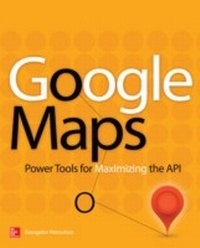
Google Maps
Power Tools for Maximizing the API
1st Edition
Published on 25. February 2014
520 pages
978-0-07-182304-3 (ISBN)
Available for download
Description

Create custom applications with the Google Maps API Featuring step-by-step examples, this practical resource gets you started programming the Google Maps API with JavaScript in no time. Learn how to embed maps on web pages, annotate the embedded maps with your data, generate KML files to store and reuse your map data, and enable client applications to request spatial data through web services. Google Maps: Power Tools for Maximizing the API explains techniques for visualizing masses of data and animating multiple items on the map. Youll also find out how to embed Google maps in desktop applications to combine the richness of the Windows interface with the unique features of the API. You can use the numerous samples included throughout this hands-on guide as your starting point for building customized applications. Create map-enabled web pages with a custom look Learn the JavaScript skills required to exploit the Google Maps API Create highly interactive interfaces for mapping applications Embed maps in desktop applications written in .NET Annotate maps with labels, markers, and shapes Understand geodesic paths and shapes and perform geodesic calculations Store geographical data in KML format Add GIS features to mapping applications Store large sets of geography data in databases and perform advanced spatial queries Use web services to request spatial data from within your script on demand Automate the generation of standalone web pages with annotated maps Use the Geocoding and Directions APIs Visualize large data sets using symbols and heatmaps Animate items on a map Bonus online content includes: A tutorial on The SQL Spatial application A bonus chapter on animating multiple airplanes Three appendices: debugging scripts in the browser, scalable vector graphics, and applying custom styles
More details
Other editions
Additional editions
Book
04/2014
Osborne/McGraw-Hill
€45.00
Shipment within 15-20 days
Content
- Cover
- About the Author
- About the Technical Editor
- Title Page
- Copyright Page
- Contents at a Glance
- Contents
- Acknowledgments
- Introduction
- Why This Book?
- Who Should Read This Book
- What This Book Covers
- How to Use This Book
- How Is This Book Organized?
- Chapter 1: Introduction to Maps and the Google API
- Building Map-Driven Applications
- The Map Tiles
- Cartography 101
- The Mercator Projection
- A Global Addressing Scheme: Parallels and Meridians
- Converting Angles to Length Units
- The Google Maps API
- Using the Google Maps API
- Summary
- Chapter 2: Designing Web Pages with Embedded Maps
- The Structure of a Web Page
- Adding a Map to Your Page
- Is Notepad the Editor of Choice?
- Map Localization
- Zooming with the Mouse
- The Map's Controls
- Adding Markers to the Map
- A Useful Template for Mapping Pages
- Designing the Demo Map Page
- Summary
- Chapter 3: Web Page Scripting: An Introduction to JavaScript
- What Is JavaScript?
- How to Test JavaScript Code
- JavaScript's Basic Syntax
- Variables and Data Types
- Arithmetic Operations
- Math Operations
- Working with Text
- Working with Dates
- Control Flow Statements
- Conditional Statements
- Looping Statements
- Functions
- Arrays
- Array Properties and Methods
- Summary
- Chapter 4: Advanced JavaScript Topics
- Storing Data in Custom Objects
- Creating Objects On the Fly
- Variables and Objects
- Objects and Methods
- Prototyping Custom Objects
- Custom Objects as Collections
- Event Listeners
- Passing Information to the Event Listener
- Removing an Existing Listener
- Closures
- Summary
- Chapter 5: Google Maps API: The Building Blocks of Mapping Applications
- The Google Maps API at a Glance
- The google.maps.Map Object
- Map Initialization
- Map Options
- Map Methods
- The Marker and InfoWindow Objects
- Working with Map Events
- The Basic Map Events Application
- Drag Events
- Mouse Events
- State Events
- A Customized Map
- Adding a Context Menu to the Map
- Designing the Context Menu
- Displaying the Context Menu
- A More Elaborate Context Menu
- The Multiple Maps Application
- Summary
- Chapter 6: Windows Mapping: Embedding Maps in Desktop Applications
- Why a Desktop Application
- Using Google Maps with Desktop Applications
- The WebBrowser Control
- The Windows Mapping Application
- The Application's Architecture
- Designing the Application
- Building the Windows Interface
- Adding Custom Functions to the Script
- Function Return Values
- Notifying the Host Application with Method Calls
- The Interaction Model of the Two Components
- Initializing the Map
- Updating the Interface
- Adding the Context Menu
- Tracking User Navigation
- Adding Markers to the Map
- Summary
- Chapter 7: Markers: Identifying Locations on the Map
- Marking Locations on the Map
- Adding a New Marker
- Qualifying Markers with InfoWindows
- Customizing the Marker's Icon
- Placing Multiple Markers on the Map
- The RichMarker Control
- Annotating a Map with RichMarkers
- An Alternate Approach to InfoWindows
- Summary
- Chapter 8: Feature Annotation: Drawing Shapes on Maps
- Polylines
- Polyline Construction
- Polygons
- Polygons with Holes
- Polygon Islands
- Displaying a Crosshair on the Map
- Rectangles
- Circles
- Fixed-Size Circles
- Storing Paths in MVCArrays
- An Editable Polyline
- Placing Symbols Along Polylines
- Handling Large Paths
- Summary
- Chapter 9: Interactive Drawing: The Basics of Drawing on Google Maps
- Who Needs to Draw on a Map?
- A Simple Web Application for Drawing on Maps
- Outlining the Interaction Model
- A Simple Starting Point
- The Interactive Drawing Application
- Handling Vertices
- Handling Shapes
- Customizing the Vertex Icons
- Retrieving Shape Data
- A Windows Map Drawing Application
- Interacting with the Script from a .NET Application
- The .NET Code
- The Map Tracing Application
- How to Use the Application
- Summary
- Chapter 10: Geodesic Calculations: The Geometry Library
- A Quick Overview of the Mercator Projection
- Geodesic Lines and Shapes
- Defining Geodesic Paths
- The Geometry Library
- The geometry.spherical Methods
- The geometry.poly Functions
- Exercising the Geometry Library
- Rhumb Lines
- Encoded Paths
- Summary
- Chapter 11: The KML Data Format: Persisting Spatial Data
- XML 101
- XML Uses Named Delimiters
- Nesting XML Elements
- Qualifying Elements with Attributes
- The Three XML Rules
- Understanding KML
- The Structure of a KML Document
- Viewing KML Files on Google Maps
- Tools for Preparing KML Files
- Adding a KML Layer to Your Map
- Handling KML Events
- Organizing Placemarks in Folders
- Generating KML Files
- Summary
- Chapter 12: Adding GIS Features to Mapping Applications
- The Simple GIS Application
- The Basic Features of the Application
- The Desktop Version of Simple GIS
- Saving the Map Annotations
- Summary
- Chapter 13: SQL Spatial: Backend Databases for Spatial Data
- Using Tables with Spatial Features
- Designing the Sample Tables
- Inserting Spatial Data
- Outer and Inner Polygons
- Handling Data with SQL Server Management Studio
- Querying Spatial Data
- Calculating Distances
- Line Lengths and Polygon Areas
- Intersections
- Joining Tables on Geo-Coordinates
- Additional Spatial Features
- Converting Geography Features into JSON Objects
- Summary
- Chapter 14: Marker Clustering: Handling Many Markers on the Map
- Handling Maps with Too Many Markers
- Display Markers as You Go
- The MarkerClusterer Component
- Summary
- Chapter 15: Web Services: Updating Maps On the Fly
- Web Services
- Calling an Existing Web Service
- Contacting the Web Service from Within Your Script
- Calling XML Web Services
- Processing XML Documents in JavaScript
- Preparing Spatial Data for the Web
- Reading the County Borders
- Building a Web Service
- Summary
- Chapter 16: Map Annotation and Map Generation Techniques
- The Process of Preparing Annotated Maps
- An Alternate Approach to InfoWindows
- Annotating Maps with Labels
- Map Generation Techniques
- Summary
- Chapter 17: More Google Services: The Geocoding and Directions APIs
- The Geocoding API
- The Geocoding Response
- The Response's Elements
- Using the Geocoding API from Within JavaScript
- The Directions API
- Using the Directions Web Service
- The Directions Request and Response
- Summary
- Chapter 18: Visualizing Large Datasets
- Beyond Markers
- Visualizing the Earthquakes
- Parsing the Earthquake Data
- Interacting with the Symbols
- Heatmaps
- Constructing the Heatmap
- Summary
- Chapter 19: Animating Items on the Map
- Animating Items on a Map
- Basic Animation Concepts
- JavaScript Animation
- The Paris Metro Animated
- The Paris Metro Simple Page
- Animating All Metro Lines
- Summary
- Chapter 20: Advanced JavaScript Animation
- Scalable Vector Graphics
- Creating SVG Icons
- Using the SVG Icon
- Animated Flights
- Scaling the Flight Animation Time
- Animated Heatmaps
- The Animation Function
- Aggregating the Rainfall Values
- Index

