

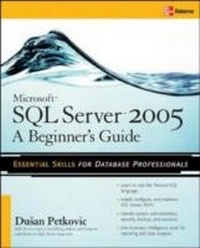
Microsoft SQL Server 2005: A Beginner''s Guide
1st Edition
Published on 22. November 2005
688 pages
978-0-07-178213-5 (ISBN)
Available for download
Description

It's been five years since Microsoft released a new version of SQL Serverwhich holds 39% of the Windows database marketand the latest edition of this bestselling beginner's guide gets users up and running on SQL Server 2005. The book covers database concepts, and discusses key topics for new users including the SQL Server Workbench,T-SQL, automated administration tasks, security, and analysis.
More details
Other editions
Additional editions
Dusan Petkovic
Microsoft SQL Server 2005: A Beginner''s Guide
Book
01/2006
Osborne/McGraw-Hill
€42.00
Shipment within 15-20 days
Content
- Cover page
- Microsoft SQL ServerT 2005: A Beginner's Guide
- Copyright Page
- Contents
- Acknowledgments
- Introduction
- Part I SQL Server: Basic Concepts
- Chapter 1 Database Systems and SQL Server
- Database Systems: An Overview
- Variety of User Interfaces
- Physical Data Independence
- Logical Data Independence
- Query Optimization
- Data Integrity
- Concurrency Control
- Backup and Recovery
- Security and Authorization
- Relational Database Systems
- Working with the Book's Sample Database
- SQL: A Relational Database Language
- Syntax Conventions
- Database Design
- Normal Forms
- Entity-Relationship (ER) Model
- Conclusion
- Overview of Microsoft SQL Server
- Exercises
- Chapter 2 SQL Server Management Studio
- The SQL Server Program Group and Books Online
- Introduction to SQL Server Management Studio
- Using Management Studio with the SQL Server Database Engine
- Managing Databases Using Object Explorer
- Authoring Activities Using SQL Server Management Studio
- Conclusion
- Exercises
- Part II Transact-SQL Language
- Chapter 3 SQL Components
- SQL's Basic Objects
- Comments
- Identifiers
- Reserved Keywords
- Data Types
- Numeric Data Types
- String Data Types
- Specifying Date and Time
- Derived Data Types
- Miscellaneous Data Types
- User-Defined Data Types
- Predicates
- Aggregate Functions
- Scalar Functions
- Numeric Functions
- Date Functions
- String Functions
- Text/Image Functions
- System Functions
- Scalar Operators
- Global Variables
- Null Values
- Conclusion
- Exercises
- Chapter 4 Data Definition Language
- Creating Database Objects
- Creation of a Database
- CREATE TABLE: A Basic Form
- CREATE TABLE: The Enhanced Form
- CREATE TABLE and Declarative Integrity Constraints
- Referential Constraints
- Creating Other Database Objects
- Integrity Constraints and Domains
- Modifying Database Objects
- Altering a Database
- Altering a Table: A Basic Form
- Altering a Table: Enhanced Form
- Removing Database Objects
- Conclusion
- Exercises
- Chapter 5 Simple Queries
- SELECT Statement: A Basic Form
- WHERE Clause
- Boolean Operators
- IN and BETWEEN Operators
- Queries Involving Null Values
- LIKE Operator
- Simple Subqueries
- Subqueries and Comparison Operators
- Subqueries and IN Operator
- ANY and ALL Operators
- EXISTS Function
- Queries in the FROM Clause
- GROUP BY Clause
- Aggregate Functions
- Convenient Aggregates
- Statistical Aggregates
- Superaggregates (Operators CUBE and ROLLUP)
- User-Defined Aggregate Functions
- HAVING Clause
- ORDER BY Clause
- SELECT Statement and IDENTITY Property
- Set Operators
- CASE Expressions
- COMPUTE Clause
- Temporary Tables
- Computed Columns
- Conclusion
- Exercises
- Chapter 6 Complex Queries
- Join Operator
- Two Syntax Forms to Implement Joins
- Equijoin
- Cartesian Product
- Natural Join
- Thetajoin
- Joining More Than Two Tables
- Joining a Table with Itself
- Outer Join
- Correlated Subqueries
- EXISTS Function and Subqueries
- Should You Use Join or Subqueries?
- Subquery Advantages
- Join Advantages
- Common Table Expressions
- CTE and Nonrecursive Queries
- Common Table Expressions and Recursive Queries
- Conclusion
- Exercises
- Chapter 7 Modification of a Table's Contents
- INSERT Statement
- Inserting a Single Row
- Inserting Multiple Rows
- UPDATE Statement
- DELETE Statement
- Conclusion
- Exercises
- Chapter 8 Stored Procedures and User-Defined Functions
- SQL Extensions
- Block of Statements
- IF Statement
- WHILE Statement
- Local Variables
- Miscellaneous Procedural Statements
- Handling Events With TRY and CATCH Statements
- Stored Procedures
- Creation and Execution of Stored Procedures
- System Stored Procedures
- Stored Procedures and CLR
- User-Defined Functions
- Creation and Execution of User-Defined Functions
- User-Defined Functions and CLR
- Conclusion
- Exercises
- Chapter 9 Indices and Query Optimization
- Indices
- Clustered and Nonclustered Indices
- Indices and the Corresponding Transact-SQL Statements
- Editing Index Information
- Indices and Keys
- Guidelines for Creating Indices
- General Criteria to Improve Efficiency
- Join vs. Correlated Subquery
- Incomplete Statements
- LIKE Operator
- Transact-SQL Statements for Query Optimization
- Query Optimizer
- Optimizer Statistics
- Implementing the Join Operation
- Optimizer Hints
- The DBCC Command and Indices
- Conclusion
- Exercises
- Chapter 10 Views
- DDL Statements and Views
- Creating a View
- Altering and Removing Views
- DML Statements and Views
- View Retrieval
- INSERT Statement and a View
- UPDATE Statement and a View
- DELETE Statement and a View
- Indexed Views
- Creating an Indexed View
- Benefits of Indexed Views
- Using Indexed Views
- Conclusion
- Exercises
- Chapter 11 System Catalog
- System Tables
- Sysobjects
- Syscolumns
- Sysindexes
- Sysusers
- Sysdatabases
- Sysdepends
- Sysconstraints
- Catalog Views
- Sys_objects
- Sys.columns
- Sys.database_principals
- Querying Catalog Views
- Other Ways to Access System Information
- System Procedures
- System Functions
- Property Functions
- Information Schema
- Conclusion
- Exercises
- Chapter 12 SQL Server Security
- Authentication
- SQL Server Encryption Policy and Mechanisms
- Setting Up SQL Server Security Using DDL
- Setting Up SQL Server Security Using System Procedures
- System Procedures Concerning Logins
- Schema
- User-Schema Separation
- DDL Statements Concerning Schema
- Database Security
- Setting Up Database User Accounts with DDL
- Setting Up Database User Accounts Using System Procedures
- Default Database Schemas
- Roles
- Fixed Server Roles
- Fixed Server Roles and Their Permissions
- Fixed Database Roles
- Fixed Database Roles and Their Permissions
- Application Roles
- User-Defined Database Roles
- Authorization
- GRANT Statement
- DENY Statement
- REVOKE Statement
- Views and Data Access
- Stored Procedures and Data Access
- Conclusion
- Exercises
- Chapter 13 Triggers
- Introduction
- How Triggers Work
- Application Areas for AFTER Triggers
- Application Areas for INSTEAD OF Triggers
- First and Last Triggers
- DDL Triggers
- Triggers and CLR
- The OUTPUT Clause
- Modifying Trigger's Structure
- Conclusion
- Exercises
- Chapter 14 Transactions
- Introduction
- Transact-SQL Statements and Transactions
- Transaction Logging
- Locking
- Lock Granularity
- Kinds of Locks
- The SELECT Statement and Locking
- Isolation Levels
- Row Versioning and Snapshot Isolation Level
- Deadlock
- Conclusion
- Exercises
- Chapter 15 SQL Server System Environment
- Disk Storage
- Data Pages
- Large Objects
- Index Pages
- System Databases
- Utilities
- bcp Utility
- osql Utility
- sqlcmd Utility
- Instances of SQL Server
- Unicode
- Character Encoding
- SQL Server Architecture
- Multiprocessor Hardware Architectures
- Multithreading Architecture of SQL Server
- Conclusion
- Exercises
- Part III SQL Server: System Administration
- Chapter 16 Overview of System Administration
- Administration Tools
- MS SQL Server 2005 Program Group
- SQL Computer Manager
- Dynamic Management Views
- System Administrator
- Conclusion
- Chapter 17 Planning the Installation and Installing SQL Server
- Planning the Installation
- Purpose of SQL Server
- Hardware and Software Requirements
- SQL Server Editions
- Installation Recommendations
- Installing SQL Server
- Beginning the Installation
- Configuring SQL Server After Installation
- Create Server Groups and Register the Server
- Set Server Options
- Starting and Stopping an Instance of SQL Server
- Conclusion
- Chapter 18 Managing Databases and Database Files
- Managing Filegroups
- Viewing Filegroups
- Managing Databases
- Creating Databases
- Viewing and Modifying Database Options
- Modifying Databases
- Managing Transaction Logs
- Conclusion
- Exercises
- Chapter 19 Managing Security
- Introduction
- Implementing a Security Mode
- Managing SQL Server Logins
- Database Security Permissions
- Roles
- Managing Permissions
- Conclusion
- Exercises
- Chapter 20 Backup and Recovery
- Introduction
- Software and Hardware Failures
- Transaction Log
- Backup
- Full Database Backup
- Differential Backup
- Transaction Log Backup
- Database File Backup
- Performing Backup
- Backup Using Management Studio
- Backup Using Transact-SQL Statements
- Which Databases to Back Up?
- Minimizing System Downtime
- High Availability
- Recovery
- Automatic Recovery
- Manual Recovery
- Recovery Models
- Recovery to a Mark
- Conclusion
- Exercises
- Chapter 21 Automating System Administration Tasks
- Introduction
- SQL Server Agent
- Running and Configuring SQL Server Agent
- Creating Jobs and Operators
- Job Steps
- Creating a Job Using SQL Server Management Studio
- Creating Job Schedules
- Creating Operators for Notification
- Viewing the Job History Log
- Alerts
- Error Messages
- SQL Server Error Log
- Event Log
- Defining Alerts to Handle SQL Server Errors
- Defining Alerts to Handle User-Defined Errors
- Conclusion
- Exercises
- Chapter 22 Performance and Tuning
- Introduction
- Factors that Affect Performance
- Database Applications and Performance
- The Database Server and Performance
- System Resources and Performance
- CPU
- Monitoring Tools
- Application Performance Tools
- SQL Server-Specific Monitoring
- Tools for Monitoring System Resources
- Choose the Right Tool
- SQL Server Profiler
- Database Engine Tuning Advisor
- Conclusion
- Chapter 23 Data Partitioning
- Introduction
- Ways to Partition Your Data
- Steps for Creating Partitioned Tables
- Set Partition Goals
- Determine Partitioning Key and Number of Partitions
- Create a Filegroup for Each Partition
- Create Partition Function and Partition Scheme
- Collocating Objects
- Guidelines for Partitioning Tables and Indices
- Conclusion
- Chapter 24 Data Replication
- Distributed Data
- Methods for Distributing Data
- SQL Server Replication-An Overview
- Publishers, Distributors, and Subscribers
- Publications and Articles
- Replication Types
- Replication Models
- Managing Replication
- Configuring the Distribution and Publication Servers
- Setting Up Publications
- Setting Up Subscription Servers
- Conclusion
- Exercises
- Part IV Microsoft Analysis Services
- Chapter 25 Data Warehousing: An Introduction
- Online Transaction Processing vs. Data Warehousing
- Online Transaction Processing
- Data Warehouse Systems
- Data Warehouses and Data Marts
- Data Warehouse Design
- Dimensional Model
- Cubes and Storage Modes
- MOLAP, ROLAP, and HOLAP
- Aggregation
- How Much to Aggregate?
- Data Access
- Conclusion
- Exercises
- Chapter 26 Microsoft Analysis Services
- BI Development Studio
- Analysis Services and Cubes
- Creating a Cube
- Designing Storage Aggregation and Processing the Cube
- Browsing a Cube
- Conclusion
- Chapter 27 Business Intelligence and SQL
- OLAP Extensions in Transact-SQL
- CUBE Operator
- ROLLUP Operator
- Ranking Functions
- TOP n Clause
- PIVOT and UNPIVOT Operators
- Conclusion
- Chapter 28 Microsoft Reporting Services
- Introduction
- Report Manager
- Report Server
- Report Server Database
- Creating Reports
- Report Wizard
- Parameterized Reports
- Processing and Managing Reports
- Accessing and Delivering Reports
- On-Demand Reports
- Report Subscription
- Conclusion
- Exercises
- Part V XML Support
- Chapter 29 Overview of XML
- World Wide Web
- XML and Related Languages
- XML-Basic Concepts
- Document Type Definitions
- XML Schema
- Conclusion
- Chapter 30 SQL Server 2005 and XML
- Storing XML in Relational Databases
- The XML Data Type
- Indexing an XML Column
- Typed vs. Untyped XML
- Constructing XML Documents Using the FOR XML Clause
- RAW Mode
- AUTO Mode
- EXPLICIT Mode
- PATH Mode
- Specifying Directives with Different Modes
- XML Query Languages
- Conclusion
- Index

