

Understanding Color in Photography
Description
Alles über E-Books | Antworten auf Fragen rund um E-Books, Kopierschutz und Dateiformate finden Sie in unserem Info- & Hilfebereich.
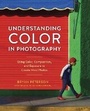
Veteran photographer and instructor Bryan Peterson is best known for his arresting imagery using bold, graphic color and composition. Here he explores his signature use of color in photography for the first time, showing readers his process for creating striking images that pop off the page. He addresses how to shoot in any type of light, and looks at color families and how they can work together to make compelling images in commercial and art photography. He also helps readers understand exposure, flash, and other stumbling blocks that beginning and experienced photographers encounter when capturing images, showing how to get the most out of any composition. With its down-to-earth voice and casual teaching style, Understanding Color in Photography is a workshop in a book, helping any photographer take their images to the next level.
More details
Other editions
Additional editions

Persons
System requirements
File format: ePUB
Copy protection: Adobe-DRM (Digital Rights Management)
System requirements:
- Computer (Windows; MacOS X; Linux): Install the free reader Adobe Digital Editions prior to download (see eBook Help).
- Tablet/smartphone (Android; iOS): Install the free app Adobe Digital Editions or the app PocketBook before downloading (see eBook Help).
- E-reader: Bookeen, Kobo, Pocketbook, Sony, Tolino and many more (not Kindle).
The file format ePub works well for novels and non-fiction books – i.e., „flowing” text without complex layout. On an e-reader or smartphone, line and page breaks automatically adjust to fit the small displays.
This eBook uses Adobe-DRM, a „hard” copy protection. If the necessary requirements are not met, unfortunately you will not be able to open the eBook. You will therefore need to prepare your reading hardware before downloading.
Please note: We strongly recommend that you authorise using your personal Adobe ID after installation of any reading software.
For more information, see our ebook Help page.