

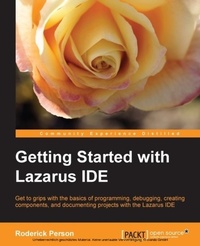
Getting Started with Lazarus IDE
Get to grips with the basics of programming, debugging, creating, and documenting projects with the Lazarus IDE
Published on 13. January 2025
116 pages
978-1-78216-341-1 (ISBN)
Description

Get to grips with the basics of programming, debugging, creating, and documenting projects with the Lazarus IDE
Key Features
Creating new projects
Create components for use in Lazarus
Documenting Lazarus project
Book DescriptionA good integrated development environment can be the key to creating and delivering software on time and budget. Having a programming language and a development environment that runs on multiple platforms greatly eases and lessens the time taken on creating cross-platform applications. An IDE that is compatible with a legacy code base allows developers to leverage existing libraries in future applications."Getting Started with Lazarus" is a practical, hands-on guide that provides you with a number of clear step-by-step exercises, which will help you take advantage of the power of the Lazarus IDE and Free Pascal to develop software that can be created for cross-platform use."Getting started with Lazarus" discusses developing software with the open source cross platform integrated development environment and the Free Pascal language. We'll learn how to install Lazarus on various platforms such as Linux and Windows, as well as how to create new projects and convert existing Delphi projects to Lazarus projects by learning the differences between Delphi's Pascal syntax and Free Pascal's Object Pascal using a real world example project. We'll learn how to create custom components for use in Lazarus. We'll also learn the basics of documenting a Lazarus project using the Lazarus Documentation Editor. Finally we will learn that the IDE can be rebuilt using a different widget type, specifically GTK 2. Teach yourself the basics of programming with Lazarus and the open source IDE for the Free Pascal language.What you will learn
Install Lazarus on different platforms such as Linux or Windows
Learn the basics of the Lazarus IDE such as the menus, the Object Inspector, and the Source Code Editor
Create new projects with Lazarus such as console applications and GUI applications
Debug Lazarus projects
Convert an existing Delphi project to a Lazarus project
Create new components for use with Lazarus GUI applications
Document a Lazarus project using the LazDE tool
Rebuild Lazarus on the Windows platform using the GTK 2 widget set
Who this book is forThis book is geared toward developers that have a familiarity with Delphi or Free Pascal and would like to start using the open source Lazarus Integrated Development Environment. You should have knowledge of creating a console and GUI applications as well as creating basic components. Example source code and projects are provided to help learn the differences between Delphi and Lazarus projects.
Key Features
Creating new projects
Create components for use in Lazarus
Documenting Lazarus project
Book DescriptionA good integrated development environment can be the key to creating and delivering software on time and budget. Having a programming language and a development environment that runs on multiple platforms greatly eases and lessens the time taken on creating cross-platform applications. An IDE that is compatible with a legacy code base allows developers to leverage existing libraries in future applications."Getting Started with Lazarus" is a practical, hands-on guide that provides you with a number of clear step-by-step exercises, which will help you take advantage of the power of the Lazarus IDE and Free Pascal to develop software that can be created for cross-platform use."Getting started with Lazarus" discusses developing software with the open source cross platform integrated development environment and the Free Pascal language. We'll learn how to install Lazarus on various platforms such as Linux and Windows, as well as how to create new projects and convert existing Delphi projects to Lazarus projects by learning the differences between Delphi's Pascal syntax and Free Pascal's Object Pascal using a real world example project. We'll learn how to create custom components for use in Lazarus. We'll also learn the basics of documenting a Lazarus project using the Lazarus Documentation Editor. Finally we will learn that the IDE can be rebuilt using a different widget type, specifically GTK 2. Teach yourself the basics of programming with Lazarus and the open source IDE for the Free Pascal language.What you will learn
Install Lazarus on different platforms such as Linux or Windows
Learn the basics of the Lazarus IDE such as the menus, the Object Inspector, and the Source Code Editor
Create new projects with Lazarus such as console applications and GUI applications
Debug Lazarus projects
Convert an existing Delphi project to a Lazarus project
Create new components for use with Lazarus GUI applications
Document a Lazarus project using the LazDE tool
Rebuild Lazarus on the Windows platform using the GTK 2 widget set
Who this book is forThis book is geared toward developers that have a familiarity with Delphi or Free Pascal and would like to start using the open source Lazarus Integrated Development Environment. You should have knowledge of creating a console and GUI applications as well as creating basic components. Example source code and projects are provided to help learn the differences between Delphi and Lazarus projects.
More details
Edition
Digital original
Language
English
Place of publication
Birmingham
United Kingdom
Target group
Professional and scholarly
US School Grade: College Graduate Student
Edition type
Digital original
File size
1,53 MB
ISBN-13
978-1-78216-341-1 (9781782163411)
Copyright in bibliographic data and cover images is held by Nielsen Book Services Limited or by the publishers or by their respective licensors: all rights reserved.
Schweitzer Classification
Other editions
Additional editions
Roderick Person
Getting Started with the Lazarus Ide
Book
02/2013
Packt Publishing
€31.70
Shipment within 3-4 weeks
Person
Person Roderick :
Roderick Person has a varied background in the corporate IT field. For the last 14 years he has been a programmer for one of the top ranked health systems in the United States. He is experienced with developing applications in Delphi, Free Pascal, Python, SQL, and other languages. He is also an advocate of leveraging open source applications in corporate environments.
Roderick Person has a varied background in the corporate IT field. For the last 14 years he has been a programmer for one of the top ranked health systems in the United States. He is experienced with developing applications in Delphi, Free Pascal, Python, SQL, and other languages. He is also an advocate of leveraging open source applications in corporate environments.
Content
Table of Contents
