

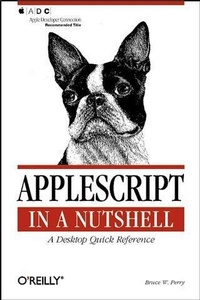
AppleScript in a Nutshell
A Desktop Quick Reference
Published on 6. June 2001
528 pages
978-1-4919-4637-4 (ISBN)
Description

AppleScript in a Nutshell is the first complete reference to AppleScript, the popular programming language that gives both power users and sophisticated enterprise customers the important ability to automate repetitive tasks and customize applications. As the Macintosh continues to expand and solidify its base in the multimedia and publishing industries, AppleScript is the tool of choice on this platform for creating sophisticated time- and money-saving workflow applications (applets). These applets automate the processing and management of digital video, imaging, print, and web-based material. AppleScript is also gaining a foothold in scientific programming, as technical organizations adopt G4 CPU-based systems for advanced computing and scientific analysis. Finally, "e;power users"e; and script novices will find that AppleScript is a great everyday Mac programming tool, similar to Perl on Windows NT or Unix.In this well-organized and concise reference, AppleScript programmers will find:Detailed coverage of AppleScript Version 1.4 and beyond on Mac OS 9 and Mac OS X.Complete descriptions of AppleScript language features, such as data types, flow-control statements, functions, object-oriented features (script objects and libraries), and other syntactical elements.Descriptions and hundreds of code samples on programming the various "e;scriptable"e; system components, such as the Finder, File Sharing, File Exchange, Network scripting, Web scripting, Apple System Profiler, the ColorSync program, and the numerous powerful language extensions called "e;osax"e; or scripting additions.Most other AppleScript books are hopelessly out of date. AppleScript in a Nutshell covers the latest updates and improvements with practical, easy to understand tips, including:Using AppleScript as a tool for distributed computing, an exciting development that Apple Computer calls "e;program linking over IP."e; Programmers can now do distributed computing with Macs over TCP/IP networks, including controlling remote applications with AppleScript and calling AppleScript methods on code libraries that are located on other machines.Using the Sherlock find application to automate web and network searching.Insights on scripting new Apple technologies such as Apple Data Detectors, Folder Actions, Keychain Access, and Apple Verifier.AppleScript in a Nutshell is a high-end handbook at a low-end price--an essential desktop reference that puts the full power of this user-friendly programming language into every AppleScript user's hands.
More details
Other editions
Additional editions
Book
07/2001
O'Reilly
€33.00
Shipment within 3-4 weeks
Content
- Intro
- Table of Contents
- Preface
- Organization of This Book
- Part I, Introduction to AppleScript
- Chap ter 1, AppleScript: An Introduction
- Chap ter 2, Using Script Editor with OS 9 and OS X
- Part II, AppleScript Language Reference
- Chap ter 3, Data Types
- Chap ter 4, Operators
- Chap ter 5, Reference Forms
- Chap ter 6, Variables and Constants
- Chap ter 7, Flow-Control Statements
- Chap ter 8, Subroutines
- Chap ter 9, Script Objects and Libraries
- Part III, Scripting Mac OS 9 Applications
- Chap ter 10, Apple Guide and Help Viewer
- Chap ter 11, Apple System Profiler
- Chap ter 12, Keychain Scripting and Apple Verifier
- Chap ter 13, Desktop Printer Manager
- Chap ter 14, Mac OS 9 Finder Commands (MAC OS 9)
- Chap ter 15, Mac OS 9 Finder Classes
- Chap ter 16, Network Setup Scripting
- Chap ter 17, Scripting Sherlock 2
- Chap ter 18, URL Access Scripting
- Part IV, Scripting Mac OS 9 Control Panels and Extensions
- Chap ter 19, Appearance Control Panel
- Chap ter 20, Apple Data Detectors Extension
- Chap ter 21, Apple Menu Options Control Panel
- Chap ter 22, Application Switcher Extension
- Chap ter 23, ColorSync Extension
- Chap ter 24, File Exchange Control Panel
- Chap ter 25, File Sharing Control Panel
- Chap ter 26, Folder Actions Extension
- Chap ter 27, FontSync Control Panel and Extension
- Chap ter 28, Location Manager Control Panel
- Chap ter 29, Memory and Mouse Control Panels
- Chap ter 30, Speech Listener and SpeakableItems Extension
- Chap ter 31, Web Sharing Control Panel
- Part V, Scripting the Mac OS X System
- Chap ter 32, Scripting the OS X Desktop
- Chap ter 33, Scripting Mail
- Chap ter 34, Executing Scripts with the Terminal App
- Chap ter 35, Scripting TextEdit
- Part VI, Appendixes
- Appendix A, Standard Scripting Additions
- Appe ndix B, AppleScript Resources
- Conventions Used in This Book
- How to Contact Us
- Acknowledgments
- Part I
- AppleScript: An Introduction
- How Is AppleScript Used?
- Automation
- Attachability/Recordability
- Scripting Additions
- Apple Events
- OSA
- Apple Event Registry
- Client/Server
- Inside an Apple Event
- Apple Event Parameters
- Apple Event Classes and Objects
- Elements and Properties
- Application Class
- Using Script Runner with OS X
- Using OSA Menu with OS 9
- Checking Your AppleScript Version
- Diving In
- Case Sensitivity
- Statement Termination
- Line Continuation Character
- Naming Identifiers or Variables and Functions
- Variable Declaration
- Comments
- Data Types
- Operators and Reference Forms
- Flow-Control Statements
- Subroutines
- Script Objects
- Using Script Editor with OS 9 and OS X
- Script Editor Controls/Commands
- Dictionaries
- Special Edit Menu Items
- Script Saving Options
- Script text file
- Compiled script file
- Classic applet
- MacOS X applets
- Applets versus droplets
- Debugging with Event Log and Result Windows
- Event Log
- Result window
- Scripting the Script Editor
- Part II
- Data Types
- alias
- boolean
- class
- constant
- data
- date
- file specification
- integer
- international text
- list
- number
- real
- record
- reference
- RGB color
- string
- Styled Clipboard Text
- Styled Text
- text
- Unicode Text
- Unit of Measurement Classes
- Unit of Measurement Classes
- Operators
- &
- ( )
- *
- +
- -
- / ¸ div
- &
- £ &=
- =
- &
- ³ &=
- ^
- [a] reference to
- and
- as
- begin[s] with
- contains
- does not contain
- does not equal
- ends with
- is contained by
- is not contained by
- mod
- not
- or
- Reference Forms
- after
- back
- before
- beginning
- first, second, third, fourth, etc.
- every
- every . from . to .
- id
- last
- middle
- name
- some
- whose
- Variables and Constants
- Variables
- Variable Scope
- Properties
- Constants and Predefined Variables
- all caps
- all lowercase
- anything
- application responses
- ask
- bold
- case
- condensed
- current application
- date and time constants
- diacriticals
- expanded
- expansion
- false
- hidden
- hyphens
- it
- italic
- me
- missing value
- my
- no
- outline
- pi
- plain
- punctuation
- result
- return
- shadow
- small caps
- space
- strikethrough
- subscript
- superscript
- tab
- true
- underline
- version
- white space
- yes
- Flow-Control Statements
- considering [but ignoring] end [considering]
- continue
- error
- exit [repeat]
- if simple statement
- if [then] [else if] [else] end [if]
- ignoring [but considering] end [ignoring]
- repeat end [repeat]
- repeat until end [repeat]
- repeat while end [repeat]
- repeat with {loop variable} from {integer} to {integer} [by stepVal] end [repeat]
- repeat with {loop variable} in {list} end [repeat]
- repeat {integer} times end [repeat]
- return [return value]
- tell simple statement
- tell end [tell]
- try [on error] [number | from | partial result | to] end [error | try]
- using terms from end [using terms from]
- with timeout [of] {integer} second[s] end [timeout]
- with transaction [session object] end [transaction]
- Subroutines
- Subroutines with Positional Parameters
- Subroutines with Labeled Parameters
- idle handler
- open handler
- reopen handler
- quit handler
- run handler
- Script Objects and Libraries
- Script Objects
- Libraries
- Part III
- Apple Guide and Help Viewer
- Apple Guide
- Help Viewer
- Apple System Profiler
- Apple System Profiler
- Keychain Scripting and Apple Verifier
- Keychain Scripting
- Apple Verifier
- Desktop Printer Manager
- Desktop Print Manager
- Mac OS 9 Finder Commands
- Example Finder Scripts
- Finding Out the Operating System Version
- Displaying the File and Creator Types of Files
- Finding and Deleting Only Certain File Types
- Displaying the Free Space of Each Disk
- Displaying the Running Processes in a list Box and Optionally Closing Some of Them
- Finder Commands
- Mac OS 9 Finder Classes
- Finder Classes
- Network Setup Scripting
- Network Setup Scripting
- Scripting Sherlock 2
- Sherlock 2
- URL Access Scripting
- URL Access Scripting
- Part IV
- Appearance Control Panel
- Appearance Control Panel
- Apple Data Detectors Extension
- Apple Data Detectors
- Apple Menu Options Control Panel
- Apple Menu Options
- Application Switcher Extension
- Application Switcher
- ColorSync Extension
- ColorSync
- File Exchange Control Panel
- File Exchange
- File Sharing Control Panel
- File Sharing
- Folder Actions Extension
- Folder Actions
- FontSync Control Panel and Extension
- FontSync Control Panel
- FontSync Extension
- Location Manager Control Panel
- Location Manager
- Memory and Mouse Control Panels
- Memory Control Panel
- Mouse Control Panel
- Speech Listener and SpeakableItems Extension
- Speech Listener Application
- SpeakableItems Extension
- Embedded Speech Commands
- Web Sharing Control Panel
- Part V
- Scripting the OS X Desktop
- Working with Files, Folders, Disks, and Windows in OS X
- Making New Files and Folders
- Working with Finder and Inspector Windows
- A Work in Progress
- Scripting Mail
- Setting Up an Email Message
- Exploring the Mail Application Object
- Getting Information about an Email Account
- Executing Scripts with the Terminal App
- osacompile
- osalang
- osascript
- Scripting TextEdit
- TextEdit
- Part VI
- Standard Scripting Additions
- Standard Additions
- Standard Additions
- AppleScript Resources
- Apple Computer AppleScript URLs
- AppleScript FAQs, Mailing Lists, and Tutorials
- Macintosh Scripting Sites
- Commercial AppleScript Development Environments
- Freeware AppleScript Development Environments
- Index
