

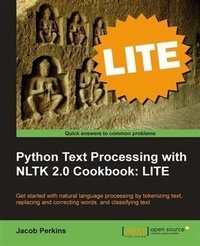
Python Text Processing with NLTK 2.0 Cookbook: LITE
Python Text Processing with NLTK 2.0 Cookbook: LITE
1st Edition
Published on 7. October 2025
92 pages
978-1-84951-639-6 (ISBN)
Description

Key FeaturesBook DescriptionThe learn-by-doing approach of this book will enable you to dive right into the heart of text processing from the very first page. Each recipe is carefully designed to fulfill your appetite for Natural Language Processing. Packed with numerous illustrative examples and code samples, it will make the task of using the NLTK for Natural Language Processing easy and straightforward. This book is for Python programmers who want to quickly get to grips with using the NLTK for Natural Language Processing. Familiarity with basic text processing concepts is required. Programmers experienced in the NLTK will also find it useful. Students of linguistics will find it invaluable.What you will learn - Learn Text categorization and Topic identification Use Stemming and Lemmatization to go beyond the usual spell checker Replace negations with antonyms in your text Tokenize words into lists of sentences and words, and gain an insight into WordNet Train and manipulate different types of classifiers Automatically correct spelling with Enchant Translate text using Babelfish
Who this book is for
Who this book is for
More details
Other editions
Additional editions
Book
04/2011
Packt Publishing
€26.30
Shipment within 3-4 weeks
Person
Perkins Jacob :
Jacob Perkins is the cofounder and CTO of Weotta, a local search company. Weotta uses NLP and machine learning to create powerful and easy-to-use natural language search for what to do and where to go. He is the author of Python Text Processing with NLTK 2.0 Cookbook, Packt Publishing, and has contributed a chapter to the Bad Data Handbook, O'Reilly Media. He writes about NLTK, Python, and other technology topics at http://streamhacker.com. To demonstrate the capabilities of NLTK and natural language processing, he developed http://text-processing.com, which provides simple demos and NLP APIs for commercial use. He has contributed to various open source projects, including NLTK, and created NLTK-Trainer to simplify the process of training NLTK models. For more information, visit https://github.com/japerk/nltk-trainer.
Jacob Perkins is the cofounder and CTO of Weotta, a local search company. Weotta uses NLP and machine learning to create powerful and easy-to-use natural language search for what to do and where to go. He is the author of Python Text Processing with NLTK 2.0 Cookbook, Packt Publishing, and has contributed a chapter to the Bad Data Handbook, O'Reilly Media. He writes about NLTK, Python, and other technology topics at http://streamhacker.com. To demonstrate the capabilities of NLTK and natural language processing, he developed http://text-processing.com, which provides simple demos and NLP APIs for commercial use. He has contributed to various open source projects, including NLTK, and created NLTK-Trainer to simplify the process of training NLTK models. For more information, visit https://github.com/japerk/nltk-trainer.
Content
- Intro
- Python Text Processing with NLTK 2.0 Cookbook: LITE
- Python Text Processing with NLTK 2.0 Cookbook: LITE
- Credits
- About the Author
- About the Reviewers
- Preface
- What this book covers
- What you need for this book
- Who this book is for
- Conventions
- Reader feedback
- Customer support
- Errata
- Piracy
- Questions
- 1. Tokenizing Text and WordNet Basics
- Introduction
- Tokenizing text into sentences
- Getting ready
- How to do it...
- How it works...
- There's more...
- Other languages
- See also
- Tokenizing sentences into words
- How to do it...
- How it works...
- There's more...
- Contractions
- PunktWordTokenizer
- WordPunctTokenizer
- See also
- Tokenizing sentences using regular expressions
- Getting ready
- How to do it...
- How it works...
- There's more...
- Simple whitespace tokenizer
- See also
- Filtering stopwords in a tokenized sentence
- Getting ready
- How to do it...
- How it works...
- There's more...
- See also
- Looking up synsets for a word in WordNet
- Getting ready
- How to do it...
- How it works...
- There's more...
- Hypernyms
- Part-of-speech (POS)
- See also
- Looking up lemmas and synonyms in WordNet
- How to do it...
- How it works...
- There's more...
- All possible synonyms
- Antonyms
- See also
- Calculating WordNet synset similarity
- How to do it...
- How it works...
- There's more...
- Comparing verbs
- Path and LCH similarity
- See also
- Discovering word collocations
- Getting ready
- How to do it...
- How it works...
- There's more...
- Scoring functions
- Scoring ngrams
- 2. Replacing and Correcting Words
- Introduction
- Stemming words
- How to do it...
- How it works...
- There's more...
- LancasterStemmer
- RegexpStemmer
- SnowballStemmer
- See also
- Lemmatizing words with WordNet
- Getting ready
- How to do it...
- How it works...
- There's more...
- Combining stemming with lemmatization
- See also
- Translating text with Babelfish
- Getting ready
- How to do it...
- How it works...
- There's more...
- Available languages
- Replacing words matching regular expressions
- Getting ready
- How to do it...
- How it works...
- There's more...
- Replacement before tokenization
- See also
- Removing repeating characters
- Getting ready
- How to do it...
- How it works...
- There's more...
- See also
- Spelling correction with Enchant
- Getting ready
- How to do it...
- How it works...
- There's more...
- en_GB dictionary
- Personal word lists
- See also
- Replacing synonyms
- Getting ready
- How to do it...
- How it works...
- There's more...
- CSV synonym replacement
- YAML synonym replacement
- See also
- Replacing negations with antonyms
- How to do it...
- How it works...
- There's more...
- See also
- 3. Text Classification
- Introduction
- Bag of Words feature extraction
- How to do it...
- How it works...
- There's more...
- Filtering stopwords
- Including significant bigrams
- See also
- Training a naive Bayes classifier
- Getting ready
- How to do it...
- How it works...
- There's more...
- Classification probability
- Most informative features
- Training estimator
- Manual training
- See also
- Training a decision tree classifier
- Getting ready
- How to do it...
- How it works...
- There's more...
- Entropy cutoff
- Depth cutoff
- Support cutoff
- See also
- Training a maximum entropy classifier
- Getting ready
- How to do it...
- How it works...
- There's more...
- Scipy algorithms
- Megam algorithm
- See also
- Measuring precision and recall of a classifier
- How to do it...
- How it works...
- There's more...
- F-measure
- See also
- Calculating high information words
- How to do it...
- How it works...
- There's more...
- MaxentClassifier with high information words
- DecisionTreeClassifier with high information words
- See also
- Combining classifiers with voting
- Getting ready
- How to do it...
- How it works...
- See also
- Classifying with multiple binary classifiers
- Getting ready
- How to do it...
- How it works...
- There's more...
- See also
