

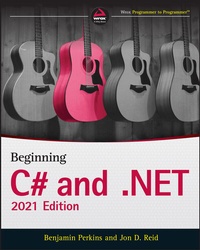
Beginning C# and .NET, 2021 Edition
2nd Edition
Published on 5. July 2021
864 pages
978-1-119-79582-7 (ISBN)
Description

Get a running start to learning C# programming with this fun and easy-to-read guide
As one of the most versatile and powerful programming languages around, you might think C# would be an intimidating language to learn. It doesn't have to be!
In Beginning C# and .NET: 2021 Edition, expert Microsoft programmer and engineer Benjamin Perkins and program manager Jon D. Reid walk you through the precise, step-by-step directions you'll need to follow to become fluent in the C# language and .NET.
Using the proven WROX method, you'll discover how to understand and write simple expressions and functions, debug programs, work with classes and class members, work with Windows forms, program for the web, and access data. You'll even learn about some of the new features included in the latest releases of C# and .NET, including data consumption, code simplification, and performance.
The book also offers:
* Detailed discussions of programming basics, like variables, flow control, and object-oriented programming that assume no previous programming experience
* "Try it Out" sections to help you write useful programming code using the steps you've learned in the book
* Downloadable code examples from wrox.com
Perfect for beginning-level programmers who are completely new to C#, Beginning C# and .NET: 2021 Edition is a must-have resource for anyone interested in learning programming and looking for a fun and intuitive place to start.
As one of the most versatile and powerful programming languages around, you might think C# would be an intimidating language to learn. It doesn't have to be!
In Beginning C# and .NET: 2021 Edition, expert Microsoft programmer and engineer Benjamin Perkins and program manager Jon D. Reid walk you through the precise, step-by-step directions you'll need to follow to become fluent in the C# language and .NET.
Using the proven WROX method, you'll discover how to understand and write simple expressions and functions, debug programs, work with classes and class members, work with Windows forms, program for the web, and access data. You'll even learn about some of the new features included in the latest releases of C# and .NET, including data consumption, code simplification, and performance.
The book also offers:
* Detailed discussions of programming basics, like variables, flow control, and object-oriented programming that assume no previous programming experience
* "Try it Out" sections to help you write useful programming code using the steps you've learned in the book
* Downloadable code examples from wrox.com
Perfect for beginning-level programmers who are completely new to C#, Beginning C# and .NET: 2021 Edition is a must-have resource for anyone interested in learning programming and looking for a fun and intuitive place to start.
More details
Other editions
Additional editions
Book
10/2021
Wiley-Blackwell
€56.00
Shipment within 15-20 days
Persons
About the authors
Benjamin Perkins is a Sr. Escalation Engineer at Microsoft. His experience includes designing, developing, deploying, administering, and managing enterprise-level IT solutions.
Jon D. Reid is a Program Manager in Research and Development at IFS AB, specializing in Field Service Management using C# and .NET.
Benjamin Perkins is a Sr. Escalation Engineer at Microsoft. His experience includes designing, developing, deploying, administering, and managing enterprise-level IT solutions.
Jon D. Reid is a Program Manager in Research and Development at IFS AB, specializing in Field Service Management using C# and .NET.
Content
- Cover
- Title Page
- Copyright Page
- About The Authors
- About The Technical Editor
- Acknowledgments
- Contents
- Introduction
- Who This Book is For
- What This Book Covers
- How This Book is Structured
- The C# Language (Chapters 1-13)
- Data Access (Chapters 14-17)
- Additional Techniques (Chapters 18-21)
- What You Need To Use This Book
- Conventions
- Source Code
- ERRATA
- Part I The C# Language
- Chapter 1: Introducing C#
- What Is .NET?
- .NET Framework, .NET Standard, and .NET Core
- Writing Programs Using .NET
- CIL and JIT
- Assemblies
- Managed Code
- Garbage Collection
- Fitting It Together
- Linking
- What Is C#?
- Applications You Can Write with C#
- C# in This Book
- Visual Studio
- Visual Studio Products
- Solutions
- Chapter 2: Writing a C# Program
- The Visual Studio Development Environment
- Console Applications
- The Solution Explorer
- The Properties Window
- The Error List Window
- Desktop Applications
- Chapter 3: Variables and Expressions
- Basic C# Syntax
- Basic C# Console Application Structure
- Variables
- Simple Types
- Variable Naming
- Literal Values
- Binary Literals and Digit Separators
- String Literals
- Expressions
- Mathematical Operators
- Assignment Operators
- Operator Precedence
- Namespaces
- Chapter 4: Flow Control
- Boolean Logic
- Boolean Bitwise and Assignment Operators
- Operator Precedence Updated
- Branching
- The Ternary Operator
- The if Statement
- Checking More Conditions Using if Statements
- The switch Statement
- Looping
- do Loops
- while Loops
- for Loops
- Interrupting Loops
- Infinite Loops
- Chapter 5: More about Variables
- Type Conversion
- Implicit Conversions
- Explicit Conversions
- Explicit Conversions Using the Convert Commands
- Complex Variable Types
- Enumerations
- Defining Enumerations
- Structs
- Defining Structs
- Arrays
- Declaring Arrays
- foreach Loops
- Pattern Matching with switch case Expression
- Multidimensional Arrays
- Arrays of Arrays
- String Manipulation
- Chapter 6: Functions
- Defining and Using Functions
- Return Values
- Parameters
- Parameter Matching
- Parameter Arrays
- Reference and Value Parameters
- Out Parameters
- Tuples
- Variable Scope
- Variable Scope in Other Structures
- Parameters and Return Values versus Global Data
- Local Functions
- The Main() Function
- Struct Functions
- Overloading Functions
- Using Delegates
- Chapter 7: Debugging and Error Handling
- Debugging in Visual Studio
- Debugging in Nonbreak (Normal) Mode
- Outputting Debugging Information
- Tracepoints
- Diagnostics Output versus Tracepoints
- Debugging in Break Mode
- Entering Break Mode
- Monitoring Variable Content
- Stepping through Code
- Immediate and Command Windows
- The Call Stack Window
- Error Handling
- try. . .catch. . .finally
- Throw Expressions
- Listing and Configuring Exceptions
- Chapter 8: Introduction to Object-Oriented Programming
- What Is Object-Oriented Programming?
- What Is an Object?
- Properties and Fields
- Methods
- Everything's an Object
- The Life Cycle of an Object
- Constructors
- Destructors
- Static and Instance Class Members
- Static Constructors
- Static Classes
- OOP Techniques
- Interfaces
- Disposable Objects
- Inheritance
- Polymorphism
- Interface Polymorphism
- Relationships between Objects
- Containment
- Collections
- Operator Overloading
- Events
- Reference Types versus Value Types
- OOP in Desktop Applications
- Chapter 9: Defining Classes
- Class Definitions in C#
- Interface Definitions
- System.Object
- Constructors and Destructors
- Constructor Execution Sequence
- OOP Tools in Visual Studio
- The Class View Window
- The Object Browser
- Adding Classes
- Class Diagrams
- Class Library Projects
- Interfaces versus Abstract Classes
- Struct Types
- Shallow Copying versus Deep Copying
- Chapter 10: Defining Class Members
- Member Definitions
- Defining Fields
- Defining Methods
- Defining Properties
- Tuple Deconstruction
- Refactoring Members
- Automatic Properties
- Additional Class Member Topics
- Hiding Base Class Methods
- Calling Overridden or Hidden Base Class Methods
- The this Keyword
- Using Nested Type Definitions
- Interface Implementation
- Implementing Interfaces in Classes
- Explicit Interface Member Implementation
- Additional Property Accessors
- Partial Class Definitions
- Partial Method Definitions
- Example Application
- Planning the Application
- The Card Class
- The Deck Class
- Writing the Class Library
- Adding the Suit and Rank Enumerations
- Adding the Card Class
- Adding the Deck Class
- A Client Application for the Class Library
- The Call Hierarchy Window
- Chapter 11: Collections, Comparisons, and Conversions
- Collections
- Using Collections
- Defining Collections
- Indexers
- Adding a CardCollection to CardLib
- Keyed Collections and IDictionary
- Iterators
- Iterators and Collections
- Deep Copying
- Adding Deep Copying to CardLib
- Comparisons
- Type Comparisons
- Boxing and Unboxing
- The is Operator
- Pattern Matching with the is Operator Pattern Expression
- Value Comparisons
- Operator Overloading
- Adding Operator Overloads to CardLib
- The IComparable and IComparer Interfaces
- Sorting Collections
- Conversions
- Overloading Conversion Operators
- The as Operator
- Chapter 12: Generics
- What Are Generics?
- Using Generics
- Nullable Types
- Operators and Nullable Types
- The ?? Operator
- The ?. Operator
- Working with Nullable Types
- The System.Collections.Generic Namespace
- List&T&
- Sorting and Searching Generic Lists
- Dictionary&K, V&
- Modifying CardLib to Use a Generic Collection Class
- Defining Generic Types
- Defining Generic Classes
- The default Keyword
- Constraining Types
- Inheriting from Generic Classes
- Generic Operators
- Generic Structs
- Defining Generic Interfaces
- Defining Generic Methods
- Defining Generic Delegates
- Variance
- Covariance
- Contravariance
- Chapter 13: Additional C# Techniques
- The :: Operator and the Global Namespace Qualifier
- Custom Exceptions
- Adding Custom Exceptions to CardLib
- Events
- What Is an Event?
- Handling Events
- Defining Events
- Multipurpose Event Handlers
- The EventHandler and Generic EventHandler&T& Types
- Return Values and Event Handlers
- Anonymous Methods
- Expanding and Using CardLib
- Attributes
- Reading Attributes
- Creating Attributes
- Initializers
- Object Initializers
- Collection Initializers
- Type Inference
- Anonymous Types
- Dynamic Lookup
- The dynamic Type
- Advanced Method Parameters
- Optional Parameters
- Optional Parameter Values
- The OptionalAttribute Attribute
- Optional Parameter Order
- Named Parameters
- Lambda Expressions
- Anonymous Methods Recap
- Lambda Expressions for Anonymous Methods
- Lambda Expression Parameters
- Lambda Expression Statement Bodies
- Lambda Expressions as Delegates and Expression Trees
- Lambda Expressions and Collections
- Part II Data Access
- Chapter 14: Files
- File Classes for Input and Output
- The File and Directory Classes
- The FileInfo Class
- The DirectoryInfo Class
- Path Names and Relative Paths
- Streams
- Classes for Using Streams
- The FileStream Object
- File Position
- Reading Data
- Writing Data
- The StreamWriter Object
- The StreamReader Object
- Reading Data
- Asynchronous File Access
- Reading and Writing Compressed Files
- Monitoring the File System
- Chapter 15: XML AND JSON
- XML Basics
- JSON Basics
- XML Schemas
- XML Document Object Model
- The XmlDocument Class
- The XmlElement Class
- Changing the Values of Nodes
- Inserting New Nodes
- Deleting Nodes
- Selecting Nodes
- Searching XML with XPath
- JSON Serialization and Deserialization
- Chapter 16: LINQ
- LINQ to XML
- LINQ to XML Functional Constructors
- Working with XML Fragments
- LINQ Providers
- LINQ Query Syntax
- Declaring a Variable for Results Using the var Keyword
- Specifying the Data Source: from Clause
- Specify Condition: where Clause
- Selecting Items: select Clause
- Finishing Up: Using the foreach Loop
- Deferred Query Execution
- LINQ Method Syntax
- LINQ Extension Methods
- Query Syntax versus Method Syntax
- Lambda Expressions
- Ordering Query Results
- Understanding the orderby Clause
- Querying a Large Data Set
- Using Aggregate Operators
- Using the Select Distinct Query
- Ordering by Multiple Levels
- Using Group Queries
- Using Joins
- Chapter 17: Databases
- Using Databases
- Entity Framework
- Code- First versus Database- First
- Migrations and Scaffolding
- Install SQL Server Express LocalDB
- A Code- First Database
- Exploring Your Database
- Navigating Database Relationships
- Creating and Querying XML from an Existing Database
- Part III Additional Techniques
- Chapter 18: .NET and ASP.NET
- Cross- Platform Basics and Key "Must Know" Terms
- What was .NET Standard?
- Shared Project, PCL, and .NET Standard
- Building and Packaging a .NET Standard Library
- Referencing and Targeting .NET
- What was .NET Core?
- Cross Platform
- Open Source
- Optimized for the Cloud
- Performance
- Modular Design
- Self- Contained Deployment Model
- Porting from .NET Framework to .NET
- Identifying Third- Party Dependencies
- Understanding Which Features Are Not Available
- Upgrading the Current .NET Framework Target
- Overview of Web Applications
- Which ASP.NET to Use and Why
- ASP.NET Web Forms
- Server Controls
- Input Validation
- State Management
- Authentication and Authorization
- ASP.NET Web Site versus ASP.NET Web Applications
- ASP.NET MVC/ASP.NET Core Web App MVC
- ASP.NET Core Web API
- ASP.NET Core Web App
- IIS and Kestrel
- Blazor App and Razor Pages
- Input Validation
- State Management
- Authentication and Authorization
- Dependency Injection
- Chapter 19: Basic Cloud Programming
- The Cloud, Cloud Computing, and the Cloud Optimized Stack
- Cloud Patterns and Best Practices
- Using Microsoft Azure C# Libraries to Create a Storage Container
- Creating an ASP.NET Core Web Application That Uses the Storage Container
- Chapter 20: Basic Web API and WCF Programming
- Creating an ASP.NET Core Web API
- Consuming an ASP.NET Core Web API
- What Is REST?
- What Is WCF?
- WCF Concepts
- WCF Communication Protocols
- Addresses, Endpoints, and Bindings
- Contracts
- Message Patterns
- Behaviors
- Hosting
- WCF Programming
- The WCF Test Client
- Defining WCF Service Contracts
- Data Contracts
- Service Contracts
- Operation Contracts
- Message Contracts
- Fault Contracts
- Self- Hosted WCF Services
- Chapter 21: Basic Desktop Programming
- XAML
- Separation of Concerns
- XAML in Action
- Namespaces
- Code- Behind Files
- The Playground
- WPF Controls
- Properties
- Dependency Properties
- Attached Properties
- Events
- Handling Events
- Routed Events
- Routed Commands
- Control Types
- Control Layout
- Basic Layout Concepts
- Stack Order
- Alignment, Margins, Padding, and Dimensions
- Border
- Visual Debugging Tools
- Layout Panels
- Canvas
- DockPanel
- StackPanel
- WrapPanel
- Grid
- The Game Client
- The About Window
- Designing the User Interface
- The Image Control
- The Label Control
- The TextBlock Control
- The Button Control
- The Options Window
- The TextBox Control
- The CheckBox Control
- The RadioButton Control
- The ComboBox Control
- The TabControl
- Handling Events in the Options Window
- Data Binding
- The DataContext
- Binding to Local Objects
- Static Binding to External Objects
- Dynamic Binding to External Objects
- Starting a Game with the ListBox Control
- Creating and Styling Controls
- Styles
- Templates
- Triggers
- Animations
- WPF User Controls
- Implementing Dependency Properties
- The Main Window
- The Menu Control
- Routed Commands with Menus
- Putting It All Together
- Refactoring the Domain Model
- The View Model
- Completing the Game
- Appendix: Exercise Solutions
- Index
- EULA
