

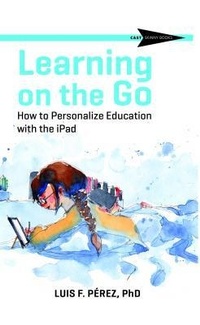
Learning on the Go
Description

The iPad is a powerful educational device-versatile, mobile, flexible, and accessible to all learners, including those with disabilities.
Dr. Luis Pérez draws on years of classroom teaching and his own experience with a visual impairment to offer savvy tips and strategies for making the most of the iPad. Perez shows how students with and without disabilities can become empowered creators and publishers of their own work. Teachers and parents of students in general education and special education settings will learn about the huge number of up-to-date iPad applications that they can use today. Perez's book is especially helpful for developing Individualized Education Programs (IEPs).
Learn about multimedia development, digital photography, blogs and websites, writing and reading supports, accommodations and supports for speech, vision, communications, executive functioning and more.
Throughout the book, you'll also find QR codes leading to the companion website with a wealth of additional resources including student activities, multimedia examples, Google tools, and much more.
More details
Person
Content
About the Author
Introduction
Luis's Story
Getting the Most Out of This Book
Key Takeaways
Chapter 1: The iPad, Mobile Learning and UDL
- iPad as a Support for Multiple Means of Engagement
- iPad as a Support for Multiple Means of Representation
- iPad as a Support for Multiple Means of Action and Expression
- Key Takeaways
Chapter 2: Access to Content and Tools
- Access to the Interface
- Access to Information
- Access to Communication
Chapter 3: Built-In
- Supports and Scaffolds for Variability
- Display Accommodations
- Text to Speech
- Supports for Math
- Supports for Executive Functioning
Chapter 4: Leveraging Multimedia
- Supports for Writing
- Providing Formative Feedback
- Key Takeaways
Chapter 5: Publishing and Sharing Beyond the Classroom
- Blogs and Websites
Conclusion
References
Appendix: Top 10 Apps Mentioned in the Book
