

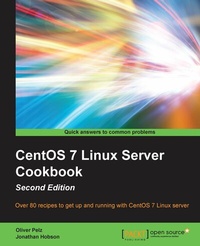
CentOS 7 Linux Server Cookbook
Get your CentOS server up and running with this collection of more than 80 recipes created for CentOS 7 - essential for Linux fans!
2nd Edition
Published on 13. January 2025
326 pages
978-1-78588-398-9 (ISBN)
Description

Over 80 recipes to get up and running with CentOS 7 Linux server
Key Features
[*] A practical guide to install, configure, administer and maintain CentOS 7 servers
[*] An in-depth guide to the CentOS 7 operating system, exploring its various new features and changes in server administration
[*] Presents tricks and solutions to tackle common server issues with the help of practical examples and real-life scenarios
Book DescriptionThis book will provide you with a comprehensive series of starting points that will give you direct access to the inner workings of the latest CentOS version 7 and help you trim the learning curve to master your server. You will begin with the installation and basic configuration of CentOS 7, followed by learning how to manage your system, services and software packages. You will then gain an understanding of how to administer the file system, secure access to your server and configure various resource sharing services such as file, printer and DHCP servers across your network. Further on, we cover advanced topics such as FTP services, building your own DNS server, running database servers, and providing mail and web services. Finally, you will get a deep understanding of SELinux and you will learn how to work with Docker operating-system virtualization and how to monitor your IT infrastructure with Nagios. By the end of this book, you will have a fair understanding of all the aspects of configuring, implementing and administering CentOS 7 Linux server and how to put it in control.What you will learn
[*] Install and configure CentOS 7 Linux server system from scratch using normal and advanced methods
[*] Maintain a performance-based and secure server solution by deploying expert configuration advice and managing software packages
[*] Monitor, manage and develop your server s file system to maintain a stable performance
[*] Gain best practice methods on sharing files and resources through a network
[*] Install and configure common standard services such as web, mail, FTP, database and domain name server technologies
[*] Introduce you to the world of operating-system-level virtualization using the Docker platform.
[*] Understand the fundamentals of the Security-Enhanced Linux access control architecture
[*] Monitor your IT infrastructure using Nagios
Who this book is forThis book is targeted at beginner and more experienced system administrators alike who want to use CentOS as their server solution. Readers do not need much pre-knowledge or experience at all to work with this book.
Key Features
[*] A practical guide to install, configure, administer and maintain CentOS 7 servers
[*] An in-depth guide to the CentOS 7 operating system, exploring its various new features and changes in server administration
[*] Presents tricks and solutions to tackle common server issues with the help of practical examples and real-life scenarios
Book DescriptionThis book will provide you with a comprehensive series of starting points that will give you direct access to the inner workings of the latest CentOS version 7 and help you trim the learning curve to master your server. You will begin with the installation and basic configuration of CentOS 7, followed by learning how to manage your system, services and software packages. You will then gain an understanding of how to administer the file system, secure access to your server and configure various resource sharing services such as file, printer and DHCP servers across your network. Further on, we cover advanced topics such as FTP services, building your own DNS server, running database servers, and providing mail and web services. Finally, you will get a deep understanding of SELinux and you will learn how to work with Docker operating-system virtualization and how to monitor your IT infrastructure with Nagios. By the end of this book, you will have a fair understanding of all the aspects of configuring, implementing and administering CentOS 7 Linux server and how to put it in control.What you will learn
[*] Install and configure CentOS 7 Linux server system from scratch using normal and advanced methods
[*] Maintain a performance-based and secure server solution by deploying expert configuration advice and managing software packages
[*] Monitor, manage and develop your server s file system to maintain a stable performance
[*] Gain best practice methods on sharing files and resources through a network
[*] Install and configure common standard services such as web, mail, FTP, database and domain name server technologies
[*] Introduce you to the world of operating-system-level virtualization using the Docker platform.
[*] Understand the fundamentals of the Security-Enhanced Linux access control architecture
[*] Monitor your IT infrastructure using Nagios
Who this book is forThis book is targeted at beginner and more experienced system administrators alike who want to use CentOS as their server solution. Readers do not need much pre-knowledge or experience at all to work with this book.
All prices
More details
Edition
2nd Revised edition
Language
English
Place of publication
Birmingham
United Kingdom
Target group
US School Grade: College Graduate Student
Edition type
Revised edition
File size
0,49 MB
ISBN-13
978-1-78588-398-9 (9781785883989)
Copyright in bibliographic data and cover images is held by Nielsen Book Services Limited or by the publishers or by their respective licensors: all rights reserved.
Schweitzer Classification
Other editions
Additional editions
Oliver Pelz | Jonathan Hobson
CentOS 7 Linux Server Cookbook - Second Edition
Get your CentOS server up and running with this collection of more than 80 recipes created for CentOS 7: essential for Linux fans!
Book
01/2016
Packt Publishing
€63.10
Shipment within 3-4 weeks
Persons
Hobson Jonathan :
Jonathan is a web developer, systems engineer and applications programmer, who, for more than 20 years has been working behind the scenes to support companies, organizations and individuals around the world to realize their digital ambitions. With an honors degree in both English and History and as a respected practitioner of many computer languages Jonathan enjoys writing code, publishing articles, building computers, playing the video games and getting 'out and about' in the big outdoors. He has been using CentOS since its inception and over the years, it has not only earned his trust, but it has become his first choice server solution. CentOS is a first class community based enterprise class operating system, it is a pleasure to work with, and because of this Jonathan has written this book in order that his knowledge and experience can be passed on to others.
Jonathan is a web developer, systems engineer and applications programmer, who, for more than 20 years has been working behind the scenes to support companies, organizations and individuals around the world to realize their digital ambitions. With an honors degree in both English and History and as a respected practitioner of many computer languages Jonathan enjoys writing code, publishing articles, building computers, playing the video games and getting 'out and about' in the big outdoors. He has been using CentOS since its inception and over the years, it has not only earned his trust, but it has become his first choice server solution. CentOS is a first class community based enterprise class operating system, it is a pleasure to work with, and because of this Jonathan has written this book in order that his knowledge and experience can be passed on to others.
Content
Table of Contents
Installing CentOS
Configuring the system
Managing the System
Managing Packages with YUM
Administering the File System
Providing Security
Building a Network
Working with FTP
Building a Domain
Working with Databases
Providing Mail Services
Providing Web Services
Operating-system-level virtualization
Working with SELinux
Monitoring IT Infrastructure
Installing CentOS
Configuring the system
Managing the System
Managing Packages with YUM
Administering the File System
Providing Security
Building a Network
Working with FTP
Building a Domain
Working with Databases
Providing Mail Services
Providing Web Services
Operating-system-level virtualization
Working with SELinux
Monitoring IT Infrastructure

