Beginning GIMP
Description

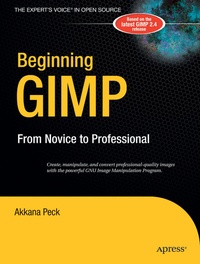
Beginning GIMP: From Novice to Professional explains how to use the open source image manipulation program, GIMP version 2.4. You'll learn how to install GIMP on Windows, Linux, and MacOS X platforms. Once you've installed the application, you'll learn about the interface and configuration options, and then jump into a quick-and-simple project to familiarize yourself even further.
With four-color graphics and screenshots throughout, you'll learn how to prepare camera images for display on web pagesincluding functions like rescaling, cropping, and balancing color. The book also explains with great detail how to utilize layers, paths, and masks. You'll also learn how to draw lines and shapes, use patterns and gradients, and even create your own brushes, patterns, and gradients.
Touch-ups are covered thoroughly: how to smudge away blemishes, fix red-eye, and stitch panoramic images. You'll even learn how to tap into the powerful filters, effects, and plug-ins that are available and automate tasks using scripts. The entire book is laid out in a project-based manner, so as you progress through it, numerous projects help solidify your newly acquired abilities.
Reviews / Votes
From the reviews:
"Peck's textbook provides a thorough treatment of topics ranging from installation (on various platforms) and background on common graphic file formats, to drawing, photograph manipulation, filters/effects, and even scripting . . In addition, a thorough treatment of the tools useful to experienced designers is provided . . Peck's book is effective in showing just how far GIMP has progressed in 12 years. Beginners may be surprised . with this free application, especially with the assistance of this clear, concise, and attractive textbook." (Ian van der Linde, ACM Computing Reviews, Vol. 49 (2), February, 2008)
More details
Other editions
New editions
Additional editions