

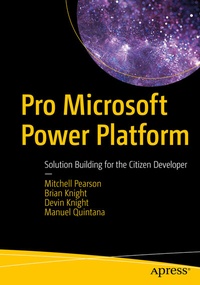
Pro Microsoft Power Platform
Description

This book is divided into four parts and begins in Part I by showing you how to build applications through PowerApps. You will learn about screens and controls, application sharing and administration, and how to make your applications accessible from mobile devices such as phones and tablets. Part II is about creating workflows using Power Automate that implement business logic across your applications. Part III brings in dashboards and data analysis, showing you how to connect to a data source, cleanse the data from that source, and drive decision making through interactive reports and storytelling. Part IV brings together all the pieces by showing the integrations that are possible when all three tools are combined into a single solution.
What You Will Learn
- Understand the need for the citizen developer in today's business environment
- Organize and plan the building of line-of-business applications with PowerApps solutions
- Replace wasteful paper processes with automated applications built in PowerApps
- Automate workflows across processes with Power Automate
- Communicate analytical results through visualizations and storytelling
- Integrate PowerApps, Power Automate, and Power BI into solutions that multiply productivity
Who This Book Is For
Power users and analysts with strong Excel skills who need a more comprehensive set of tools that can better help them accomplish their vision on projects, those familiar with one of the Power Platform tools who wish to learn how all three can fit together, and those who are seen as as "rogue IT" problem solvers who get things done when others have tried but failed
More details
Other editions
Additional editions
Persons
Brian Knight is a Power Apps MVP, founder of Pragmatic Works, and co-founder of SQLServerCentral.com and JumpstartTV.com. He won the CEO of the year award given by the Jacksonville Business Journal, and Pragmatic Works has ranked up on the top growing companies in the country for many years in a row. He runs the local SQL Server usergroup in Jacksonville (JSSUG), is a contributing columnist for SQL Server Standard, maintains a regular column for the database website SQLServerCentral.com, and does regular webcasts at Jumpstart TV. He has co-authored and authored more than nine SQL Server books. He has spoken at conferences such as PASS, SQL Connections, and TechEd, and at many Code Camps.
Devin Knight is a Microsoft Data Platform MVP and Vice President of Training at Pragmatic Works. He is an author of eight SQL Server, Power Platform, and BI books. You can find him speaking at conferences such as the Microsoft Business Application Summit, PASS Summit, SQL Saturdays, and Code Camps. He is also a contributing member to several virtual user group chapters. Making his home in Jacksonville, FL, He contributes locally at the Jacksonville Power BI User Group. Manuel Quintana is a training content manager at a Pragmatic Works. Previously, he was a senior manager working in the hotel industry. He joined the Pragmatic Works team in 2014 with no knowledge in the business intelligence space, but now speaks at SQL Saturdays and SQL Server user groups locally and virtually. He also teaches various BI technologies to many Fortune 500 companies on behalf of Pragmatic Works. Since 2014, he has called Jacksonville, Florida home, and before that Orlando, but he was born on the island of Puerto Rico and loves to go back and visit his family. When he is not working on creating new content for Pragmatic Works, you can probably find him playing board games or watching competitive soccer matches.
Content
Introduction.- Part I. Building Line of Business Applications with PowerApps.- 1. Introduction to PowerApps.- 2. Building Your First PowerApp.- 3. Exploring PowerApps Screens and Controls.- 4. Working with PowerApps Expressions.- 5. Leveraging Variables and Collections.- 6. Securing and Sharing Apps.- 7. Managing Power Apps.- 8. Common Data Services and Model-Driven Apps.- Part II. Task Automation with Microsoft Flow.- 9. Introduction to Power Automate.- 10. Building Your First Flow.- 11. Exploring Different Trigger Types.- 12. Working with Flow Expressions.- 13. Building Conditional Flows.- 14. Designing Approval Flows.- 15. Administering Power Automate.- Part III. Dashboards, Reporting, and Analytics with Power BI.- 16. Introduction to Power BI.- 17. Connecting to Data.- 18. Defining Data Cleansing Business Rules with the Power Query Editor.- 19. Data Model Design.- 20. Extending Your Data Model with DAX Calculations.- 21. Report Writing Basics.- 22. DesigningInteractive Reports.- 23. Data Storytelling with Power BI.- 24. Sharing Power BI Solutions.- 25. Administering Power BI.- Part IV. Integrating the Power Platform Tools Together.- 26. Power Platform Integration in PowerApps.- 27. Power Platform Integration in Microsoft Flow.- 28. Power Platform Integration in Power BI.- 29. Designing a Fully Integrated Power Platform Solution.
