

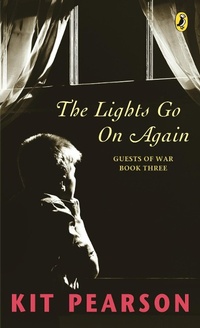
The Lights Go On Again
Published on 4. September 2007
208 pages
978-0-14-318630-4 (ISBN)
Description

For five years Gavin and his sister Norah have lived in Canada as "war guests." But now, as 1945 approaches, the war is finally ending, and Gavin and Norah will soon be going back to England.
Norah, who's fifteen, is eager to see her parents again, but ten-year-old Gavin barely remembers them. He doesn't want to leave his Canadian family, his two best friends and his dog.
Then something happens that forces Gavin to make the most difficult decision of his life.
The Lights Go On Again is the last book in the acclaimed series that began with The Sky Is Falling and Looking At The Moon.
More details
Other editions
Additional editions
Book
11/2014
Penguin Random House India
€30.11
Shipment within 15-20 days

Kit Pearson
The Lights Go on Again
Book
09/2007
Penguin Global
€27.35
Article exhausted; check different version
Person
Kit Pearson worked as a librarian for many years before publishing her first novel, The Daring Game (1986). She went on to write the linked novels The Sky Is Falling (1989),Looking at the Moon (1991), and The Lights Go On Again (1993), published in 1999 as The Guests of War trilogy, and Awake and Dreaming (1996), which won the Governor General's Award. Pearson lives in Victoria, close to Ross Bay Cemetery, one of the settings in Awake and Dreaming.
Content
- Intro
- Title Page
- Introduction by Shane Peacock
- 1. What Am I Going to Do?
- 2. The Big Snow
- 3. Neither Calm Nor Bright
- 4. An Ordinary Winter
- 5. The Telegram
- 6. Try to Remember
- 7. The Dog Show
- 8. The Lights Go On
- 9. A Proposal
- 10. A Surprise Visitor
- 11. A Decision
- 12. Grandad
- 13. Mick's Plan
- 14. Hot Water
- 15. Leave Me Alone
- 16. The Birthday Party
- 17. The Farewell Party
- 18. We'll Meet Again
- Epilogue
- Acknowledgements
- Contents
- Author File
- Who's Who in The Lights Go On Again
- Some Things to Think About .
- Some Things to Do .
- Copyright
