

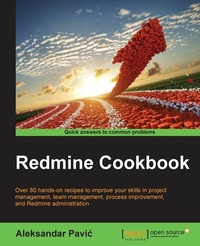
Redmine Cookbook
Over 80 hands-on recipes to improve your skills in project management, team management, process improvement, and Redmine administration
Published on 13. January 2025
322 pages
978-1-78528-526-4 (ISBN)
Description

Over 80 hands-on recipes to improve your skills in project management, team management, process improvement, and Redmine administration
Key Features
[*]Efficiently install and customize Redmine for your own infrastructure, whether that be Microsoft or open source
[*]Manage multiple projects with multiple teams across the globe in a standardized and effective way
[*]Customize Redmine to fit your organisation's specific and unique needs
Book DescriptionIn a variety of online project management tools, Redmine markets itself as offering flexibility. Choosing the right management tool can mean the difference between the success and failure of a project. Flexible project management tools bend themselves to fit your needs, whether that's communication regarding a simple project, or collaboration, or more complex project methodology such as SCRUM, or an issue-code relationship, or the need of different methodology for your project. Whether you are project manager or system administrator, this book provides valuable recipes to get the best possible performance out of your team, organization, infrastructure, and Redmine itself. Through a series of carefully crafted recipes covering the nitty-gritty of Redmine, you'll be guided through the installation of Redmine, as well as how to fine-tune and customize your Redmine installation. Finally, we walk you through integrating Redmine with other softwares and databases like Tortoise SVN and Visual Studio and troubleshooting Redmine. What you will learn
[*]Make Redmine run on Microsoft SQL Server with IIS
[*]Enjoy the benefits of updating the code on a real-time basis and maintaining consistency
[*]Manage multiple projects and teams simultaneously
[*]Leverage Redmine features to enhance team s performance
[*]Use Redmine for SCRUM and Agile methodologies
[*]Deploy Redmine for Service Desk
[*]Customize the user experience by manually tracking the ongoing projects
[*]Extend Redmine through various plugins
Who this book is forThis book is for those who working in management or administrator positions who are already using Redmine or are willing to start using it for project management, tracking, collaboration, or process management. Additionally, individual developers or teams can benefit from recipes related to code repositories, bug tracking, and software project management.
Key Features
[*]Efficiently install and customize Redmine for your own infrastructure, whether that be Microsoft or open source
[*]Manage multiple projects with multiple teams across the globe in a standardized and effective way
[*]Customize Redmine to fit your organisation's specific and unique needs
Book DescriptionIn a variety of online project management tools, Redmine markets itself as offering flexibility. Choosing the right management tool can mean the difference between the success and failure of a project. Flexible project management tools bend themselves to fit your needs, whether that's communication regarding a simple project, or collaboration, or more complex project methodology such as SCRUM, or an issue-code relationship, or the need of different methodology for your project. Whether you are project manager or system administrator, this book provides valuable recipes to get the best possible performance out of your team, organization, infrastructure, and Redmine itself. Through a series of carefully crafted recipes covering the nitty-gritty of Redmine, you'll be guided through the installation of Redmine, as well as how to fine-tune and customize your Redmine installation. Finally, we walk you through integrating Redmine with other softwares and databases like Tortoise SVN and Visual Studio and troubleshooting Redmine. What you will learn
[*]Make Redmine run on Microsoft SQL Server with IIS
[*]Enjoy the benefits of updating the code on a real-time basis and maintaining consistency
[*]Manage multiple projects and teams simultaneously
[*]Leverage Redmine features to enhance team s performance
[*]Use Redmine for SCRUM and Agile methodologies
[*]Deploy Redmine for Service Desk
[*]Customize the user experience by manually tracking the ongoing projects
[*]Extend Redmine through various plugins
Who this book is forThis book is for those who working in management or administrator positions who are already using Redmine or are willing to start using it for project management, tracking, collaboration, or process management. Additionally, individual developers or teams can benefit from recipes related to code repositories, bug tracking, and software project management.
All prices
More details
Edition
Digital original
Language
English
Place of publication
Birmingham
United Kingdom
Target group
US School Grade: College Graduate Student
Edition type
Digital original
File size
16,64 MB
ISBN-13
978-1-78528-526-4 (9781785285264)
Copyright in bibliographic data and cover images is held by Nielsen Book Services Limited or by the publishers or by their respective licensors: all rights reserved.
Schweitzer Classification
Other editions
Additional editions
Person
Pavic Aleksandar :
Aleksandar Pavic began his first project as a student at the Faculty of Technical Sciences, Novi Sad, Serbia where he developed Technical Faculty's first website. He later assembled a web team and graduated with BScs in computers sciences and information technology, and an MSc in product lifecycle management at the same university.
Acting mainly as a project manager and sometimes as a developer or team leader, Aleksandar made the following notable projects possible: student nourishment IS and ERP with smart cards at the University of Novi Sad, Novi Sad Farmer Market IS and ERP, E-government system of Novi Sad, including various sub-services, a web portal of the City of Novi Sad, Los Angeles-based Usamailagent.com packet-forwarding web-application, Unival-logistics.com online business system.
Currently, Aleksandar is employed as head of the IT services department at PUC Informatika, Novi Sad. He is involved in the following EU-funded Projects here: Sociotal, Weelive, and CLIPS.
Acting as an entrepreneur, he stands behind www.redminegit.com, cloud hosting, and Redmine implementations.
Aleksandar has two publications on Redmine. The first is a paper called "Project Management Using Open Source Internet Tools" in the fourth ICEIRD Conference,pp. 987-994, ISBN 978-608-65144-2-6. The second is "Monographic Publication - Master Thesis: Application of Project Management Software to Science and Educational Processes", published in Proceedings of Faculty of Technical Sciences 04/2014, ISSN 0350-428X, COBISS.SR-ID 58627591.
While participating in projects, he acts as an open source evangelist, and he advocates usage of lean methodologies backed up by Redmine as the management software of choice.
Aleksandar uses various management skills, such as, project management, product and service management, ISO 27000 and ITIL, Scrum and Agile methodologies, on a daily basis. He is also proficient in PHP, CakePHP, Ruby, Ruby on Rails, JavaScript, Bootstrap, C#, jQuery, Apache, Linux, Ubuntu, CentOs, Nginx, Phusion Passenger, Node.js, HTML5, Canvas, CentOS, Windows Servers, IIS, MySQL, PostgreSQL, and Microsoft SQL Server.
Aleksandar Pavic began his first project as a student at the Faculty of Technical Sciences, Novi Sad, Serbia where he developed Technical Faculty's first website. He later assembled a web team and graduated with BScs in computers sciences and information technology, and an MSc in product lifecycle management at the same university.
Acting mainly as a project manager and sometimes as a developer or team leader, Aleksandar made the following notable projects possible: student nourishment IS and ERP with smart cards at the University of Novi Sad, Novi Sad Farmer Market IS and ERP, E-government system of Novi Sad, including various sub-services, a web portal of the City of Novi Sad, Los Angeles-based Usamailagent.com packet-forwarding web-application, Unival-logistics.com online business system.
Currently, Aleksandar is employed as head of the IT services department at PUC Informatika, Novi Sad. He is involved in the following EU-funded Projects here: Sociotal, Weelive, and CLIPS.
Acting as an entrepreneur, he stands behind www.redminegit.com, cloud hosting, and Redmine implementations.
Aleksandar has two publications on Redmine. The first is a paper called "Project Management Using Open Source Internet Tools" in the fourth ICEIRD Conference,pp. 987-994, ISBN 978-608-65144-2-6. The second is "Monographic Publication - Master Thesis: Application of Project Management Software to Science and Educational Processes", published in Proceedings of Faculty of Technical Sciences 04/2014, ISSN 0350-428X, COBISS.SR-ID 58627591.
While participating in projects, he acts as an open source evangelist, and he advocates usage of lean methodologies backed up by Redmine as the management software of choice.
Aleksandar uses various management skills, such as, project management, product and service management, ISO 27000 and ITIL, Scrum and Agile methodologies, on a daily basis. He is also proficient in PHP, CakePHP, Ruby, Ruby on Rails, JavaScript, Bootstrap, C#, jQuery, Apache, Linux, Ubuntu, CentOs, Nginx, Phusion Passenger, Node.js, HTML5, Canvas, CentOS, Windows Servers, IIS, MySQL, PostgreSQL, and Microsoft SQL Server.
Content
Table of Contents
Installing and Running Redmine
Customizing Redmine
Project management with Redmine
Improving Team performance
Regular and planned maintenance
Performance and system tuning
Integrating Redmine with other software
Getting the most ot of scripts and plugins
Troubleshooting
Making the most of Redmine
Installing and Running Redmine
Customizing Redmine
Project management with Redmine
Improving Team performance
Regular and planned maintenance
Performance and system tuning
Integrating Redmine with other software
Getting the most ot of scripts and plugins
Troubleshooting
Making the most of Redmine

