

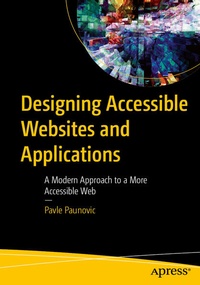
Designing Accessible Websites and Applications
Description

Building websites with accessibility in mind is imperative for today's developers. Accessibility encompasses everything from keyboard navigation and screen reader compatibility to color contrast and error handling, ensuring an inclusive experience for individuals with disabilities affecting vision, hearing, mobility, or cognitive functions.
Designing Accessible Websites and Applications guides you through the entire process of creating accessible websites, covering topics like semantic HTML, ARIA roles, implementing keyboard navigation, and designing for users with color blindness. For example, error states or buttons should not rely solely on the color red and success messages need more than just green checkmarks or buttons to be understood by everyone.
Whether working on a website, a blog, or online store, applying these principles will help you design truly user-friendly and accessible websites. This book will teach you how to validate color contrast, structure HTML, write accessible JavaScript, and ensure accessible playback of video and audio content. It also provides insights into creating accessible forms and leveraging modern frameworks like React, Vue, and Angular.
You Will:
- Learn how to use ARIA attributes to enhance navigation and interaction for users relying on screen readers
- Discover how to use color effectively for used with impaired vision and color blindness, moving beyond color cues to communicate error and success states effectively
- Gain insights into developing accessible web applications using modern front-end frameworks like React, Vue, and Angular, while adhering to accessibility principles
This book is for :
Web developers and designers, UI Developers, freelancers and business owners who need to build and design their own websites or app and need to adhere to accessibility best practices and regulations.
More details
Other editions
Additional editions
Person
Pavle Paunovic holds bachelor's degree in informatics/computer engineering and is Software Engineer focusing on JavaScript and web with 10 years of professional experience. Software Engineer by day and guitar teacher by night. Through teaching people on topics programming and guitar, Pavle has developed great sense for teaching and has passion for sharing knowledge with people.
Content
Chapter 1: Semantic HTML.- Chapter 2: ARIA.- Chapter 3: Colors and Accessibility.- Chapter 4: Accessible Images.- Chapter 5: Accessible Videos and Audios.- Chapter 6: Accessible Forms.- Chapter 7: SPA Application and Modern Front-End Frameworks and Accessibility.
