

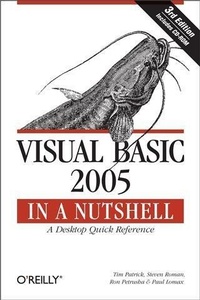
Visual Basic 2005 in a Nutshell
A Desktop Quick Reference
Published on 30. January 2006
768 pages
978-0-596-51011-4 (ISBN)
Description

When Microsoft made Visual Basic into an object-oriented programming language, millions of VB developers resisted the change to the .NET platform. Now, after integrating feedback from their customers and creating Visual Basic 2005, Microsoft finally has the right carrot. Visual Basic 2005 offers the power of the .NET platform, yet restores the speed and convenience of Visual Basic. Accordingly, we've revised the classic in a Nutshell guide to the Visual Basic language to cover the Visual Basic 2005 version and all of its new features.Unlike other books on the subject, Visual Basic 2005 in a Nutshell, 3rd Edition doesn't assume you're a novice. It's a detailed, professional reference to the Visual Basic language-a reference that you can use to jog your memory about a particular language element or parameter. It'll also come in handy when you want to make sure that there isn't some "e;gotcha"e; you've overlooked with a particular language feature.The book is divided into three major parts: Part I introduces the main features and concepts behind Visual Basic programming; Part II thoroughly details all the functions, statements, directives, objects, and object members that make up the Visual Basic language; and Part III contains a series of helpful appendices. Some of the new features covered include Generics, a convenient new library called My Namespace, and the operators used to manipulate data in Visual Basic.No matter how much experience you have programming with Visual Basic, you want Visual Basic 2005 in a Nutshell, 3rd Edition close by, both as a standard reference guide and as a tool for troubleshooting and identifying programming problems.
More details
Other editions
Additional editions
Book
03/2006
3rd Edition
O'Reilly
€47.00
Shipment within 10-20 days
Content
- Intro
- Table of Contents
- Preface
- Why Another Visual Basic Book?
- Who This Book Is For
- Readers New to Visual Basic
- VB and VBScript Developers New to .NET
- Existing .NET Developers
- How This Book Is Structured
- About the Third Edition
- Using Code Examples
- Conventions Used in This Book
- Safari® Enabled
- How to Contact Us
- Acknowledgments
- I
- Introduction
- Why Visual Basic .NET?
- What Is Visual Basic .NET?
- Object Orientation
- A Common Type System
- Access to System Services: The Framework Class Library
- A Common Runtime Environment
- Naming Conventions
- What Can You Do with Visual Basic .NET?
- Versions of Visual Basic for .NET
- The .NET Framework: General Concepts
- Common Language Runtime
- Managed Code
- Namespaces
- Types and Objects
- Assemblies
- The Framework Class Library
- Application Deployment
- The .NET Framework and Visual Basic
- Introduction to Object- Oriented Programming
- Principles of Object-Oriented Programming
- Objects and Classes
- Abstraction
- Encapsulation
- Inheritance
- Interfaces
- Polymorphism
- Overloading
- OOP Development in Visual Basic
- Classes in Visual Basic
- Class Members
- Class Member Accessibility
- Field Members
- Event Members
- Method Members and Constructors
- Property Members
- Type Members
- Instance Members Versus Shared Members
- Finalize, Dispose, and Garbage Collection
- Structures and Modules Versus Classes
- Interfaces
- Inheritance
- MyBase, MyClass, and Me
- Shadowing and Overloading Members
- Shadowing
- Overloading
- Variables and Data Types
- Data Types
- Value and Reference Types
- Visual Basic Data Types: A Reference
- Boolean data type
- Byte data type
- Char data type
- Date data type
- Decimal data type
- Double data type
- Integer data type
- Long data type
- Object data type
- SByte data type
- Short data type
- Single data type
- String data type
- UInteger data type
- ULong data type
- UShort data type
- User-Defined Data Types
- Data Type Conversion
- Variables
- Variable Declaration
- Variable Scope, Lifetime, and Access Level
- Local variables: block-level and procedure-level scope
- Module-level scope and access levels
- Constants
- Enumerations
- Arrays
- Collections
- Parameters and Arguments
- Passing Arguments
- Optional Arguments
- Parameter Arrays
- Operators
- Arithmetic Operators
- Concatenation Operators
- Logical and Bitwise Operators
- Assignment Operators
- Comparison Operators
- The Like Operator
- Object Operators
- Operator Overloading
- Operator Precedence
- Program Structure
- Visual Studio Application Types
- Referencing Components and Classes
- Application Entry Points
- Using Main in a Standard Class or Module
- Using Main in Windows Forms Applications
- Code File Contents
- Declarations Section
- Namespaces
- Types
- The Structure of a Visual Basic Program
- Events: The Starting Point
- Windows Forms events
- ASP.NET events
- Event arguments
- Calling Routines from Event Handlers
- Writing Custom Procedures
- Functions
- Sub procedures
- Properties
- The .NET Framework Class Library
- The System Namespace
- The System.Convert Class
- The System.Array Class
- The System.Math Class
- The System.String Class
- The System.Collections Namespace
- The System.Data Namespace
- The System.IO Namespace
- The System.Text.RegularExpressions Namespace
- The System.Windows.Forms Namespace
- Other Namespaces
- Delegates and Events
- Delegates
- Using a Delegate to Call a Method
- Using a Delegate as a Generic Callback
- Events and Event Binding
- Control-Related Events
- WithEvents
- AddHandler and RemoveHandler
- Custom Events
- Attributes
- Syntax and Use
- Defining a Custom Attribute
- Using a Custom Attribute
- Generics
- What Are Generics?
- Type Parameters
- Multiple Type Parameters
- Constraints
- Multiple Constraints
- Accessing Type Parameter Members
- Generic Methods
- Nested Generic Types
- Overloaded Types and Members
- Error Handling in Visual Basic
- Error Detection and Error Handling
- Runtime Error Handling
- Unstructured Error Handling
- The Err object
- Dealing with runtime errors
- Structured Exception Handling
- Exception classes
- Dealing with Logic Errors
- Error Constants
- II
- The Language Reference
- #Const Directive
- #If...Then...#Else Directive
- #Region...#End Region Directive
- Abs Function
- Acos Function
- AddHandler Statement
- AddressOf Operator
- AppActivate Procedure
- Application Class
- Application.CompanyName Property
- Application.DoEvents Method
- Application.ExecutablePath Property
- Application.ProductName Property
- Application.ProductVersion Property
- Application.Run Method
- Array Class
- Array.BinarySearch Method
- Array.Copy Method
- Array.IndexOf Method
- Array.LastIndexOf Method
- Array.Reverse Method
- Array.Sort Method
- Asc, AscW Functions
- AssemblyVersion Attribute
- Asin Function
- Atan Function
- Atan2 Function
- AttributeUsage Attribute
- Beep Procedure
- Call Statement
- CallByName Function
- CBool Function
- CByte Function
- CChar Function
- CDate Function
- CDbl Function
- CDec Function
- Ceiling Function
- ChDir Procedure
- ChDrive Procedure
- Choose Function
- Chr, ChrW Functions
- CInt Function
- Class...End Class Statement
- Clipboard Class
- CLng Function
- CLSCompliant Attribute
- CObj Function
- Collection Class
- Collection.Add Method
- Collection.Count Property
- Collection.Item Property
- Collection.Remove Method
- ColorDialog Class
- COMClass Attribute
- Command Function
- Const Statement
- Continue Statement
- Cos Function
- Cosh Function
- CreateObject Function
- CSByte Function
- CShort Function
- CSng Function
- CStr Function
- CType Function
- CUInt Function
- CULng Function
- CUShort Function
- CurDir Function
- Custom Event Statement
- DateAdd Function
- DateDiff Function
- DatePart Function
- DateSerial Function
- DateString Property
- DateValue Function
- Day Function
- DDB Function
- Debug Class
- Debug.Assert Method
- Debug.Listeners Property
- Debug.Write Method
- Debug.WriteIf Method
- Debug.WriteLine Method
- Debug.WriteLineIf Method
- Declare Statement
- DefaultMember Attribute
- Delegate Statement
- DeleteSetting Procedure
- Dim Statement
- Dir Function
- DirectCast Function
- Directory Class
- Directory.CreateDirectory Method
- Directory.Delete Method
- Directory.Exists Method
- Directory.GetCreationTime Method
- Directory.GetDirectories Method
- Directory.GetDirectoryRoot Method
- Directory.GetFiles Method
- Directory.GetFileSystemEntries Method
- Directory.GetLogicalDrives Method
- Directory.GetParent Method
- Directory.Move Method
- Do...Loop Statement
- E Field
- End Statement
- Enum Statement
- Environ Function
- EOF Function
- Erase Statement
- Erl Property
- Err Object
- Err.Clear Method
- Err.Description Property
- Err.GetException Method
- Err.HelpContext Property
- Err.HelpFile Property
- Err.LastDLLError Property
- Err.Number Property
- Err.Raise Method
- Err.Source Property
- Error Statement
- ErrorToString Function
- Event Statement
- Exception Class
- Exit Statement
- Exp Function
- File Class
- File.Exists Method
- FileAttr Function
- FileClose Procedure
- FileCopy Procedure
- FileDateTime Function
- FileGet, FileGetObject Procedures
- FileLen Function
- FileOpen Procedure
- FilePut, FilePutObject Procedures
- FileWidth Procedure
- Filter Function
- Fix Function
- Flags Attribute
- Floor Function
- FontDialog Class
- For...Next Statement
- For Each...Next Statement
- Format Function
- FormatCurrency, FormatNumber, FormatPercent Functions
- FormatDateTime Function
- FreeFile Function
- Friend Keyword
- Function Statement
- FV Function
- GetAllSettings Function
- GetAttr Function
- GetChar Function
- GetObject Function
- GetSetting Function
- GetType Operator
- Global Keyword
- GoTo Statement
- Guid Attribute
- Handles Keyword
- Hashtable Class
- Hashtable.Add Method
- Hashtable.ContainsKey Method
- Hashtable.ContainsValue Method
- Hashtable.CopyTo Method
- Hashtable.Item Property
- Hashtable.Keys Property
- Hashtable.Remove Method
- Hashtable.Values Property
- Hex Function
- Hour Function
- IEEERemainder Function
- If...Then...Else Statement
- IIf Function
- Implements Keyword
- Implements Statement
- Imports Statement
- Inherits Statement
- Input Procedure
- InputBox Function
- InputString Function
- InStr Function
- InStrRev Function
- Int Function
- Interface...End Interface Statement
- IPmt Function
- IRR Function
- Is Operator
- IsArray Function
- IsDate Function
- IsDBNull Function
- IsError Function
- IsNot Operator
- IsNothing Function
- IsNumeric Function
- IsReference Function
- Join Function
- Kill Procedure
- LBound Function
- LCase Function
- Left Function
- Len Function
- Like Operator
- LineInput Function
- Loc Function
- Lock Procedure
- LOF Function
- Log Function
- Log10 Function
- LSet Function
- LTrim Function
- MarshalAs Attribute
- Max Function
- Me Keyword
- Mid Function
- Mid Statement
- Min Function
- Minute Function
- MIRR Function
- MkDir Procedure
- Mod Operator
- Module...End Module Statement
- Month Function
- MonthName Function
- MsgBox Function
- MTAThread Attribute
- MyBase Keyword
- MyClass Keyword
- Namespace Statement
- New Keyword
- Nothing Keyword
- Now Property
- NPer Function
- NPV Function
- Obsolete Attribute
- Oct Function
- Of Keyword
- On Error Statement
- OpenFileDialog Class
- Operator Statement
- Option Compare Statement
- Option Explicit Statement
- Option Strict Statement
- Out Attribute
- ParamArray Attribute
- Partial Keyword
- Partition Function
- PI Field
- Pmt Function
- Pow Function
- PPmt Function
- Print, PrintLine Procedures
- Private Keyword
- Property Statement
- Protected Keyword
- Public Keyword
- PV Function
- QBColor Function
- Queue Class
- Queue.Contains Method
- Queue.CopyTo Method
- Queue.Dequeue Method
- Queue.Enqueue Method
- Queue.Peek Method
- Queue.ToArray Method
- RaiseEvent Statement
- Randomize Procedure
- Rate Function
- ReDim Statement
- Rem Statement
- RemoveHandler Statement
- Rename Procedure
- Replace Function
- Reset Procedure
- Resume Statement
- Return Statement
- RGB Function
- Right Function
- RmDir Procedure
- Rnd Function
- Round Function
- RSet Function
- RTrim Function
- SaveFileDialog Class
- SaveSetting Procedure
- ScriptEngine Property
- ScriptEngineBuildVersion Property
- ScriptEngineMajorVersion Property
- ScriptEngineMinorVersion Property
- Second Function
- Seek Function
- Seek Procedure
- Select Case Statement
- Send, SendWait Methods
- SetAttr Procedure
- Shadows Keyword
- Shared Keyword
- Shell Function
- Sign Function
- Sin Function
- Sinh Function
- SLN Function
- Space Function
- SPC Function
- Split Function
- Sqrt Function
- Stack Class
- Stack.Contains Method
- Stack.CopyTo Method
- Stack.Peek Method
- Stack.Pop Method
- Stack.Push Method
- Stack.ToArray Method
- STAThread Attribute
- Static Statement
- Stop Statement
- Str Function
- StrComp Function
- StrConv Function
- StrDup Function
- StrReverse Function
- Structure...End Structure Statement
- Sub Statement
- Switch Function
- SYD Function
- SyncLock Statement
- SystemTypeName Function
- TAB Function
- Tan Function
- Tanh Function
- ThreadStatic Attribute
- Throw Statement
- TimeOfDay Property
- Timer Property
- TimeSerial Function
- TimeString Property
- TimeValue Function
- Today Property
- Trim Function
- Try...Catch...Finally Statement
- TryCast Function
- TypeName Function
- TypeOf Operator
- UBound Function
- UCase Function
- Unlock Procedure
- Using...End Using Statement
- Val Function
- VarType Function
- VBFixedArray Attribute
- VBFixedString Attribute
- VbTypeName Function
- WebMethod Attribute
- WebService Attribute
- Weekday Function
- WeekdayName Function
- While...End While Statement
- With...End With Statement
- WithEvents Keyword
- Write, WriteLine Procedures
- Year Function
- The 'My' Reference
- AllUsersApplicationData Property
- AltKeyDown Property
- Application Object
- ApplicationContext Property
- AssemblyName Property
- Audio Object
- AvailablePhysicalMemory Property
- AvailableVirtualMemory Property
- ButtonsSwapped Property
- CapsLock Property
- ChangeCulture Method
- ChangeUICulture Method
- ClassesRoot Property
- Clear Method
- Clipboard Object
- Clock Object
- Close Method
- CombinePath Method
- CommandLineArgs Property
- CommentTokens Property
- CompanyName Property
- Computer Object
- ContainsAudio Method
- ContainsData Method
- ContainsFileDropList Method
- ContainsImage Method
- ContainsText Method
- CopyDirectory Method
- CopyFile Method
- Copyright Property
- CreateDirectory Method
- CtrlKeyDown Property
- Culture Property
- CurrentConfig Property
- CurrentDirectory Property
- CurrentPrincipal Property
- CurrentUser Property
- CurrentUserApplicationData Property
- DefaultFileLogWriter Property
- DeleteDirectory Method
- DeleteFile Method
- Delimiters Property
- Deployment Property
- Description Property
- Desktop Property
- DirectoryExists Method
- DirectoryPath Property
- DoEvents Method
- DownloadFile Method
- Drives Property
- DynData Property
- EndOfData Property
- ErrorLine Property
- ErrorLineNumber Property
- FieldWidths Property
- FileExists Method
- FileSystem Object
- FindInFiles Method
- Forms Object
- GetAudioStream Method
- GetData Method
- GetDataObject Method
- GetDirectories Method
- GetDirectoryInfo Method
- GetDriveInfo Method
- GetEnvironmentVariable Method
- GetFileDropList Method
- GetFileInfo Method
- GetFiles Method
- GetImage Method
- GetName Method
- GetParentPath Method
- GetTempFileName Method
- GetText Method
- GetValue Method
- GmtTime Property
- HasFieldsEnclosedInQuotes Property
- Info Object (My.Application)
- Info Object (My.Computer)
- InitializeWithWindowsUser Method
- InstalledUICulture Property
- IsAuthenticated Property
- IsAvailable Property
- IsInRole Method
- IsNetworkDeployed Property
- Keyboard Object
- LineNumber Property
- LoadedAssemblies Property
- LocalMachine Property
- LocalTime Property
- Log Object (My)
- Log Object (My.Application)
- MinimumSplashScreenDisplayTime Property
- Mouse Object
- MoveDirectory Method
- MoveFile Method
- My Namespace
- MyDocuments Property
- MyMusic Property
- MyPictures Property
- Name Property (My.Computer)
- Name Property (My.User)
- Network Object
- NetworkAvailabilityChanged Event (My.Application)
- NetworkAvailabilityChanged Event (My.Computer.Network)
- NumLock Property
- OpenForms Property
- OpenSerialPort Method
- OpenTextFieldParser Method
- OpenTextFileReader Method
- OpenTextFileWriter Method
- OSFullName Property
- OSPlatform Property
- OSVersion Property
- PeekChars Method
- PerformanceData Property
- Ping Method
- Play Method
- PlaySystemSound Method
- Ports Object
- ProductName Property
- ProgramFiles Property
- Programs Property
- ReadAllBytes Method
- ReadAllText Method
- ReadFields Method
- ReadLine Method
- ReadToEnd Method
- Registry Object
- RenameDirectory Method
- RenameFile Method
- Request Object
- Resources Object
- Response Object
- Run Method
- SaveMySettingsOnExit Property
- Screen Property
- ScrollLock Property
- SendKeys Method
- SerialPortNames Property
- SetAudio Method
- SetData Method
- SetDataObject Method
- SetDelimiters Method
- SetFieldWidths Method
- SetFileDropList Method
- SetImage Method
- SetText Method
- Settings Object
- SetValue Method
- ShiftKeyDown Property
- Shutdown Event
- SpecialDirectories Object
- SplashScreen Property
- StackTrace Property
- Startup Event
- StartupNextInstance Event
- Stop Method
- Temp Property
- TextFieldParser Object
- TextFieldType Property
- TickCount Property
- Title Property
- TotalPhysicalMemory Property
- TotalVirtualMemory Property
- TraceSource Property
- Trademark Property
- TrimWhiteSpace Property
- UICulture Property
- UnhandledException Event
- UploadFile Method
- User Object
- Users Property
- Version Property
- WebServices Object
- WheelExists Property
- WheelScrollLines Property
- WorkingSet Property
- WriteAllBytes Method
- WriteAllText Method
- WriteEntry Method
- WriteException Method
- III
- Language Elements by Category
- Array Handling
- Clipboard
- Collection Objects
- Common Dialogs
- Conditional Compilation
- Conversion
- Data Type Conversion
- Other Conversion
- Date and Time
- Debugging
- Declaration
- Error Handling
- File System
- Financial
- Information
- Input/Output
- Integrated Development Environment
- Interaction
- Mathematics
- Program Structure and Flow
- Programming
- Object Programming
- Miscellaneous Programming
- Registry
- String Manipulation
- Namespace Hierarchy
- 'My' Namespace Hierarchy
- System Namespace Hierarchy
- Constants and Enumerations
- Visual Basic Intrinsic Constants
- ControlChars Class
- Visual Basic Enumerations
- AppWinStyle Enumeration
- AudioPlayMode Enumeration
- BuiltInRole Enumeration
- CallType Enumeration
- CompareMethod Enumeration
- DateFormat Enumeration
- DateInterval Enumeration
- DeleteDirectoryOption Enumeration
- DueDate Enumeration
- FieldType Enumeration
- FileAttribute Enumeration
- FirstDayOfWeek Enumeration
- FirstWeekOfYear Enumeration
- MsgBoxResult Enumeration
- MsgBoxStyle Enumeration
- OpenAccess Enumeration
- OpenMode Enumeration
- OpenShare Enumeration
- RecycleOption Enumeration
- SearchOption Enumeration
- TriState Enumeration
- UICancelOption Enumeration
- UIOption Enumeration
- VariantType Enumeration
- VbStrConv Enumeration
- What's New and Different in Visual Basic .NET 2002
- Language Changes in VB.NET 2002
- Data Types
- Strings
- Integer/Long data-type changes
- Variant data type
- Other data-type changes
- Variables and Their Declaration
- Variable declaration
- Variable initialization
- Variable scope changes
- Arrays and array declarations
- Structure/user-defined type declarations
- Logical and Bitwise Operators
- Changes Related to Procedures
- Calling a procedure
- Default method of passing arguments
- Optional arguments
- GoSub and Return statements
- Passing Property parameters in procedures
- ParamArray parameters
- Miscellaneous Language Changes
- Line numbers
- On GoSub and On GoTo statements
- While statement
- Changes to Programming Elements
- Constants
- String Functions
- Emptiness
- Graphical Functionality
- Mathematical Functionality
- Diagnostics
- Miscellaneous
- Obsolete Programming Elements
- Structured Exception Handling
- Changes in Object Orientation
- Inheritance
- Overloading
- Object Creation
- Properties
- Default properties
- Property declarations
- What's New and Different in Visual Basic .NET 2003
- Language Changes in VB.NET 2003
- Bit Shift Operators
- Declaration in For Loops
- What's New and Different in Visual Basic 2005
- Enhancements of Existing Functionality
- Custom Event Statement
- Data-Type Additions
- Global Keyword
- IsNot Operator
- Lower Bound in Array Declarations
- Partial Types
- Property Accessor Enhancements
- TryCast Function
- The 'My' Namespace
- Other New Features
- ClickOnce Installation
- Continue Statement
- Generics
- Operator Overloading
- Using Statement
- XML Comments
- VB 6 Language Elements No Longer Supported
- The Visual Basic Command- Line Compiler
- Compiler Basics
- Command-Line Switches
- Output Filename and File Type
- Input Files
- Resources
- Code Generation
- Debugging
- Errors and Warnings
- Language
- Miscellaneous
- Advanced
- Using a Response File
- Conditional Compilation Constants
- Index
