

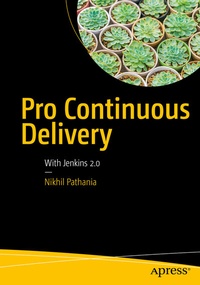
Pro Continuous Delivery
With Jenkins 2.0
Published on 3. July 2017
XXII, 288 pages
978-1-4842-2913-2 (ISBN)
Description

Follow this step-by-step guide for creating a continuous delivery pipeline using all of the new features in Jenkins 2.0 such as Pipeline as a Code, multi-branch pipeline, and more. You will learn three crucial elements for achieving a faster software delivery pipeline: a fungible build/test environment, manageable and reproducible pipelines, and a scalable build/test infrastructure.
Pro Continuous Delivery demonstrates how to create a highly available, active/passive Jenkins server using some niche technologies.
What You'll Learn
Pro Continuous Delivery demonstrates how to create a highly available, active/passive Jenkins server using some niche technologies.
What You'll Learn
-
Create a highly available, active/passive Jenkins server using CoreOS and Docker, and using Pacemaker and Corosync
-
Use a Jenkins multi-branch pipeline to automatically perform continuous integration whenever there is a new branch in your source control system
-
Describe your continuous delivery pipeline with Jenkinsfile
-
Host Jenkins server on a cloud solution
-
Run Jenkins inside a container using Docker
-
Discover how the distributed nature of Git and the "merge before build" feature of Jenkins can be used to implement gated check-in
-
Implement a scalable build farm using Docker and Kubernetes
-
You have experience implementing continuous integration and continuous delivery using Jenkins freestyle Jobs and wish to use the new Pipeline as a Code feature introduced in Jenkins 2.0
-
Your source code is on a Git-like version control system (Git, GitHub, GitLab, etc.) and you wish to leverage the advantages of a multi-branch pipeline in Jenkins
-
Your infrastructure is on a Unix-like platform and you wish to create a scalable, distributed build/test farm using Docker or Kubernetes
-
You are in need of a highly available system for your JenkinsServer using open source tools and technologies
More details
Series
Edition
1st ed.
Language
English
Place of publication
Berkeley
United States
Publishing group
APRESS
Target group
Professional and scholarly
Product notice
Reflowable
Illustrations
XXII, 288 p. 373 illus., 369 illus. in color.
File size
15,36 MB
ISBN-13
978-1-4842-2913-2 (9781484229132)
DOI
10.1007/978-1-4842-2913-2
Schweitzer Classification
Other editions
Additional editions
Book
07/2017
APress
€58.84
Shipment within 15-20 days
Person
Nikhil Pathania
is the author of
Learning Continuous Integration with Jenkins
and is currently practicing DevOps at Siemens Wind Power Brande, Denmark. He started his career in software configuration management as an SCM engineer and later moved on to learn various other tools and technologies in the field of automation and DevOps.
During his career, Nikhil has architected and implemented Continuous Integration and Continuous Delivery solutions across diverse IT projects. He enjoys finding new and better ways to automate and improve manual processes.
In his spare time Nikhil likes to read, write, and meditate. He is an avid climber, and now hikes and cycles.
During his career, Nikhil has architected and implemented Continuous Integration and Continuous Delivery solutions across diverse IT projects. He enjoys finding new and better ways to automate and improve manual processes.
In his spare time Nikhil likes to read, write, and meditate. He is an avid climber, and now hikes and cycles.
Content
Chapter 1: Elements of Continuous Delivery.- Chapter 2: HA Jenkins Setup Using Pacemaker, Corosync, and DRBD.- Chapter 3: HA Jenkins Setup Using CoreOS, Docker, and GlusterFS.- Chapter 4: Setting Up Jenkins on Docker and Cloud.- Chapter 5: Pipeline as a Code.- Chapter 6: Using Containers for Distributed Builds.- Chapter 7: Pre-Tested Commits Using Jenkins.- Chapter 8: Continuous Delivery Using Jenkins Pipeline.
