

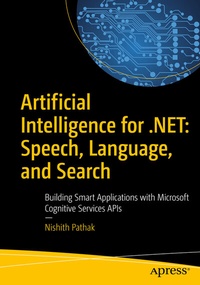
Artificial Intelligence for .NET: Speech, Language, and Search
Description

Get introduced to the world of artificial intelligence with this accessible and practical guide. Build applications that make intelligent use of language and user interaction to better compete in today's marketplace. Discover how your application can deeply understand and interpret content on the web or a user's machine, intelligently react to direct user interaction through speech or text, or make smart recommendations on products or services that are tailored to each individual user.
With Microsoft Cognitive Services, you can do all this and more utilizing a set of easy-to-use APIs that can be consumed on the desktop, web, or mobile devices. Developers normally think of AI implementation as a tough task involving writing complex algorithms. This book aims to remove the anxiety by creating a cognitive application with a few lines of code. There is a wide range of Cognitive Services APIs available. This book focuses on some of the most useful and powerful ways that your application can make intelligent use of language.
Artificial Intelligence for .NET: Speech, Language, and Search will show you how you can start building amazing capabilities into your applications today.
What You'll Learn- Understand the underpinnings of artificial intelligence through practical examples and scenarios
- Get started building an AI-based application in Visual Studio
- Build a text-based conversational interface for direct user interaction
- Use the Cognitive Services Speech API to recognize and interpret speech
- Look at different models of language, including natural language processing, and how to apply them in your Visual Studio application
-
Reuse Bing search capabilities to better understand a user's intention
-
Work with recommendation engines and integrate them into your apps
Developers working on a range of platforms, from .NET and Windows to mobile devices. Examples are given in C#. No prior experience with AI techniques or theory is required.
More details
Other editions
Additional editions
Person
Anurag Bhandari is a contributing author to this book and a researcher, programmer, and open source evangelist. His favorite research areas include NLP, IoT, and machine learning. He specializes in developing web as well as mobile apps and solutions. He has extensive experience working with Fortune 500 companies, startups, and NGOs in the capacity of research and software delivery. Anurag hails from Jalandhar, Punjab, where he also completed his degree in computer science from National Institute of Technology. Since his undergraduate days, he has been affiliated with or led several open source projects, such as Granular Linux and OpenMandriva. He is a proud polyglot of programming (C#, Java, JavaScript, PHP, Python) and natural (English, Hindi, Punjabi, French) languages. Being a technology enthusiast, Anurag keeps meddling with trending technologies and trying out new frameworks and platforms. In his spare time, he reads books, follows sports, drools over gadgets, watches TV shows, plays games, and collects stamps.
Content
1. Getting Started with AI Basics.- 2. Creating an AI-Based Application in Visual Studio.- 3. Building a Conversational User Interface with Microsoft Technologies.- 4. Using Natural Language Understanding.- 5. Exploring a Cognitive Language Model.- 6. Consuming and Applying LUIS.- 7. Interacting with Speech API.- 8. Enhancing Search Capabilities with AI.- 9. Working with Recommendations.- 10. Future of AI.
