

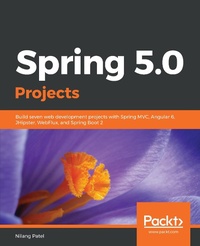
Spring 5.0 Projects
Build seven web development projects with Spring MVC, Angular 6, JHipster, WebFlux, and Spring Boot 2
Published on 28. February 2019
442 pages
978-1-78839-197-9 (ISBN)
Description

Discover the latest features of Spring framework by building robust, fast, and reactive web applicationsKey FeaturesTake advantage of all the features of Spring 5.0 with third party tools to build a robust back endSecure Spring based web application using Spring Security framework with LDAP and OAuth protocolDevelop robust and scalable microservice based applications on Spring Cloud, using Spring BootBook DescriptionSpring makes it easy to create RESTful applications, merge with social services, communicate with modern databases, secure your system, and make your code modular and easy to test. With the arrival of Spring Boot, developers can really focus on the code and deliver great value, with minimal contour.This book will show you how to build various projects in Spring 5.0, using its features and third party tools. We'll start by creating a web application using Spring MVC, Spring Data, the World Bank API for some statistics on different countries, and MySQL database. Moving ahead, you'll build a RESTful web services application using Spring WebFlux framework. You'll be then taken through creating a Spring Boot-based simple blog management system, which uses Elasticsearch as the data store. Then, you'll use Spring Security with the LDAP libraries for authenticating users and create a central authentication and authorization server using OAuth 2 protocol. Further, you'll understand how to create Spring Boot-based monolithic application using JHipster. Toward the end, we'll create an online book store with microservice architecture using Spring Cloud and Netflix OSS components, and a task management system using Spring and Kotlin.By the end of the book, you'll be able to create coherent and flexible real-time web applications using Spring Framework.What you will learnBuild Spring based application using Bootstrap template and JQueryUnderstand the Spring WebFlux framework and how it uses Reactor libraryInteract with Elasticsearch for indexing, querying, and aggregating dataCreate a simple monolithic application using JHipsterUse Spring Security and Spring Security LDAP and OAuth libraries for AuthenticationDevelop a microservice-based application with Spring Cloud and NetflixWork on Spring Framework with KotlinWho this book is forThis book is for competent Spring developers who wish to understand how to develop complex yet flexible applications with Spring. You must have a good knowledge of Java programming and be familiar with the basics of Spring.
More details
Other editions
Additional editions
Nilang Patel
Spring 5.0 Projects
Build seven web development projects with Spring MVC, Angular 6, JHipster, WebFlux, and Spring Boot 2
Book
02/2019
Packt Publishing
€57.20
Shipment within 3-4 weeks
Content
- Cover
- Title Page
- Copyright and Credits
- About Packt
- Contributors
- Table of Contents
- Preface
- Chapter 1: Creating an Application to List World Countries with their GDP
- Technical requirements
- Introduction to the application
- Understanding the database structure
- Understanding the World Bank API
- Designing the wireframes of application screens
- Country listing page
- Country detail page
- Country edit page
- Add a new city and language
- Creating an empty application
- Defining the model classes
- Using Hibernate Validator to add validations
- Defining the data access layer - Spring JDBC Template
- Defining the JDBC connection properties
- Setting up the test environment
- Defining the RowMapper
- Designing the CountryDAO
- Designing the CityDAO
- Designing the CountryLanguageDAO
- Designing the client for World Bank API
- Defining the API controllers
- Enabling Web MVC using @EnableWebMvc
- Configuration to deploy to Tomcat without web.xml
- Defining the RESTful API controller for country resource
- Defining the RESTful API controller for city resource
- Defining the RESTful API controller for country language resource
- Deploying to Tomcat
- Defining the view controller
- Defining the view templates
- Configuring a Thymeleaf template engine
- Managing static resources
- Creating the base template
- Logging configuration
- Running the application
- Summary
- Chapter 2: Building a Reactive Web Application
- Technical requirements
- Reactive system
- Reactive Programming
- Basics of Reactive Programming
- Backpressure
- Benefits of Reactive Programming
- Reactive Programming techniques
- Reactive Programming in Java
- Reactive Streams
- Reactive Streams specifications
- Publisher rules
- Subscriber rules
- Subscription rules
- Processor rules
- Reactive Streams TCK
- RxJava
- Anatomy of RxJava
- Observer event calls
- Observable for iterators
- Custom Observers
- Observable types
- Cold Observable
- Hot Observable
- Other ways to get Observable
- Operators
- Project Reactor
- Reactor features
- Handling data stream with high volume
- Push-pull mechanism
- Handling concurrency independently
- Operators
- Reactor sub-projects
- Reactor types
- Reactor in action
- Types of subscribers
- Custom subscribers
- Reactor lifecycle methods
- Ratpack
- Akka stream
- Vert.x
- Reactive support in Spring Framework
- Spring WebFlux
- Spring MVC versus Spring WebFlux
- Reactive span across Spring modules
- Spring WebFlux application
- MongoDB installation
- MongoDB data structure
- Creating a Spring Data repository
- WebFlux programming models
- Annotated controller
- Functional endpoint
- Artifacts required in functional-style Reactive Programming
- Prerequisite for a functional approach in Spring WebFlux
- Defining routers and handlers
- Combining handler and router
- Composite routers
- WebSocket support
- Summary
- Chapter 3: Blogpress - A Simple Blog Management System
- Technical requirements
- Application overview
- Project skeleton with Spring Boot
- Configuring IDE Spring Tool Suite
- Spring Model-View-Controller web flow
- Presentation layer with Thymeleaf
- How Thymeleaf works
- Dialects, processors, and expression objects
- Why Thymeleaf is a natural template
- Making the application secure with Spring Security
- Excluding auto-configuration
- Substituting auto-configuration
- Storing data with Elasticsearch
- Artifacts
- Documents
- Indexes
- Clusters and nodes
- Shards and replicas
- Interacting with Elasticsearch
- Installation
- Elasticsearch RESTful API
- Creating an index - students
- Creating a document type - student
- Adding a document (student data)
- Reading a document (student data)
- Updating a document (student data)
- Deleting a document (student data)
- Searching a query
- Creating index and document types for Blogpress
- Elasticsearch integration with Spring Data
- Spring Data Elasticsearch model class
- Connecting Elasticsearch with Spring Data
- CRUD operations in Elasticsearch with Spring Data
- Adding blog data
- Reading blog data
- Searching blog data
- Adding comment data with Elasticsearch aggregation
- Reading comment data with Elasticsearch aggregation
- Updating and deleting comment data with Elasticsearch
- Displaying data with RESTful web services in Spring
- Building a UI with the Mustache template
- Summary
- Chapter 4: Building a Central Authentication Server
- Technical requirements
- LDAP
- What is LDAP?
- Configuring Apache DS as an LDAP server
- Example DIT structures
- Apache DS partitions
- The LDAP structure
- Spring Security integration with LDAP
- Creating a web application with Spring Boot
- Managing LDAP users with Spring Data
- Spring Data models
- The Spring Data repository for LDAP
- Performing CRUD operations with LdapTemplate
- Initializing LdapTemplate
- Using LdapTemplate to perform CRUD operations
- LDAP authorization with Spring Security
- Creating roles in the LDAP server
- Importing role information to perform authorization
- OAuth
- OAuth roles
- Grant types
- Authorization code
- Implicit
- Resource Owner Password Credentials
- Client Credentials
- Which grant type should be used?
- Spring Security integration with OAuth
- Application registration
- Changes in the Spring Boot application
- The default OAuth configuration
- OAuth with a custom login page
- Dual authentication with OAuth and LDAP
- OAuth authorization with a custom authorization server
- Authorization server configuration
- Resource server configuration
- Method-level resource permissions
- Summary
- Chapter 5: An Application to View Countries and their GDP using JHipster
- Technical requirements
- Introducing JHipster
- Installing JHipster
- Creating an application
- Project structure
- Entity creation
- Adding an entity with the CLI
- Modeling the entity
- Modeling with UML
- Modeling with JHipster Domain Language studio
- Generating an entity using a model
- Showing the national gross domestic product
- Application and entity creation
- Handling enumeration data with a database in JHipster
- Filter provision in service, persistence, and the REST controller layer
- The persistence layer
- The service layer
- The REST controller layer
- Adding a filter option to existing entities
- Developing custom screens
- The search country screen
- Creating an Angular service
- Creating the Angular router
- Angular modules
- Creating an Angular component to show the country list
- Angular template to show the country list
- Showing the GDP screen
- An Angular component to show country GDP
- Angular template to show country GDP
- Hooking the GDP module into AppModule
- Updating navigation
- Other JHipster features
- IDE support
- Setting screens out of the box
- Home and login screens
- Account management
- Administration
- User management
- Metrics
- Health
- Configuration
- Audit
- Logs
- API
- Maintaining code quality
- Microservice support
- Docker support
- Profile management
- Live reload
- Testing support
- Upgrading JHipster
- Continuous integration support
- Community support and documentation
- The JHipster Marketplace
- Summary
- Creating an Online Bookstore
- Technical requirements
- Microservices introduction
- Microservice architecture
- Microservice principles
- High cohesion with a single responsibility
- Service autonomy
- Loose coupling
- Hide implementation through encapsulation
- Domain-driven design
- Microservice characteristics
- Microservices with Spring Cloud
- Configuration management
- Service discovery
- Circuit breakers
- Routing
- Spring Cloud Security
- Distributed tracing service
- Spring Cloud Stream
- Developing an online bookstore application
- Application architecture
- Database design
- Single monolithic database for all microservices
- Separate service to handle database interaction
- Each microservice has its own database
- User schema
- Order schema
- Catalog schema
- Inventory schema
- Creating microservices with Spring Boot
- Adding microservice-specific capabilities
- Develop a service discovery server
- Designing an API gateway
- Setting up Zuul as an API gateway
- Designing the UI
- Monolithic front
- Micro front
- Composite front
- Other Spring Cloud and Netflix OSS components
- Dynamic configuration in Spring Cloud
- Step 1 - creating a Spring Boot service for the configuration server
- Step 2 - configuring Spring Cloud Config with a Git repository
- Step 3 - making each microservice Spring Cloud Config-aware using the Spring Cloud Config Client component
- Making RESTful calls across microservices with Feign
- Load balancing with Ribbon
- Configuring Ribbon without Eureka
- Configuring Ribbon with Eureka
- Load balancing using RestTemplate
- Configuring the API gateway
- Securing an application
- Summary
- Task Management System Using Spring and Kotlin
- Technical requirements
- Introducing Kotlin
- Interoperability
- Concise yet powerful
- Safety feature
- IDE Support
- Kotlin features
- The concept of a function
- Function as an expression
- Default function arguments
- Extension functions
- Lambda expression or function literal
- Passing lambda to another function
- Returning a function from another function
- Null safety
- Data classes
- Interoperability
- Calling the Kotlin code from Java
- Calling Java code from Kotlin
- Smart casts
- Operator overloading
- Kotlin versus Java
- Spring supports for Kotlin
- Developing an application - Task Management System
- Creating a Spring Boot project with Kotlin
- DB design
- Entity classes
- Users
- Role
- Task
- Comments
- Spring Security
- Query approach
- UserDetailsService approach
- Defining the Spring MVC controller
- Showing the control page
- Showing the login page
- Showing the add new task page
- Showing the edit task page
- Adding a new task
- Updating a task
- Adding a task comment
- Getting all users
- Showing a task list
- Viewing a task
- Deleting a task
- REST call in Kotlin
- Validation
- User registration
- Summary
- Other Books You May Enjoy
- Index
