

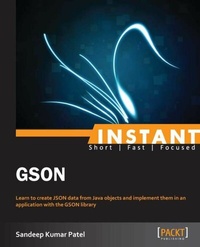
Instant GSON
Learn to create JSON data from Java objects and implement them in an application with the GSON library
Published on 13. January 2025
60 pages
978-1-78328-204-3 (ISBN)
Description

Learn to create JSON data from Java objects and implement them in an application with the GSON library
Key Features
Learn something new in an Instant! A short, fast, focused guide delivering immediate results
Convert JAVA Objects to JSON representation and vice versa
Learn about the Field Exclusion strategy
Write your own JSON converter
Book DescriptionGSON is a specialized Java-based library for handling JSON data, developed by Google. GSON demonstrates an efficient use of CPU time, memory efficiency, the library, and developer productivity. This book will help you implement GSON in your Java project. Instant GSON is a practical, hands-on guide that provides you with all the implementation features of the GSON API through coded examples, which will help you take advantage of the real power that is behind the GSON API, and give you a good grounding to use it in your projects. Instant GSON starts with an introduction to the JSON data format and GSON library. It will take you through the configuration steps required to set up a GSON-based Java project. You will learn about the top features of the GSON library, which includes handling generic type and nested class objects in Java, implementing versioning support, exclusion strategies, and pretty printing. At the end of the book you will find some useful references to articles, blogs, and active communities.What you will learn
Convert Java objects to and from JSON
Handle generic and null java objects
Maintain different versions of serialized JSON
Alter the name of fields when serializing
Creating user defined annotation to remove fields while serializing
Learn about the implementation of GSON in web applications
Who this book is forInstant GSON is for software developers who are new to the GSON library, and who are looking to explore it in depth. You should have some experience in Java programming and Java POJO classes.
Key Features
Learn something new in an Instant! A short, fast, focused guide delivering immediate results
Convert JAVA Objects to JSON representation and vice versa
Learn about the Field Exclusion strategy
Write your own JSON converter
Book DescriptionGSON is a specialized Java-based library for handling JSON data, developed by Google. GSON demonstrates an efficient use of CPU time, memory efficiency, the library, and developer productivity. This book will help you implement GSON in your Java project. Instant GSON is a practical, hands-on guide that provides you with all the implementation features of the GSON API through coded examples, which will help you take advantage of the real power that is behind the GSON API, and give you a good grounding to use it in your projects. Instant GSON starts with an introduction to the JSON data format and GSON library. It will take you through the configuration steps required to set up a GSON-based Java project. You will learn about the top features of the GSON library, which includes handling generic type and nested class objects in Java, implementing versioning support, exclusion strategies, and pretty printing. At the end of the book you will find some useful references to articles, blogs, and active communities.What you will learn
Convert Java objects to and from JSON
Handle generic and null java objects
Maintain different versions of serialized JSON
Alter the name of fields when serializing
Creating user defined annotation to remove fields while serializing
Learn about the implementation of GSON in web applications
Who this book is forInstant GSON is for software developers who are new to the GSON library, and who are looking to explore it in depth. You should have some experience in Java programming and Java POJO classes.
All prices
More details
Edition
Digital original
Language
English
Place of publication
Birmingham
United Kingdom
Target group
Professional and scholarly
US School Grade: College Graduate Student
Edition type
Digital original
File size
0,85 MB
ISBN-13
978-1-78328-204-3 (9781783282043)
Copyright in bibliographic data and cover images is held by Nielsen Book Services Limited or by the publishers or by their respective licensors: all rights reserved.
Schweitzer Classification
Other editions
Additional editions
Person
Patel Sandeep :
http://www.packtpub.com/developing-responsive-web-applications-with-ajax-and-jquery/book
http://www.packtpub.com/developing-responsive-web-applications-with-ajax-and-jquery/book
Content
Table of Contents

