

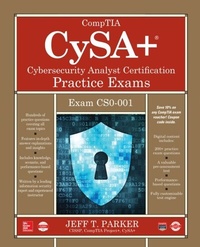
CompTIA CySA+ Cybersecurity Analyst Certification Practice Exams (Exam CS0-001)
1st Edition
Published on 5. October 2018
352 pages
978-1-260-11700-4 (ISBN)
Available for download
Description

Prepare for the CompTIA CySA+ certification exam with this effective self-study resourceDon't Let the Real Test Be Your First Test!Pass the new Cybersecurity Analyst+ certification exam and obtain the latest security credential from CompTIA using the accurate practice questions contained in this guide. CompTIA CySA+(R) Cybersecurity Analyst Certification Practice Exams offers 100% coverage of all objectives for the exam. Written by a leading information security expert and experienced instructor, this guide includes knowledge, scenario, and performance-based questions. Throughout, in-depth explanations are provided for both correct and incorrect answers. Between the book and electronic content, you will get more than 500 practice questions that will fully prepare you for the challenging exam. Designed to help you pass the exam, this is the perfect companion to CompTIA CySA+ Cybersecurity Analyst Certification All-in-One Exam Guide (Exam CS0-001).Covers all exam topics including:*Threat management*Reconnaissance techniques*Securing a corporate network*Vulnerability management*Cyber incident response*Security architectures*Identity and access management*Secure software development*And much moreDigital content includes:*200+ accurate practice questions*A valuable pre-assessment test*Performance-based questions*Fully customizable test engine
More details
Content
- Cover
- Title Page
- Copyright Page
- Dedication
- About the Author
- Contents
- Acknowledgments
- Introduction
- Objective Map: Exam CS0-001
- Part I Threat Management
- Chapter 1 Applying Reconnaissance Techniques
- Questions
- Quick Answer Key
- In-Depth Answers
- Chapter 2 Analyzing the Results of Reconnaissance
- Questions
- Quick Answer Key
- In-Depth Answers
- Chapter 3 Responding to Network-Based Threats
- Questions
- Quick Answer Key
- In-Depth Answers
- Chapter 4 Securing a Corporate Network
- Questions
- Quick Answer Key
- In-Depth Answers
- Part II Vulnerability Management
- Chapter 5 Implementing Vulnerability Management Processes
- Questions
- Quick Answer Key
- In-Depth Answers
- Chapter 6 Vulnerability Scanning
- Questions
- Quick Answer Key
- In-Depth Answers
- Part III Cyber Incident Response
- Chapter 7 The Incident Response Process
- Questions
- Quick Answer Key
- In-Depth Answers
- Chapter 8 Determining the Impact of Incidents
- Questions
- Quick Answer Key
- In-Depth Answers
- Chapter 9 Preparing the Incident Response Toolkit
- Questions
- Quick Answer Key
- In-Depth Answers
- Chapter 10 Selecting the Best Course of Action
- Questions
- Quick Answer Key
- In-Depth Answers
- Part IV Security Architecture and Tool Sets
- Chapter 11 Frameworks, Policies, Controls, and Procedures
- Questions
- Quick Answer Key
- In-Depth Answers
- Chapter 12 Identity and Access Management
- Questions
- Quick Answer Key
- In-Depth Answers
- Chapter 13 Putting in Compensating Controls
- Questions
- Quick Answer Key
- In-Depth Answers
- Chapter 14 Secure Software Development
- Questions
- Quick Answer Key
- In-Depth Answers
- Chapter 15 Tool Sets
- Questions
- Quick Answer Key
- In-Depth Answers
- Appendix About the Digital Content
- CD-ROM
- Your Total Seminars Training Hub Account
- Single User License Terms and Conditions
- Using the TotalTester Online Content
- Pre-Assessment Test
- Performance-Based Questions
- Technical Support

