

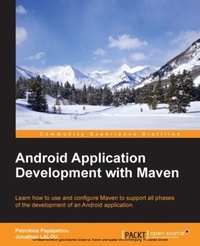
Android Application Development with Maven
Learn how to use and configure Maven to support all phases of the development of an Android application
Published on 13. January 2025
192 pages
978-1-78398-611-8 (ISBN)
Description

Learn how to use and configure Maven to support all phases of the development of an Android application
Key Features
Learn how to effectively use Maven to create, test, and release Android applications
Customize Maven using a variety of suggested plugins for the most popular Android tools
Discover new ways of accelerating the implementation, testing, and maintenance using this step-by-step simple tutorial approach
Book DescriptionAndroid Application Development with Maven is intended for Android developers or devops engineers who want to use Maven to effectively develop quality Android applications. It would be helpful, but not necessary, if you have some previous experience with Maven.What you will learn
Integrate Maven with your favorite Android IDE
Install and configure Maven with your local development environment
Create the proper Maven structure for both standalone Android applications or applications that are part of a bigger project
Run unit tests using popular frameworks such as Robolectric and collect coverage information using Maven plugins
Configure a variety of different tools such as Robotium, Spoon, and Selendroid to run integration tests
Handle dependencies and different versions of the same application
Manage and automate the release process of your application inside/outside Google Play
Discover new tools such as Eclipse, IntelliJ IDEA/Android Studio, and NetBeans, which perfectly integrate with Maven and boost your productivity
Who this book is forAndroid Application Development with Maven is intended for Android developers or devops engineers who want to use Maven to effectively develop quality Android applications. It would be helpful, but not necessary, if you have some previous experience with Maven.
Key Features
Learn how to effectively use Maven to create, test, and release Android applications
Customize Maven using a variety of suggested plugins for the most popular Android tools
Discover new ways of accelerating the implementation, testing, and maintenance using this step-by-step simple tutorial approach
Book DescriptionAndroid Application Development with Maven is intended for Android developers or devops engineers who want to use Maven to effectively develop quality Android applications. It would be helpful, but not necessary, if you have some previous experience with Maven.What you will learn
Integrate Maven with your favorite Android IDE
Install and configure Maven with your local development environment
Create the proper Maven structure for both standalone Android applications or applications that are part of a bigger project
Run unit tests using popular frameworks such as Robolectric and collect coverage information using Maven plugins
Configure a variety of different tools such as Robotium, Spoon, and Selendroid to run integration tests
Handle dependencies and different versions of the same application
Manage and automate the release process of your application inside/outside Google Play
Discover new tools such as Eclipse, IntelliJ IDEA/Android Studio, and NetBeans, which perfectly integrate with Maven and boost your productivity
Who this book is forAndroid Application Development with Maven is intended for Android developers or devops engineers who want to use Maven to effectively develop quality Android applications. It would be helpful, but not necessary, if you have some previous experience with Maven.
All prices
More details
Edition
Digital original
Language
English
Place of publication
Birmingham
United Kingdom
Target group
Professional and scholarly
US School Grade: College Graduate Student
Edition type
Digital original
File size
3,60 MB
ISBN-13
978-1-78398-611-8 (9781783986118)
Copyright in bibliographic data and cover images is held by Nielsen Book Services Limited or by the publishers or by their respective licensors: all rights reserved.
Schweitzer Classification
Other editions
Additional editions
Patroklos Papapetrou
Android Application Development with Maven
Book
03/2015
Packt Publishing
€39.30
Shipment within 3-4 weeks
Persons
Patroklos Papapetrou is a software architect addicted to software quality and an agile team leader with more than 15 years of experience in software engineering. His expertise lies in Android and Java development. He believes and invests in people and team spirit, seeking quality excellence. He's one of the authors of the book SonarQube in Action, Manning Publications and his next writing attempt will be The Art of Software Gardening. He treats software systems like flowers; that's why he prefers to call himself a software gardener. He's also an occasional speaker, conducting talks about clean code, Android development, code quality, and software gardening. Jonathan LALOU is an engineer fascinated by new technologies, computer sciences, and the digital world since his childhood. A graduate of the Ecole des Minesone of the best French polytechnic institutesJonathan has more than 14 years of experience in Java and the JEE ecosystem. Jonathan has worked for several global companies and financial institutions, such as Syred, Philips, Sungard, Ixis CIB, BNP Paribas, and Amundi AM. He has strong ties, daily contacts, and frequent trips in Western Europe, Northern America, Judea, and emerging Asia. During his career, Jonathan has successfully climbed many levels: developer, architect, Scrum master, team leader, and project manager. Now, Jonathan is CTO at SayaSoft (http://www.sayasoft.fr), a digital company focused on very high value added projects he founded with two partners. SayaSoft brings Java environment, migration of small and large organizations to agility, and Android development to a new level. SayaSoft's customers are ensured to get high-quality releases and quick ROI. Jonathan's skills include a wide range of technologies and frameworks, such as Spring, JPA/Hibernate, GWT, Mule ESB, JSF/PrimeFaces, Groovy, Android, EJB, JMS, application servers, agile methods, and, of course, Apache Maven. Jonathan also authored Apache Maven Dependency Management, published by Packt Publishing in October 2013. Jonathan is available on the cloud. You can read his blog at http://jonathan.lalou.free.fr, catch him on Twitter at http://twitter.com/john_the_cowboy, and find him on LinkedIn at http://www.linkedin.com/in/jonathanlalou.
Content
Table of Contents
Beginning with the Basics
Starting the Development Phase
Unit Testing
Integration Testing
Android Flavors
Release Life Cycle and Continuous Integration
Other Tools and Plugins
Beginning with the Basics
Starting the Development Phase
Unit Testing
Integration Testing
Android Flavors
Release Life Cycle and Continuous Integration
Other Tools and Plugins

