

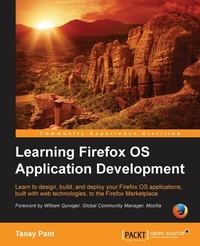
Learning Firefox OS Application Development
Learn to design, build, and deploy your Firefox OS applications, built with web technologies, to the Firefox Marketplace
1st Edition
Published on 13. January 2025
166 pages
978-1-78398-941-6 (ISBN)
Description

Learn to design, build, and deploy your Firefox OS applications, built with web technologies, to the Firefox Marketplace.Key Features - Create beautiful and interactive Firefox OS applications by applying your knowledge of web development
- Cater your applications to a huge number of users by porting them to the Firefox OS
- A step-by-step learning workflow with real-life applications to demonstrate the concepts
Book DescriptionWith broad compatibility, the latest in web technologies, and powerful development tools, Firefox is a great choice for both web developers and end users. Firefox OS's promotion of HTML5 as a first class citizen opens up the walled gardens of mobile application development for web developers. It is because of this initiative that no special SDKs are required to develop for Firefox OS. This book will help you excel in the art of developing applications for Firefox OS. It sequentially covers knowledge building, skills acquisition, and practical applications. Starting with an introduction to Firefox OS, usage of WebIDE, and then the application structure, this book introduces applications of increasing complexity with each chapter. An application that measures your tapping speed, a geolocation tagging application, and a photo editing and sharing application are the three applications that will be built from scratch. You will learn about topics such as the difference between various types of Firefox OS applications, application manifest files, offline apps, and designing principles for applications. You will also learn to test and submit the applications to the marketplace and finally maintain the repository of the Firefox OS application. By the end, you will be able to develop beautifully designed, fully-fledged, and rigorously tested Firefox OS applications and also share them at the Firefox OS Marketplace.What you will learn - Install, use, and access the Firefox OS simulator with the help of WebIDE
- Get to know about application manifest files and the essential difference between web applications and Firefox OS applications
- Create an application that measures the tapping speed of the user
- Create an application that allows a user to check in at a place with geolocation tagging
- Access device-specific features with WebAPIs and implement these by building a photo editing and sharing application
- Submit your own applications to the Firefox Marketplace and share them with others
- Professionally maintain the code of your application with the help of Github and deploy your hosted applications to OpenShift
Who this book is forThis is a practical guide that uses hands-on examples to teach you how to create applications for Firefox OS and also how to port applications to Firefox Marketplace. This book is intended for developers who want to build applications for Firefox OS. An understanding of HTML5, JavaScript, and CSS is required.
- Cater your applications to a huge number of users by porting them to the Firefox OS
- A step-by-step learning workflow with real-life applications to demonstrate the concepts
Book DescriptionWith broad compatibility, the latest in web technologies, and powerful development tools, Firefox is a great choice for both web developers and end users. Firefox OS's promotion of HTML5 as a first class citizen opens up the walled gardens of mobile application development for web developers. It is because of this initiative that no special SDKs are required to develop for Firefox OS. This book will help you excel in the art of developing applications for Firefox OS. It sequentially covers knowledge building, skills acquisition, and practical applications. Starting with an introduction to Firefox OS, usage of WebIDE, and then the application structure, this book introduces applications of increasing complexity with each chapter. An application that measures your tapping speed, a geolocation tagging application, and a photo editing and sharing application are the three applications that will be built from scratch. You will learn about topics such as the difference between various types of Firefox OS applications, application manifest files, offline apps, and designing principles for applications. You will also learn to test and submit the applications to the marketplace and finally maintain the repository of the Firefox OS application. By the end, you will be able to develop beautifully designed, fully-fledged, and rigorously tested Firefox OS applications and also share them at the Firefox OS Marketplace.What you will learn - Install, use, and access the Firefox OS simulator with the help of WebIDE
- Get to know about application manifest files and the essential difference between web applications and Firefox OS applications
- Create an application that measures the tapping speed of the user
- Create an application that allows a user to check in at a place with geolocation tagging
- Access device-specific features with WebAPIs and implement these by building a photo editing and sharing application
- Submit your own applications to the Firefox Marketplace and share them with others
- Professionally maintain the code of your application with the help of Github and deploy your hosted applications to OpenShift
Who this book is forThis is a practical guide that uses hands-on examples to teach you how to create applications for Firefox OS and also how to port applications to Firefox Marketplace. This book is intended for developers who want to build applications for Firefox OS. An understanding of HTML5, JavaScript, and CSS is required.
All prices
More details
Other editions
Additional editions
Tanay Pant
Learning Firefox OS Application Development
Book
10/2015
Packt Publishing
€39.10
Shipment within 3-4 weeks
Person
Pant Tanay :
Tanay Pant is a developer, white hat, and writer who has a passion for web development. He contributes code to Mozilla Webmaker and is the chief architect of Stock Wolf (www.stockwolf.net), a global virtual stock trading platform that aims to impart practical education about stocks and markets. He is also a representative of Mozilla, and you can find his name listed under the credits (https://www.mozilla.org/credits/) of the Firefox web browser. You can also find articles written by him on web development at SitePoint and TutsPlus. Tanay acts as a security consultant and enjoys helping corporations fix vulnerabilities in their products.
Tanay Pant is a developer, white hat, and writer who has a passion for web development. He contributes code to Mozilla Webmaker and is the chief architect of Stock Wolf (www.stockwolf.net), a global virtual stock trading platform that aims to impart practical education about stocks and markets. He is also a representative of Mozilla, and you can find his name listed under the credits (https://www.mozilla.org/credits/) of the Firefox web browser. You can also find articles written by him on web development at SitePoint and TutsPlus. Tanay acts as a security consultant and enjoys helping corporations fix vulnerabilities in their products.
Content
- Cover
- Copyright
- Credits
- Foreword
- About the Author
- About the Reviewers
- www.PacktPub.com
- Table of Contents
- Preface
- Chapter 1: Introduction to Firefox OS
- Introducing Firefox OS
- The need to develop applications for Firefox OS
- The architecture of Firefox OS
- Mobile hardware
- Gonk - the kernel
- Gecko - the engine
- Gaia - the interface
- Firefox OS applications
- The working of components under Firefox OS's hood - an example
- HTML5 and open web applications
- The security model of Firefox OS
- Devices running Firefox OS available in the market
- Summary
- Chapter 2: Running Firefox OS Simulators with WebIDE
- Introducing WebIDE
- Installing and creating new apps by using WebIDE
- Using developer tools in WebIDE
- Browsing other runtime applications
- Uninstalling applications in Firefox OS
- Summary
- Chapter 3: Getting Your Hands Dirty - Firefox OS Apps
- Introducing Firefox OS apps
- Packaged and hosted applications
- Security access levels (permissions)
- Building our application's manifest file
- Understanding the application's manifest files
- Directory structure of the application
- Constructing the index file
- Constructing the stylesheet
- Constructing the application logic
- Running our application on the simulator
- Running the application as a hosted application
- Summary
- Chapter 4: Diving Deeper with the Fox Creating Richer Apps
- Making hosted applications installable
- Making hosted apps work offline with AppCache
- Building Check In!
- Installing and testing Check In!
- Summary
- Chapter 5: Making Applications Visually Appealing - Style Guide
- Basic design guidelines
- Avoiding UI blunders
- Gaia Building Blocks
- Checking responsiveness with responsive design view
- Summary
- Chapter 6: Emerging a Guru - Learning Web APIs
- Introducing Web APIs
- Web and Privileged APIs
- Certified APIs
- Web activities
- Building FoxFoto
- The HTML file
- The underlying JavaScript code
- View previous functionality
- Summary
- Chapter 7: Testing Your Firefox OS Application
- Introducing quality assurance
- Unit testing
- Using the Firefox developer tools for debugging
- Console
- Profiling performance by using the profiler
- Call tree
- Flame chart
- Frame rate
- Improving the app's performance
- Using the App Validator
- Spoof Firefox OS Add-on
- What the Spoof FxOS add-on does?
- Summary
- Chapter 8: Firefox Marketplace - Setting up Your Bazaar
- Firefox Marketplace
- Submitting your application to Firefox Marketplace
- Updating your application in Marketplace
- Marketplace review criteria
- Publishing paid applications in Marketplace
- Porting existing web apps to Firefox OS
- Conversion of a web app to a hosted Firefox OS application
- Summary
- Chapter 9: Maintaining Your Firefox OS Application Code Professionally
- Setting up an account at GitHub
- Version controlling your application
- Hosting apps on RHCloud via Git
- Summary
- Index

