

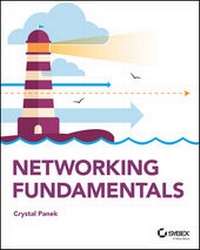
Networking Fundamentals
1st Edition
Published on 23. October 2019
336 pages
978-1-119-65071-3 (ISBN)
Description

A clear and concise resource on Windows networking, perfect for IT beginners
Did you know that nearly 85% of IT support roles require a good understanding of networking concepts? If you are looking to advance your IT career, you will need a foundational understanding of Windows networking. Network Fundamentals covers everything you need to know about network infrastructures, hardware, protocols, and services. You will learn everything you need to gain the highly in-demand Networking Fundamentals MTA Certification. This entry-level credential could be your first step into a rewarding, stable and lucrative IT career.
This new Sybex guide covers the basics of networking starting from the "ground level," so no previous IT knowledge is required. Each chapter features approachable discussion of the latest networking technologies and concepts, closing with a quiz so you can test your knowledge before moving to the next section. Even if you are brand new to computers, Network Fundamentals will guide you to confidence and mastery.
* Understand wired and wireless networks in every detail
* Learn everything you need to attain the Networking Fundamentals MTA Certification
* Test your knowledge with end-of-chapter quiz questions
* Understand internet protocol (IP) and categorize IPv4 addresses
* Work with networking services and area networks
* Define network infrastructures and network security, including intranets, extranets, and VPNs
Beginning and established IT professionals looking to understand more about networking will gain the knowledge to create a network diagram and confidently explain basic networking concepts. Thanks to the features in this book, you will be able to apply your new networking skills in real world situations and feel confident when taking the certification test.
Did you know that nearly 85% of IT support roles require a good understanding of networking concepts? If you are looking to advance your IT career, you will need a foundational understanding of Windows networking. Network Fundamentals covers everything you need to know about network infrastructures, hardware, protocols, and services. You will learn everything you need to gain the highly in-demand Networking Fundamentals MTA Certification. This entry-level credential could be your first step into a rewarding, stable and lucrative IT career.
This new Sybex guide covers the basics of networking starting from the "ground level," so no previous IT knowledge is required. Each chapter features approachable discussion of the latest networking technologies and concepts, closing with a quiz so you can test your knowledge before moving to the next section. Even if you are brand new to computers, Network Fundamentals will guide you to confidence and mastery.
* Understand wired and wireless networks in every detail
* Learn everything you need to attain the Networking Fundamentals MTA Certification
* Test your knowledge with end-of-chapter quiz questions
* Understand internet protocol (IP) and categorize IPv4 addresses
* Work with networking services and area networks
* Define network infrastructures and network security, including intranets, extranets, and VPNs
Beginning and established IT professionals looking to understand more about networking will gain the knowledge to create a network diagram and confidently explain basic networking concepts. Thanks to the features in this book, you will be able to apply your new networking skills in real world situations and feel confident when taking the certification test.
More details
Other editions
Additional editions
Crystal Panek
Networking Fundamentals
Book
12/2019
1st Edition
Sybex Inc.,U.S.
€37.50
Shipment within 15-20 days
Content
- Intro
- Networking Fundamentals
- Acknowledgements
- About the Author
- Contents
- Introduction
- What Does This Book Cover?
- Interactive Online Learning Tools
- How to Contact the Publisher
- Lesson 1 Understanding Local Area Networking
- Examining Local Area Networks, Devices, and Data Transfer
- Defining the LAN
- Identifying Types of LANs
- Getting to Know Perimeter Networks
- Identifying Network Topologies and Standards
- Identifying Network Topologies
- Defining Ethernet Standards
- Identifying the Differences Between Client/Server and Peer-to-Peer
- Skill Summary
- Knowledge Assessment
- Multiple Choice
- Fill in the Blank
- Business Case Scenarios
- Scenario 1-1: Planning and Documenting a Basic LAN
- Scenario 1-2: Selecting the Correct Networking Model
- Scenario 1-3: Selecting Network Adapters for Your LAN Computers
- Scenario 1-4: Configuring the Correct Subnet Mask
- Solutions to Business Case Scenarios
- Lesson 2 Defining Networks with the OSI Model
- Understanding OSI Basics
- Defining the OSI Model Layers
- Defining the Communications Subnetwork
- Define the Physical Layer
- Define the Data Link Layer
- Understanding Layer 2 Switching
- Understanding Layer 3 Switching
- Understanding Characteristics of Switches
- Defining the Upper OSI Layers
- Defining the Transport Layer
- Defining the Session Layer
- Defining the Presentation Layer
- Defining the Application Layer
- Reviewing the OSI Layers
- Defining the TCP/IP Model
- Skill Summary
- Knowledge Assessment
- Multiple Choice
- Fill in the Blank
- Business Case Scenarios
- Scenario 2-1: Installing the Appropriate Switch
- Scenario 2-2: Defining the IP Address and Ports Used by Destination Servers
- Scenario 2-3: Ensuring a Newly Created Email Account's Logon Is Encrypted
- Scenario 2-4: Creating a Permanent ARP Table Entry
- Lesson 3 Understanding Wired and Wireless Networks
- Recognizing Wired Networks and Media Types
- Identifying and Working with Twisted-Pair Cables
- Identifying and Working with Fiber-Optic Cable
- Understanding Wireless Networks
- Identifying Wireless Devices
- Identifying Wireless Networking Standards
- Skill Summary
- Knowledge Assessment
- Multiple Choice
- Fill in the Blank
- Business Case Scenarios
- Scenario 3-1: Selecting Channels for a WLAN
- Scenario 3-2: Running Cable Drops Properly
- Scenario 3-3: Selecting Network Adapters for Your WLAN Computers
- Scenario 3-4: Securing a WLAN
- Lesson 4 Understanding Internet Protocol
- Working with IPV4
- Categorizing IPv4 Addresses
- Default Gateways and DNS Servers
- Defining Advanced IPv4 Concepts
- Working with IPV6
- Understanding IPv6
- Configuring IPv6
- Skill Summary
- Knowledge Assessment
- Multiple Choice
- Fill in the Blank
- Business Case Scenarios
- Scenario 4-1: Defining a Private Class C IP Network
- Scenario 4-2: Specifying the Correct Device
- Scenario 4-3: Implementing the Correct Class Network
- Scenario 4-4: Implementing the Correct Subnet Mask
- Lesson 5 Implementing TCP/IP in the Command Line
- Using Basic TCP/IP Commands
- Working with the Command Prompt Window
- Using ipconfig and ping
- Working with Advanced TCP/IP Commands
- Using netstat and nbtstat
- Using tracert and pathping
- Using nslookup
- Using ftp and telnet
- Using Windows PowerShell
- Using net
- Skill Summary
- Knowledge Assessment
- Multiple Choice
- Fill in the Blank
- Business Case Scenarios
- Scenario 5-1: Connecting to an FTP Server
- Scenario 5-2: Troubleshooting TCP/IP Results
- Scenario 5-3: Documenting a Basic Wide Area Network
- Scenario 5-4: Using Advanced Ping
- Lesson 6 Working with Networking Services
- Setting Up Common Networking Services
- Working with the Dynamic Host Configuration Protocol (DHCP)
- Introducing Remote Administration
- Enable Remote Desktop
- Access Remote Desktop
- Defining More Networking Services
- Defining RRAS
- Defining IPsec
- Defining Name Resolution Techniques
- Defining DNS
- Defining WINS
- Skill Summary
- Knowledge Assessment
- Multiple Choice
- Fill in the Blank
- Business Case Scenarios
- Scenario 6-1: Selecting the Appropriate Services
- Scenario 6-2: Selecting the Appropriate Services
- Scenario 6-3: Setting Up a DHCP Server
- Scenario 6-4: Setting Up a New DHCP and Migrating Old Computers
- Scenario 6-5: Managing Remote Connections
- Lesson 7 Understanding Wide Area Networks
- Understanding Routing
- Identifying Static and Dynamic Routing
- Understanding Quality of Service (QOS)
- Defining Common WAN Technologies and Connections
- Defining Packet Switching
- Defining T-Carriers
- Defining Other WAN Technologies and Internet Connectivity
- Skill Summary
- Knowledge Assessment
- Multiple Choice
- Fill in the Blank
- Business Case Scenarios
- Scenario 7-1: Selecting the Appropriate Service and Protocol
- Scenario 7-2: Selecting the Appropriate WAN Technology
- Scenario 7-3: Recommending the Right Service
- Scenario 7-4: Setting Up Routes to Other Networks
- Lesson 8 Defining Network Infrastructures and Network Security
- Understanding Networks Outside the LAN
- Defining the Internet
- Defining Intranets and Extranets
- Configuring VPN Connections and Authentication
- Selecting Types of VPN Protocols
- Selecting Authentication for VPN Connections
- Creating a VPN Connection Using the Create a VPN Connection Wizard
- Creating a VPN Connection Using Windows 10 Settings
- Using Connection Manager (CM) and the Connection Manager Administration Kit (CMAK)
- Understanding Security Devices and Zones
- Defining Firewalls and Other Perimeter Security Devices
- Redefining the DMZ
- Putting It All Together
- Skill Summary
- Knowledge Assessment
- Multiple Choice
- Fill in the Blank
- Business Case Scenarios
- Scenario 8-1: Setting Up a DMZ
- Scenario 8-2: Selecting the Appropriate Solution
- Scenario 8-3: Setting Up a PPTP Server
- Scenario 8-4: Creating a WAN with VPN
- Appendix Answer Key
- Lesson 1: Understanding Local Area Networking
- Answers to Knowledge Assessment
- Answers to Business Case Scenarios
- Lesson 2: Defining Networks with the OSI Model
- Answers to Knowledge Assessment
- Answers to Business Case Scenarios
- Lesson 3: Understanding Wired and Wireless Networks
- Answers to Knowledge Assessment
- Answers to Business Case Scenarios
- Lesson 4: Understanding Internet Protocol
- Answers to Knowledge Assessment
- Answers to Business Case Scenarios
- Lesson 5: Implementing TCP/IP in the Command Line
- Answers to Knowledge Assessment
- Answers to Business Case Scenarios
- Lesson 6: Working with Networking Services
- Answers to Knowledge Assessment
- Answers to Business Case Scenarios
- Lesson 7: Understanding Wide Area Networks
- Answers to Knowledge Assessment
- Answers to Business Case Scenarios
- Lesson 8: Defining Network Infrastructure and Network Security
- Answers to Knowledge Assessment
- Answers to Business Case Scenarios
- Index
- Advert
- EULA
