

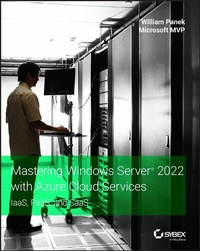
Mastering Windows Server 2022 with Azure Cloud Services
Description

In Mastering Windows Server 2022 with Azure Cloud Services: IaaS, PaaS, and SaaS, 5-time Microsoft MVP Winner William Panek delivers a comprehensive and practical blueprint for planning, implementing, and managing environments that include Azure IaaS-hosted Windows Server-based workloads.
You'll learn to use the expansive, hybrid capabilities of Azure, how to migrate virtual and physical server workloads to Azure IaaS, PaaS, and SaaS, and how to manage and secure Azure virtual machines running Windows Server 2022.
This book also offers:
* Foundational explanations of core Azure capabilities, including Infrastructure-as-a-Service (IaaS), Platform-as-a-Service (PaaS), and Software-as-a-Service (SaaS)
* Explorations of the tools you'll need to implement Azure solutions, including Windows Admin Center and PowerShell
* Examples of implementing identity in Hybrid scenarios, including Azure AD DS on Azure IaaS and managed AD DS
Perfect for IT professionals who manage on-premises Windows Server environments, seek to use Azure to manage server workloads, and want to secure virtual machines running on Windows Server 2022, Mastering Windows Server 2022 with Azure Cloud Services: IaaS, PaaS, and SaaS is also a must-read resource for anyone involved in administering or operating Microsoft Azure IaaS workloads.
More details
Other editions
Additional editions
Person
Content
Chapter 1
Understanding Windows Server 2022
So, you have decided to start down the track of Windows Server 2022. The first question we must ask ourselves is what's the first step? Well, the first step is to learn about what's new about the Windows Server 2022 features and benefits that are available and how these features can help improve your organization's network.
So that's where I am going to start. I will talk about the different Windows Server 2022 versions and what version may be best for you. So, let's dive right into the server by talking about some of the features and advantages of Windows Server 2022.
IN THIS CHAPTER YOU'LL LEARN
- Understand the roles and features in Windows Server 2022
- Understand the different versions of Windows Server 2022
- Know the features and roles that have been removed
Features and Advantages of Windows Server 2022
Before deciding to install and configure Windows Server 2022, it's first important to learn about some of the features and the advantages it offers. Windows Server 2022 is built off of the solid foundation of Windows Server 2016, but Microsoft has stated that Windows Server 2022 is "The cloud-ready operating system." This means that many of the features of Windows Server 2022 are built and evolve around cloud-based software and networking.
I will talk about all of these features in greater detail throughout this book. What follows are merely brief descriptions of some of the features of Windows Server 2022.
- Built-in Security Microsoft has always tried to make sure that their operating systems are as secure as possible but with Windows Server 2022, Microsoft has included Windows Defender Advanced Threat Protection (ATP). This feature helps stop attackers on your system and allows a company to meet any compliance requirements.
- Active Directory Certificate Services Active Directory Certificate Services (AD CS) provides a customizable set of services that allow you to issue and manage public key infrastructure (PKI) certificates. These certificates can be used in software security systems that employ public key technologies.
- Active Directory Domain Services Active Directory Domain Services (AD DS) includes new features that make deploying domain controllers simpler and that let you implement them faster. AD DS also makes the domain controllers more flexible, both to audit and to authorize for access to files. Moreover, AD DS has been designed to make performing administrative tasks easier through consistent graphical and scripted management experiences.
- Active Directory Federation Services Active Directory Federation Services (AD FS) provides Internet-based clients with a secure identity access solution that works on both Windows and non-Windows operating systems. AD FS gives users the ability to do a single sign-on (SSO) and access applications on other networks without needing a secondary password. Federation Services is one of the ways that you can connect your on-site domain with the cloud.
- Active Directory Lightweight Directory Services Active Directory Lightweight Directory Services (AD LDS) is a Lightweight Directory Access Protocol (LDAP) directory service that provides flexible support for directory-enabled applications, without the dependencies and domain-related restrictions of AD DS.
- Active Directory Rights Management Services Active Directory Rights Management Services (AD RMS) provides management and development tools that let you work with industry security technologies, including encryption, certificates, and authentication. Using these technologies allows organizations to create reliable information protection solutions.
- Application Server Application Server provides an integrated environment for deploying and running custom, server-based business applications.
- BitLocker BitLocker is a tool that allows you to encrypt the hard drives of your computer. By encrypting the hard drives, you can provide enhanced protection against data theft or unauthorized exposure of your computers or removable drives that are lost or stolen.
- BranchCache BranchCache allows data from files and web servers on a wide area network (WAN) to be cached on computers at a local branch office. By using BranchCache, you can improve application response times while also reducing WAN traffic. Cached data can be either distributed across peer client computers (distributed cache mode) or centrally hosted on a server (hosted cache mode). BranchCache is included with Windows Server 2022 and Windows 10 / Windows 11.
- Containers Windows Server 2022 has started focusing on an isolated operating system environment called Dockers. Dockers allow applications to run in isolated environments called containers. Containers are separate locations where applications can operate without affecting other applications or other operating system resources. To understand Dockers and containers, think of virtualization.
Virtual machines are operating systems that run in their own space on top of another operating system. Dockers and containers allow an application to run in its own space and because of this, it doesn't affect other applications. There are two different types of containers to focus on:
- Windows Server Containers Windows Server 2022 allows for an isolated application to run by using a technology called process and namespace isolation. Windows Server 2022 containers allow applications to share the system's kernel with their container and all other containers running on the same host.
- Hyper-V Containers Windows Server 2022 Hyper-V containers add another virtual layer by isolating applications in their own optimized virtual machine. Hyper-V containers work differently than Windows Server containers in the fact that the Hyper-V containers do not share the system's kernel with other Hyper-V containers.
- Credential Guard Credential Guard helps protect a system's credentials and this helps avoid pass the hash attacks. Credential Guard offers better protection against advanced persistent threats by protecting credentials on the system from being stolen by a compromised administrator or malware.
Credential Guard can also be enabled on Remote Desktop Services servers and Virtual Desktop Infrastructure so that the credentials for users connecting to their sessions are protected.
- DHCP Dynamic Host Configuration Protocol (DHCP) is an Internet standard that allows organizations to reduce the administrative overhead of configuring hosts on a TCP/IP-based network. Some of the features are DHCP failover, policy-based assignment, and the ability to use Windows PowerShell for DHCP Server.
- DNS Domain Name System (DNS) services are used in TCP/IP networks. DNS will convert a computer name or fully qualified domain name (FQDN) to an IP address. DNS also has the ability to do a reverse lookup and convert an IP address to a computer name. DNS allows you to locate computers and services through user-friendly names.
- Failover Clustering Failover Clustering gives an organization the ability to provide high availability and scalability to networked servers. Failover clusters can include file share storage for server applications, such as Hyper-V and Microsoft SQL Server, and for applications that run on physical servers or virtual machines.
- File Server Resource Manager File Server Resource Manager is a set of tools that allows administrators to manage and control the amount and type of data stored on the organization's servers. By using File Server Resource Manager, administrators have the ability to set up file management tasks, use quota management, get detailed reports, set up a file classification infrastructure, and configure file-screening management.
- File and Storage Services File and Storage Services allows an administrator to set up and manage one or more file servers. These servers can provide a central location on your network where you can store files and then share those files with network users. If users require access to the same files and applications or if centralized backup and file management are important issues for an organization, administrators should set up network servers as a file server.
- Group Policy Group policies are a set of rules and management configuration options that you can control through the Group Policy settings. These policy settings can be placed on users' computers throughout the organization.
- Hyper-V Hyper-V is one of the most changed features in Windows Server 2022. Hyper-V allows an organization to consolidate servers by creating and managing a virtualized computing environment. It does this by using virtualization technology that is built into Windows Server 2022.
Hyper-V allows you to run multiple operating systems simultaneously on one physical computer. Each virtual operating system runs in its own virtual machine environment.
Windows Server 2022 Hyper-V now allows an administrator to protect their corporate virtual machines using the feature called Shielded Virtual Machine. Shielded Virtual Machines are encrypted using BitLocker and the VMs can only run-on approved Hyper-V...
