

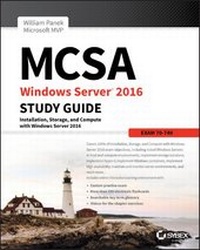
MCSA Windows Server 2016 Study Guide
Exam 70-740
2nd Edition
Published on 19. May 2017
432 pages
978-1-119-35949-4 (ISBN)
Description

The bestselling MCSA 70-470 study guide, updated for the latest exam
MCSA Windows Server 2016 Study Guide is your ultimate resource for Exam 70-740. Covering 100% of all exam objectives, this study guide goes far beyond concept review with real-world scenarios containing expert insights, chapter review questions, hands-on practice exercises while the Sybex interactive learning environment provides additional last minute review through practice exams, electronic flashcards, and searchable glossary. This new edition has been fully updated to align with the Windows Server 2016 exam, featuring authoritative coverage of installation, configuration, server roles, Hyper-V, core network services, Active Directory, Group Policy, security, remote access, disaster recovery, and more.
The vast majority of servers around the world use Windows Server, and the 2016 release includes a host of new features and updates. This study guide has been updated to prepare you for these changes so you can be confident on exam day and beyond.
* Study 100% of Exam 70-740 objectives
* Gain hands-on practice performing critical tasks
* Link concept to practice through real-world scenarios
* Access to the Sybex interactive learning environment
Whether you want to sit for the exam, or simply improve your job performance, this Sybex study guide will give you the expert insight to learn the key concepts and latest updates to Windows Server 2016.
More details
Other editions
Additional editions
William Panek
MCSA Windows Server 2016 Study Guide: Exam 70-740
Book
08/2017
2nd Edition
Sybex Inc.,U.S.
€37.50
Shipment within 15-20 days
Person
William Panek, MCP, MCSE, MCSA, MCTS, MCITP, CCNA, is a four-time Microsoft MVP winner. He has taught at Boston University, Clark University, and the University of Maryland, and presently conducts live online classes for StormWind Studios (www.stormwind.com). Will has been a consultant and trainer for the United States Secret Service, Cisco, the United States Air Force, and the United States Army. He also creates training videos to help students prepare for various Microsoft exams.
Content
1 - Cover [Seite 1]
2 - Title Page [Seite 5]
3 - Copyright [Seite 6]
4 - Acknowledgments [Seite 9]
5 - About the Author [Seite 11]
6 - Contents at a Glance [Seite 13]
7 - Contents [Seite 15]
8 - Table of Exercises [Seite 21]
9 - Introduction [Seite 23]
10 - Assessment Test [Seite 34]
11 - Answers to Assessment Test [Seite 38]
12 - Chapter 1 Installing Windows Server 2016 [Seite 43]
12.1 - Features and Advantages of Windows Server 2016 [Seite 44]
12.2 - Planning the Windows Server 2016 Installation [Seite 48]
12.2.1 - Server Roles in Windows Server 2016 [Seite 48]
12.2.2 - Migrating Roles and Features to Windows Server 2016 [Seite 52]
12.2.3 - Deciding Which Windows Server 2016 Versions to Use [Seite 53]
12.2.4 - Deciding on the Type of Installation [Seite 55]
12.2.5 - NIC Teaming [Seite 58]
12.2.6 - Installing Windows Server 2016 [Seite 59]
12.3 - Activating and Servicing Windows [Seite 73]
12.3.1 - Key Management Service [Seite 74]
12.3.2 - Automatic Virtual Machine Activation [Seite 75]
12.3.3 - Active Directory-Based Activation [Seite 76]
12.3.4 - Servicing Windows Server 2016 [Seite 76]
12.4 - Using Windows Deployment Services [Seite 77]
12.4.1 - Preparing the WDS Server [Seite 78]
12.4.2 - WDS Server Requirements [Seite 78]
12.4.3 - Network Services [Seite 79]
12.4.4 - Installing the WDS Server Components [Seite 79]
12.4.5 - Preparing the WDS Client [Seite 81]
12.5 - Understanding Features On Demand [Seite 81]
12.6 - Summary [Seite 83]
12.7 - Video Resources [Seite 83]
12.8 - Exam Essentials [Seite 83]
12.9 - Review Questions [Seite 84]
13 - Chapter 2 Installing in the Enterprise [Seite 87]
13.1 - Understanding Automated Deployment Options [Seite 88]
13.1.1 - An Overview of the Microsoft Deployment Toolkit 2013 Update 2 [Seite 89]
13.1.2 - An Overview of Unattended Installation [Seite 97]
13.1.3 - An Overview of the System Preparation Tool and Disk Imaging [Seite 99]
13.1.4 - Overview of the Windows Assessment and Deployment Kit [Seite 103]
13.1.5 - Windows Imaging and Configuration Designer [Seite 104]
13.1.6 - Summary of Windows Server 2016 Deployment Options [Seite 104]
13.2 - Deploying Unattended Installations [Seite 106]
13.2.1 - Using the System Preparation Tool to Prepare an Installation for Imaging [Seite 107]
13.2.2 - Using Windows Imaging and Configuration Designer (Windows ICD) to Create a Disk Image [Seite 109]
13.2.3 - Installing from a Disk Image [Seite 111]
13.2.4 - Using the Deployment Image Servicing and Management Tool [Seite 112]
13.2.5 - Using Windows System Image Manager to Create Answer Files [Seite 115]
13.2.6 - Microsoft Assessment and Planning (MAP) Toolkit [Seite 117]
13.3 - Understanding Hyper-V [Seite 119]
13.3.1 - What Is Virtualization? [Seite 120]
13.3.2 - Linux and FreeBSD Image Deployments [Seite 120]
13.4 - Summary [Seite 121]
13.5 - Video Resources [Seite 122]
13.6 - Exam Essentials [Seite 122]
13.7 - Review Questions [Seite 123]
14 - Chapter 3 Configuring Storage and Replication [Seite 127]
14.1 - Understanding File Systems [Seite 128]
14.1.1 - Resilient File System (ReFS) [Seite 129]
14.1.2 - NTFS [Seite 130]
14.2 - Storage in Windows Server 2016 [Seite 133]
14.2.1 - Initializing Disks [Seite 133]
14.2.2 - Configuring Basic and Dynamic Disks [Seite 134]
14.2.3 - Managing Volumes [Seite 136]
14.2.4 - Storage Spaces in Windows Server 2016 [Seite 137]
14.2.5 - Redundant Array of Independent Disks [Seite 138]
14.2.6 - Mount Points [Seite 141]
14.2.7 - Microsoft MPIO [Seite 142]
14.2.8 - Configuring iSCSI Target [Seite 144]
14.2.9 - Internet Storage Name Service [Seite 145]
14.2.10 - Implement Thin Provisioning and Trim [Seite 147]
14.2.11 - Fibre Channel [Seite 148]
14.2.12 - Network Attached Storage [Seite 148]
14.2.13 - Virtual Disk Service [Seite 148]
14.2.14 - Understanding Data Center Bridging [Seite 150]
14.3 - Configuring Permissions [Seite 151]
14.3.1 - Understanding SMB [Seite 151]
14.3.2 - Understanding NTFS [Seite 152]
14.3.3 - Understanding Shared Permissions [Seite 154]
14.3.4 - How NTFS Security and Shared Permissions Work Together [Seite 156]
14.3.5 - Understanding NFS Shares [Seite 158]
14.4 - Configuring Disk Quotas [Seite 160]
14.5 - Windows PowerShell [Seite 162]
14.6 - Using Server Manager [Seite 167]
14.6.1 - Booting from a VHD [Seite 168]
14.7 - Understanding Data Deduplication [Seite 169]
14.7.1 - Backup and Restoring Deduplicated Volumes [Seite 170]
14.7.2 - Installing and Enabling Data Deduplication [Seite 171]
14.7.3 - Monitoring Data Deduplicated [Seite 174]
14.8 - Summary [Seite 174]
14.9 - Video Resources [Seite 175]
14.10 - Exam Essentials [Seite 175]
14.11 - Review Questions [Seite 177]
15 - Chapter 4 Understanding Hyper-V [Seite 179]
15.1 - Hyper-V Overview [Seite 181]
15.1.1 - What Is Virtualization? [Seite 181]
15.1.2 - Hyper-V Features [Seite 182]
15.1.3 - Hyper-V Architecture [Seite 187]
15.1.4 - Hyper-V Requirements [Seite 189]
15.2 - Hyper-V Installation and Configuration [Seite 190]
15.2.1 - Install the Hyper-V Role [Seite 190]
15.2.2 - Hyper-V in Server Manager [Seite 193]
15.2.3 - Using Hyper-V Manager [Seite 194]
15.2.4 - Configure Hyper-V Settings [Seite 195]
15.2.5 - Manage Virtual Switches [Seite 196]
15.2.6 - Managing Virtual Hard Disks [Seite 199]
15.3 - Configuring Virtual Machines [Seite 204]
15.3.1 - Creating and Managing Virtual Machines [Seite 204]
15.3.2 - Linux and FreeBSD Image Deployments [Seite 217]
15.4 - PowerShell Commands [Seite 221]
15.5 - Summary [Seite 224]
15.6 - Video Resources [Seite 225]
15.7 - Exam Essentials [Seite 225]
15.8 - Review Questions [Seite 227]
16 - Chapter 5 Configuring High Availability [Seite 229]
16.1 - Components of High Availability [Seite 230]
16.2 - Achieving High Availability [Seite 231]
16.2.1 - High Availability Foundation [Seite 232]
16.3 - Understanding Network Load Balancing [Seite 233]
16.3.1 - NLB Requirements [Seite 235]
16.3.2 - Installing NLB Nodes [Seite 235]
16.3.3 - Upgrading an NLB Cluster [Seite 240]
16.3.4 - PowerShell Commands for a NLB Cluster [Seite 241]
16.4 - Achieving High Availability with Hyper-V [Seite 242]
16.4.1 - Implementing a Hyper-V Replica [Seite 243]
16.4.2 - Understanding Live Migration [Seite 247]
16.4.3 - Implementing Storage Migration [Seite 250]
16.4.4 - PowerShell Commands for Hyper-V High Availability [Seite 252]
16.5 - Summary [Seite 253]
16.6 - Video Resources [Seite 254]
16.7 - Exam Essentials [Seite 254]
16.8 - Review Questions [Seite 255]
17 - Chapter 6 Understanding Clustering [Seite 257]
17.1 - Achieving High Availability with Failover Clustering [Seite 258]
17.1.1 - Failover Clustering Requirements [Seite 260]
17.1.2 - Workgroup and Multi-domain clusters [Seite 261]
17.1.3 - Site-Aware, Stretched, or Geographically Dispersed Clusters (Geoclustering) [Seite 262]
17.1.4 - Cluster Quorum [Seite 262]
17.1.5 - Validating a Cluster Configuration [Seite 265]
17.1.6 - Creating a Cluster [Seite 270]
17.1.7 - Clustered Application Settings [Seite 273]
17.1.8 - Resource Properties [Seite 275]
17.2 - Windows Server 2016 Clustering Features [Seite 278]
17.3 - PowerShell Commands for Clustering [Seite 281]
17.4 - Implementing Storage Spaces Direct [Seite 283]
17.4.1 - The Benefits of Storage Spaces Direct [Seite 285]
17.4.2 - Deployment options [Seite 285]
17.4.3 - Requirements to Set Up Storage Spaces Direct [Seite 286]
17.4.4 - Storage Spaces Direct using Windows PowerShell [Seite 287]
17.5 - Summary [Seite 289]
17.6 - Video Resources [Seite 289]
17.7 - Exam Essentials [Seite 289]
17.8 - Review Questions [Seite 290]
18 - Chapter 7 Configuring Windows Containers [Seite 293]
18.1 - Understanding Windows Containers [Seite 294]
18.1.1 - Container Terminology [Seite 295]
18.1.2 - Install and Configure Server Containers [Seite 295]
18.1.3 - Install and Configure Windows Containers [Seite 302]
18.1.4 - Tagging an Image [Seite 307]
18.1.5 - Uninstall an Operating System Image [Seite 307]
18.1.6 - Creating New Images Using Dockerfile [Seite 308]
18.1.7 - Understanding Hyper-V Containers [Seite 310]
18.1.8 - Managing Container Networking [Seite 311]
18.1.9 - Using Docker Hub Repository [Seite 312]
18.1.10 - Using Microsoft Azure for Images [Seite 313]
18.2 - Using PowerShell for Containers [Seite 313]
18.3 - Summary [Seite 315]
18.4 - Video Resources [Seite 316]
18.5 - Exam Essentials [Seite 316]
18.6 - Review Questions [Seite 317]
19 - Chapter 8 Maintaining Windows Server [Seite 319]
19.1 - Configuring Windows Server Updates [Seite 320]
19.1.1 - Windows Update [Seite 321]
19.1.2 - Using Windows Server Update Services [Seite 324]
19.2 - Understanding Backups [Seite 339]
19.2.1 - Overview of the Windows Server 2016 Backup Utility [Seite 340]
19.2.2 - Setting Up an Active Directory Backup [Seite 345]
19.2.3 - Restoring Active Directory [Seite 348]
19.2.4 - Active Directory Recycle Bin [Seite 350]
19.2.5 - Understanding the ntdsutil Utility [Seite 351]
19.2.6 - Wbadmin Command-Line Utility [Seite 352]
19.2.7 - Backing Up Virtual Machines [Seite 353]
19.3 - PowerShell Commands [Seite 354]
19.4 - Summary [Seite 356]
19.5 - Video Resources [Seite 357]
19.6 - Exam Essentials [Seite 357]
19.7 - Review Questions [Seite 358]
20 - Chapter 9 Understanding Monitoring [Seite 361]
20.1 - Overview of Windows Server 2016 Performance Monitoring [Seite 363]
20.2 - Using Windows Server 2016 Performance Tools [Seite 365]
20.2.1 - Introducing Performance Monitor [Seite 365]
20.2.2 - Using Other Monitoring Tools [Seite 374]
20.3 - Summary [Seite 389]
20.4 - Video Resources [Seite 390]
20.5 - Exam Essentials [Seite 390]
20.6 - Review Questions [Seite 391]
21 - Appendix Answers to the Review Questions [Seite 393]
21.1 - Chapter 1: Installing Windows Server 2016 [Seite 394]
21.2 - Chapter 2: Installing in the Enterprise [Seite 394]
21.3 - Chapter 3: Configuring Storage and Replication [Seite 395]
21.4 - Chapter 4: Understanding Hyper-V [Seite 396]
21.5 - Chapter 5: Configuring High Availability [Seite 397]
21.6 - Chapter 6: Understanding Clustering [Seite 398]
21.7 - Chapter 7: Configuring Windows Containers [Seite 399]
21.8 - Chapter 8: Maintaining Windows Server [Seite 399]
21.9 - Chapter 9: Understanding Monitoring [Seite 400]
22 - Index [Seite 403]
23 - Advert [Seite 426]
24 - EULA [Seite 427]
2 - Title Page [Seite 5]
3 - Copyright [Seite 6]
4 - Acknowledgments [Seite 9]
5 - About the Author [Seite 11]
6 - Contents at a Glance [Seite 13]
7 - Contents [Seite 15]
8 - Table of Exercises [Seite 21]
9 - Introduction [Seite 23]
10 - Assessment Test [Seite 34]
11 - Answers to Assessment Test [Seite 38]
12 - Chapter 1 Installing Windows Server 2016 [Seite 43]
12.1 - Features and Advantages of Windows Server 2016 [Seite 44]
12.2 - Planning the Windows Server 2016 Installation [Seite 48]
12.2.1 - Server Roles in Windows Server 2016 [Seite 48]
12.2.2 - Migrating Roles and Features to Windows Server 2016 [Seite 52]
12.2.3 - Deciding Which Windows Server 2016 Versions to Use [Seite 53]
12.2.4 - Deciding on the Type of Installation [Seite 55]
12.2.5 - NIC Teaming [Seite 58]
12.2.6 - Installing Windows Server 2016 [Seite 59]
12.3 - Activating and Servicing Windows [Seite 73]
12.3.1 - Key Management Service [Seite 74]
12.3.2 - Automatic Virtual Machine Activation [Seite 75]
12.3.3 - Active Directory-Based Activation [Seite 76]
12.3.4 - Servicing Windows Server 2016 [Seite 76]
12.4 - Using Windows Deployment Services [Seite 77]
12.4.1 - Preparing the WDS Server [Seite 78]
12.4.2 - WDS Server Requirements [Seite 78]
12.4.3 - Network Services [Seite 79]
12.4.4 - Installing the WDS Server Components [Seite 79]
12.4.5 - Preparing the WDS Client [Seite 81]
12.5 - Understanding Features On Demand [Seite 81]
12.6 - Summary [Seite 83]
12.7 - Video Resources [Seite 83]
12.8 - Exam Essentials [Seite 83]
12.9 - Review Questions [Seite 84]
13 - Chapter 2 Installing in the Enterprise [Seite 87]
13.1 - Understanding Automated Deployment Options [Seite 88]
13.1.1 - An Overview of the Microsoft Deployment Toolkit 2013 Update 2 [Seite 89]
13.1.2 - An Overview of Unattended Installation [Seite 97]
13.1.3 - An Overview of the System Preparation Tool and Disk Imaging [Seite 99]
13.1.4 - Overview of the Windows Assessment and Deployment Kit [Seite 103]
13.1.5 - Windows Imaging and Configuration Designer [Seite 104]
13.1.6 - Summary of Windows Server 2016 Deployment Options [Seite 104]
13.2 - Deploying Unattended Installations [Seite 106]
13.2.1 - Using the System Preparation Tool to Prepare an Installation for Imaging [Seite 107]
13.2.2 - Using Windows Imaging and Configuration Designer (Windows ICD) to Create a Disk Image [Seite 109]
13.2.3 - Installing from a Disk Image [Seite 111]
13.2.4 - Using the Deployment Image Servicing and Management Tool [Seite 112]
13.2.5 - Using Windows System Image Manager to Create Answer Files [Seite 115]
13.2.6 - Microsoft Assessment and Planning (MAP) Toolkit [Seite 117]
13.3 - Understanding Hyper-V [Seite 119]
13.3.1 - What Is Virtualization? [Seite 120]
13.3.2 - Linux and FreeBSD Image Deployments [Seite 120]
13.4 - Summary [Seite 121]
13.5 - Video Resources [Seite 122]
13.6 - Exam Essentials [Seite 122]
13.7 - Review Questions [Seite 123]
14 - Chapter 3 Configuring Storage and Replication [Seite 127]
14.1 - Understanding File Systems [Seite 128]
14.1.1 - Resilient File System (ReFS) [Seite 129]
14.1.2 - NTFS [Seite 130]
14.2 - Storage in Windows Server 2016 [Seite 133]
14.2.1 - Initializing Disks [Seite 133]
14.2.2 - Configuring Basic and Dynamic Disks [Seite 134]
14.2.3 - Managing Volumes [Seite 136]
14.2.4 - Storage Spaces in Windows Server 2016 [Seite 137]
14.2.5 - Redundant Array of Independent Disks [Seite 138]
14.2.6 - Mount Points [Seite 141]
14.2.7 - Microsoft MPIO [Seite 142]
14.2.8 - Configuring iSCSI Target [Seite 144]
14.2.9 - Internet Storage Name Service [Seite 145]
14.2.10 - Implement Thin Provisioning and Trim [Seite 147]
14.2.11 - Fibre Channel [Seite 148]
14.2.12 - Network Attached Storage [Seite 148]
14.2.13 - Virtual Disk Service [Seite 148]
14.2.14 - Understanding Data Center Bridging [Seite 150]
14.3 - Configuring Permissions [Seite 151]
14.3.1 - Understanding SMB [Seite 151]
14.3.2 - Understanding NTFS [Seite 152]
14.3.3 - Understanding Shared Permissions [Seite 154]
14.3.4 - How NTFS Security and Shared Permissions Work Together [Seite 156]
14.3.5 - Understanding NFS Shares [Seite 158]
14.4 - Configuring Disk Quotas [Seite 160]
14.5 - Windows PowerShell [Seite 162]
14.6 - Using Server Manager [Seite 167]
14.6.1 - Booting from a VHD [Seite 168]
14.7 - Understanding Data Deduplication [Seite 169]
14.7.1 - Backup and Restoring Deduplicated Volumes [Seite 170]
14.7.2 - Installing and Enabling Data Deduplication [Seite 171]
14.7.3 - Monitoring Data Deduplicated [Seite 174]
14.8 - Summary [Seite 174]
14.9 - Video Resources [Seite 175]
14.10 - Exam Essentials [Seite 175]
14.11 - Review Questions [Seite 177]
15 - Chapter 4 Understanding Hyper-V [Seite 179]
15.1 - Hyper-V Overview [Seite 181]
15.1.1 - What Is Virtualization? [Seite 181]
15.1.2 - Hyper-V Features [Seite 182]
15.1.3 - Hyper-V Architecture [Seite 187]
15.1.4 - Hyper-V Requirements [Seite 189]
15.2 - Hyper-V Installation and Configuration [Seite 190]
15.2.1 - Install the Hyper-V Role [Seite 190]
15.2.2 - Hyper-V in Server Manager [Seite 193]
15.2.3 - Using Hyper-V Manager [Seite 194]
15.2.4 - Configure Hyper-V Settings [Seite 195]
15.2.5 - Manage Virtual Switches [Seite 196]
15.2.6 - Managing Virtual Hard Disks [Seite 199]
15.3 - Configuring Virtual Machines [Seite 204]
15.3.1 - Creating and Managing Virtual Machines [Seite 204]
15.3.2 - Linux and FreeBSD Image Deployments [Seite 217]
15.4 - PowerShell Commands [Seite 221]
15.5 - Summary [Seite 224]
15.6 - Video Resources [Seite 225]
15.7 - Exam Essentials [Seite 225]
15.8 - Review Questions [Seite 227]
16 - Chapter 5 Configuring High Availability [Seite 229]
16.1 - Components of High Availability [Seite 230]
16.2 - Achieving High Availability [Seite 231]
16.2.1 - High Availability Foundation [Seite 232]
16.3 - Understanding Network Load Balancing [Seite 233]
16.3.1 - NLB Requirements [Seite 235]
16.3.2 - Installing NLB Nodes [Seite 235]
16.3.3 - Upgrading an NLB Cluster [Seite 240]
16.3.4 - PowerShell Commands for a NLB Cluster [Seite 241]
16.4 - Achieving High Availability with Hyper-V [Seite 242]
16.4.1 - Implementing a Hyper-V Replica [Seite 243]
16.4.2 - Understanding Live Migration [Seite 247]
16.4.3 - Implementing Storage Migration [Seite 250]
16.4.4 - PowerShell Commands for Hyper-V High Availability [Seite 252]
16.5 - Summary [Seite 253]
16.6 - Video Resources [Seite 254]
16.7 - Exam Essentials [Seite 254]
16.8 - Review Questions [Seite 255]
17 - Chapter 6 Understanding Clustering [Seite 257]
17.1 - Achieving High Availability with Failover Clustering [Seite 258]
17.1.1 - Failover Clustering Requirements [Seite 260]
17.1.2 - Workgroup and Multi-domain clusters [Seite 261]
17.1.3 - Site-Aware, Stretched, or Geographically Dispersed Clusters (Geoclustering) [Seite 262]
17.1.4 - Cluster Quorum [Seite 262]
17.1.5 - Validating a Cluster Configuration [Seite 265]
17.1.6 - Creating a Cluster [Seite 270]
17.1.7 - Clustered Application Settings [Seite 273]
17.1.8 - Resource Properties [Seite 275]
17.2 - Windows Server 2016 Clustering Features [Seite 278]
17.3 - PowerShell Commands for Clustering [Seite 281]
17.4 - Implementing Storage Spaces Direct [Seite 283]
17.4.1 - The Benefits of Storage Spaces Direct [Seite 285]
17.4.2 - Deployment options [Seite 285]
17.4.3 - Requirements to Set Up Storage Spaces Direct [Seite 286]
17.4.4 - Storage Spaces Direct using Windows PowerShell [Seite 287]
17.5 - Summary [Seite 289]
17.6 - Video Resources [Seite 289]
17.7 - Exam Essentials [Seite 289]
17.8 - Review Questions [Seite 290]
18 - Chapter 7 Configuring Windows Containers [Seite 293]
18.1 - Understanding Windows Containers [Seite 294]
18.1.1 - Container Terminology [Seite 295]
18.1.2 - Install and Configure Server Containers [Seite 295]
18.1.3 - Install and Configure Windows Containers [Seite 302]
18.1.4 - Tagging an Image [Seite 307]
18.1.5 - Uninstall an Operating System Image [Seite 307]
18.1.6 - Creating New Images Using Dockerfile [Seite 308]
18.1.7 - Understanding Hyper-V Containers [Seite 310]
18.1.8 - Managing Container Networking [Seite 311]
18.1.9 - Using Docker Hub Repository [Seite 312]
18.1.10 - Using Microsoft Azure for Images [Seite 313]
18.2 - Using PowerShell for Containers [Seite 313]
18.3 - Summary [Seite 315]
18.4 - Video Resources [Seite 316]
18.5 - Exam Essentials [Seite 316]
18.6 - Review Questions [Seite 317]
19 - Chapter 8 Maintaining Windows Server [Seite 319]
19.1 - Configuring Windows Server Updates [Seite 320]
19.1.1 - Windows Update [Seite 321]
19.1.2 - Using Windows Server Update Services [Seite 324]
19.2 - Understanding Backups [Seite 339]
19.2.1 - Overview of the Windows Server 2016 Backup Utility [Seite 340]
19.2.2 - Setting Up an Active Directory Backup [Seite 345]
19.2.3 - Restoring Active Directory [Seite 348]
19.2.4 - Active Directory Recycle Bin [Seite 350]
19.2.5 - Understanding the ntdsutil Utility [Seite 351]
19.2.6 - Wbadmin Command-Line Utility [Seite 352]
19.2.7 - Backing Up Virtual Machines [Seite 353]
19.3 - PowerShell Commands [Seite 354]
19.4 - Summary [Seite 356]
19.5 - Video Resources [Seite 357]
19.6 - Exam Essentials [Seite 357]
19.7 - Review Questions [Seite 358]
20 - Chapter 9 Understanding Monitoring [Seite 361]
20.1 - Overview of Windows Server 2016 Performance Monitoring [Seite 363]
20.2 - Using Windows Server 2016 Performance Tools [Seite 365]
20.2.1 - Introducing Performance Monitor [Seite 365]
20.2.2 - Using Other Monitoring Tools [Seite 374]
20.3 - Summary [Seite 389]
20.4 - Video Resources [Seite 390]
20.5 - Exam Essentials [Seite 390]
20.6 - Review Questions [Seite 391]
21 - Appendix Answers to the Review Questions [Seite 393]
21.1 - Chapter 1: Installing Windows Server 2016 [Seite 394]
21.2 - Chapter 2: Installing in the Enterprise [Seite 394]
21.3 - Chapter 3: Configuring Storage and Replication [Seite 395]
21.4 - Chapter 4: Understanding Hyper-V [Seite 396]
21.5 - Chapter 5: Configuring High Availability [Seite 397]
21.6 - Chapter 6: Understanding Clustering [Seite 398]
21.7 - Chapter 7: Configuring Windows Containers [Seite 399]
21.8 - Chapter 8: Maintaining Windows Server [Seite 399]
21.9 - Chapter 9: Understanding Monitoring [Seite 400]
22 - Index [Seite 403]
23 - Advert [Seite 426]
24 - EULA [Seite 427]
