

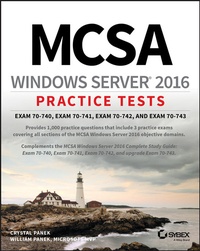
MCSA Windows Server 2016 Practice Tests
Exam 70-740, Exam 70-741, Exam 70-742, and Exam 70-743
1st Edition
Published on 10. December 2018
432 pages
978-1-119-52529-5 (ISBN)
Description

Get prepared for the high-stakes MCSA Windows Server 2016 certification exam
Windows Server 2016 is the latest version of Microsoft's Windows server operating system, and the ideal server for Windows 8/8.1 and Windows 10 desktop clients. Windows Server 2016 will include many new and updated features, including enhancements to Hyper-V, Storage Spaces, and Active Directory.
MCSA Windows Server 2016 Practice Tests provides 10 unique 85-question chapter tests, covering the ten MCSA Windows Server 2016 objective domains, PLUS three additional 50-question practice exams, for a total of 1000 practice test questions.
* Practice tests are a popular way for certification candidates to prepare for taking exams
* The practice test questions provide comprehensive coverage of the exam objectives
* Covers all three exams: 70-740, 70-741, 70-742
* Written by a five-time Microsoft MVP Winner
This book helps you gain the confidence you need and prepares you for taking the three required Exams 70-740, 70-741, and 70-742, or upgrade Exam 70-743. The practice test questions prepare you for test success.
Windows Server 2016 is the latest version of Microsoft's Windows server operating system, and the ideal server for Windows 8/8.1 and Windows 10 desktop clients. Windows Server 2016 will include many new and updated features, including enhancements to Hyper-V, Storage Spaces, and Active Directory.
MCSA Windows Server 2016 Practice Tests provides 10 unique 85-question chapter tests, covering the ten MCSA Windows Server 2016 objective domains, PLUS three additional 50-question practice exams, for a total of 1000 practice test questions.
* Practice tests are a popular way for certification candidates to prepare for taking exams
* The practice test questions provide comprehensive coverage of the exam objectives
* Covers all three exams: 70-740, 70-741, 70-742
* Written by a five-time Microsoft MVP Winner
This book helps you gain the confidence you need and prepares you for taking the three required Exams 70-740, 70-741, and 70-742, or upgrade Exam 70-743. The practice test questions prepare you for test success.
More details
Other editions
Additional editions
Crystal Panek | William Panek
MCSA Windows Server 2016 Practice Tests
Exam 70-740, Exam 70-741, Exam 70-742, and Exam 70-743
Book
03/2019
1st Edition
Sybex Inc.,U.S.
€37.50
Shipment within 15-20 days
