

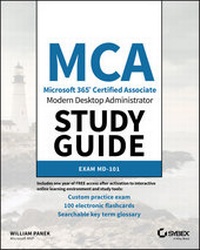
MCA Modern Desktop Administrator Study Guide
Description

Microsoft's Modern Desktop integrates Windows 10, Office 365, and advanced security capabilities. Microsoft 365 Certified Associate (MCA) Modern Desktop certification candidates need to be familiar with Microsoft 365 workloads and demonstrate proficiency in deploying, configuring, and maintaining Windows 10 and non-Windows devices and technologies. The new Exam MD-101: Managing Modern Desktops measures candidate's ability to deploy and update operating systems, manage policies and profiles, manage and protect devices, and manage apps and data. Candidates are required to know how to perform a range of tasks to pass the exam and earn certification.
The MCA Modern Desktop Administrator Study Guide: Exam MD-101 provides in-depth examination of the complexities of Microsoft 365. Focusing on the job role of IT administrators, this clear, authoritative guide covers 100% of the new exam objectives. Real-world examples, detailed explanations, practical exercises, and challenging review questions help readers fully prepare for the exam. Sybex's comprehensive online learning environment--in which candidates can access an assessment test, electronic flash cards, a searchable glossary, and bonus practice exams--is included to provide comprehensive exam preparation. Topics include:
* Planning and implementing Windows 10 using dynamic deployment and Windows Autopilot
* Upgrading devices to Windows 10 and managing updates and device authentication
* Managing access polices, compliance policies, and device and user profiles
* Implementing and managing Windows Defender and Intune device enrollment
* Deploying and updating applications and implementing Mobile Application Management (MAM)
The move to Windows 10 has greatly increased the demand for qualified and certified desktop administrators in corporate and enterprise settings. MCA Modern Desktop Administrator Study Guide: Exam MD-101: Managing Modern Desktops is an invaluable resource for IT professionals seeking MCA certification.
More details
Other editions
Additional editions
Person
WILLIAM PANEK, MCP, MCSE, MCSA, MCTS, MCITP, CCNA, is a Five-Time Microsoft MVP Winner. He has taught at Boston University, Clark University, and the University of Maryland, and presently conducts live online classes for StormWind Studios (www.stormwind.com). Will has been a consultant and trainer for the United States Secret Service, Cisco, the United States Air Force, and the United States Army. He also creates training videos to help students prepare for various Microsoft exams.
Content
Introduction
This book was written from over 25 years of IT experience. I have taken that experience and translated it into a Windows 10 book that will help you not only prepare for the Microsoft 365 Certified: Modern Desktop Administrator Associate exams but also to develop a clear understanding of how to install and configure Windows 10 while avoiding all the possible configuration pitfalls.
Many Microsoft books just explain the Windows operating system, but with this book, I will go a step further, providing many in-depth, step-by-step procedures to support my explanations of how the operating system performs at its best.
Microsoft Windows 10 is the newest version of Microsoft's client operating system software. Microsoft has taken the best of Windows 7 and Windows 8 and combined them into the latest creation, Windows 10.
Windows 10 eliminates many of the problems that plagued the previous versions of Windows clients and it includes a much faster boot time and shutdown. It is also easier to install and configure, and it barely stops to ask the user any questions during installation. In this book, I will show you what features are installed during the automated installation and where you can make changes if you need to be more in charge of your operating system and its features.
This book takes you through all the ins and outs of Windows 10, including installation, configuration, online Microsoft subscriptions, auditing, backups, and so much more.
Windows 10 has improved on Microsoft's desktop environment, made networking easier, working with Microsoft Azure, enhanced search ability, improved performance-and that's only scratching the surface.
When all is said and done, this is a technical book for IT professionals who want to take Windows 10 to the next step and get certified. With this book, you will not only learn Windows 10 and hopefully pass the exams, you will also become a Windows 10 expert.
The Microsoft Certification Program
Since the inception of its certification program, Microsoft has certified more than two million people. As the computer network industry continues to increase in both size and complexity, this number is sure to grow-and the need for proven ability will also increase. Certifications can help companies verify the skills of prospective employees and contractors.
The Microsoft certification tracks for Windows include just some of the following certifications:
Microsoft 365 Certified: Modern Desktop Administrator Associate: Windows 10 The Microsoft 365 Certified: Modern Desktop Administrator Associate is now the highest-level certification you can achieve with Microsoft in relation to Windows 10. It requires passing exams MD-100 and MD-101. This book assists in your preparation for exam MD-101.
Microsoft Certified Technology Associate (MTA) This is Microsoft's newest certification program. This certification targets those new to the IT field and tests candidates on the core competencies necessary to become an IT professional.
How Do You Become Certified on Windows 10?
Attaining Microsoft certification has always been a challenge. In the past, students have been able to acquire detailed exam information-even most of the exam questions-from online "brain dumps" and third-party "cram" books or software products. For the new generation of exams, this is simply not the case.
Microsoft has taken strong steps to protect the security and integrity of its new certification tracks. Now prospective candidates must complete a course of study that develops detailed knowledge about a wide range of topics. It supplies them with the true skills needed, derived from working with the technology being tested.
The new generations of Microsoft certification programs are heavily weighted toward hands-on skills and experience. It is recommended that candidates have troubleshooting skills acquired through hands-on experience and working knowledge.
Fortunately, if you are willing to dedicate the time and effort to learn Windows 10, you can prepare yourself well for the exam by using the proper tools. By working through this book, you can successfully meet the requirements to pass the Windows 10 exams.
Microsoft 365 Certified: Modern Desktop Administrator Associate Exam Requirements
Candidates for MCSA certification on Windows 10 must pass two Windows 10 MCSA tests:
- MD-100: Windows 10
- MD-101: Managing Modern Desktops
Microsoft provides exam objectives to give you a general overview of possible areas of coverage on the Microsoft exams. Keep in mind, however, that exam objectives are subject to change at any time without prior notice and at Microsoft's sole discretion. Please visit the Microsoft Learning website (www.microsoft.com/learning) for the most current listing of exam objectives.
For a more detailed description of the Microsoft certification programs, including a list of all the exams, visit the Microsoft Learning website at www.microsoft.com/learning.
Types of Exam Questions
In an effort to both refine the testing process and protect the quality of its certifications, Microsoft has focused its latest certification exams on real experience and hands-on proficiency. There is a greater emphasis on your past working environments and responsibilities and less emphasis on how well you can memorize. In fact, Microsoft says that certification candidates should have hands-on experience before attempting to pass any certification exams.
Microsoft will accomplish its goal of protecting the exams' integrity by regularly adding and removing exam questions, limiting the number of questions that any individual sees in a beta exam, limiting the number of questions delivered to an individual by using adaptive testing, and adding new exam elements.
Exam questions may be in a variety of formats: Depending on which exam you take, you'll see multiple-choice questions as well as select-and-place and prioritize-a-list questions. Simulations and case study-based formats are included as well. Let's take a look at the types of exam questions, so you'll be prepared for all of the possibilities.
Multiple-Choice Questions
Multiple-choice questions come in two main forms. One is a straightforward question followed by several possible answers of which one or more is correct. The other type of multiple-choice question is more complex and based on a specific scenario. The scenario may focus on several areas or objectives.
Select-and-Place Questions
Select-and-place exam questions involve graphical elements that you must manipulate to successfully answer the question. For example, you might see a diagram of a computer network. A typical diagram will show computers and other components next to boxes that contain the text "Place here." The labels for the boxes represent various computer roles on a network, such as a print server and a file server. Based on information given for each computer, you are asked to select each label and place it in the correct box. You need to place all of the labels correctly. No credit is given for the question if you correctly label only some of the boxes.
In another select-and-place problem, you might be asked to put a series of steps in order by dragging items from boxes on the left to boxes on the right and placing them in the correct order. One other type requires that you drag an item from the left and place it under an item in a column on the right.
For more information on the various exam question types, go to www.microsoft.com/learning/mcpexams/policies/innovations.asp.
Simulations
Simulations are the kinds of questions that most closely represent actual situations and test the skills you use while working with Microsoft software interfaces. These exam questions include a mock interface on which you are asked to perform certain actions according to a given scenario. The simulated interfaces look nearly identical to what you see in the actual product.
Because of the number of possible errors that can be made on simulations, be sure to consider the following recommendations from Microsoft:
- Do not change any simulation settings that don't pertain to the solution directly.
- When related information has not been provided, assume that the default settings are used.
- Make sure that your entries are spelled correctly.
- Close all the simulation application windows after completing the set of tasks in the simulation.
The best way to prepare for simulation questions is to spend time working with the graphical interface of the product on which you will be tested.
Case Study-Based Questions
Case study-based questions first appeared in the MCSD program. These questions present a scenario with a range of requirements. Based on the information provided, you answer a series of multiple-choice and select-and-place questions. The interface for case study-based questions has a number of tabs, each of which contains information about the scenario. At present, this type of question appears only in most of the Design exams.
