

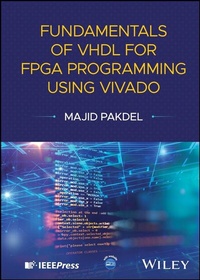
Fundamentals of VHDL for FPGA Programming Using Vivado
Description

Enables readers to understand VHDL in the context of FPGA programming with a focus on the Vivado Design Suite
Fundamentals of VHDL for FPGA Programming Using Vivado is a comprehensive guide designed to introduce readers to VHSIC Hardware Description Language (VHDL) and its application in Field Programmable Gate Array (FPGA) programming, particularly using the Vivado Design Suite by Xilinx. The inclusion of hands-on protocol-based projects for FPGA and MicroBlaze allows readers to apply what they have learned in practical scenarios, helping to reinforce understanding and develop problem-solving skills.
This book includes information on:
- What FPGAs are, how they work, and why they are widely used in digital systems due to various advantages
- Basic concepts of VHDL necessary for understanding digital design, including syntax, data types, and structures
- Best practices in VHDL coding and FPGA design to enhance the quality of designs and reduce debugging time
- The Vivado toolchain and its use in designing, simulating, and implementing VHDL code on FPGA devices
Accessible yet comprehensive, Fundamentals of VHDL for FPGA Programming Using Vivado is an essential learning resource for students aiming to start their careers in FPGA or VLSI system design and new professionals in the FPGA field seeking to build foundational skills and knowledge.
More details
Other editions
Additional editions
Person
Majid Pakdel received his Master's degree in Electrical Power Engineering from Isfahan University of Technology, Iran, in 2007, his PhD in Electrical Power Engineering from University of Zanjan in 2018, and his second Masters degree in Computer Engineering-Artificial Intelligence and Robotics from Malek Ashlar University of Technology, Tehran, in 2023. He has published over 20 papers and books in the fields of electrical engineering and computer science.
Content
About the Author xi
Preface xii
Acknowledgments xiii
About the Companion Website xiv
1 Overview 1
1.1 Introduction 1
1.2 Introduction to VHDL 2
2 Creating a Project in Vivado 5
2.1 Introduction 5
2.2 Creating a Project 5
3 The VHDL Design Structure 13
3.1 Introduction 13
3.2 The VHDL Keywords 13
3.3 The VHDL Libraries 19
3.4 The VHDL Entities and Architecture 25
3.5 The VHDL Generics 27
4 The VHDL Statements and Data Types 31
4.1 Introduction 31
4.2 The VHDL Data Types 32
4.3 The VHDL Integers 35
4.4 The When-Else Statement 36
4.5 Concurrent Versus Sequential Statements 37
5 The Simulations in Vivado 41
5.1 Introduction 41
5.2 The Shift Register Design 42
5.3 Shift Register Test Bench Design 44
5.4 Vivado Simulator Tool Introduction 46
5.5 Running a Simulation in Vivado 47
5.6 Navigating Vivado Simulations 52
6 The Buttons and LEDs Project 61
6.1 Introduction 61
6.2 Buttons and LEDs Complete Design Walk-through 61
6.3 The Button_LED Arty A7 IO Placement 63
6.4 Generate a Xilinx Programming File 66
6.5 Simulation of Button_LED Project 71
7 The Blinky LEDs Project 75
7.1 Introduction 75
7.2 Constants and Signals 75
7.3 The VHDL Processes 78
7.4 The VHDL If Statements 81
7.5 The If Statement Priority Example 85
7.6 The Blinky LEDs Project IO Placement 90
8 The LED Brightness Project 93
8.1 Introduction 93
8.2 The PWM VHDL Design 94
8.3 The VHDL Generate Statement 101
8.4 The Counter Design 103
8.5 The VHDL Component Instantiations 110
8.6 The LED Brightness Arty A7 IO Placement 120
9 The UART Demonstration Project 125
9.1 Introduction 125
9.2 The MicroBlaze Softcore Processor 129
9.3 The Xilinx Software Development Kit 133
9.4 The UART Demonstration Arty A7 IO Placement 146
10 The UART IO and Register Access 149
10.1 Introduction 149
10.2 The UART IO Complete Design 153
10.3 The UART IO Arty A7 IO Placement 160
11 The ADC Processing Project 163
11.1 Introduction 163
11.2 Using the Xilinx XADC and MicroBlaze MCS 166
11.3 The MicroBlaze MCS ADC Configuration 171
11.4 Interfacing with the XADC Core 172
11.5 The ADC Processing Arty A7 IO Placement 181
12 The SPI Interface Project 183
12.1 Introduction 183
12.2 Overview of the SPI Interface 186
12.3 The SPI Interface Design Strategy 189
12.4 External SPI Flash Chip Memory Organization 191
12.5 The SPI Configuration and File Generation 193
13 Some Miscellaneous Projects with Vivado 197
13.1 Introduction 197
13.2 The I2C Interface Project 197
13.3 The VHDL CORDIC Sine-Cosine Generator 199
13.4 The Trailing Edge PWM in VHDL 204
13.5 The LUT-based Sine Wave in VHDL 219
13.6 The Symmetrical PWM in VHDL 229
14 Generating VHDL Code for Vivado Using Simulink HDL Coder 247
14.1 Introduction 247
14.2 The Half Adder Circuit Design 247
14.3 Sequential Circuit and State Flow Chart Modeling 253
14.4 The Basic PWM Design 262
15 Application of Flowcharts in Simulink for VHDL Code Generation 271
15.1 Flowchart of Multiplier 271
15.2 Flowchart of GCD Calculator 283
15.3 Flowchart of Booth's Multiplication 291
15.4 Flowchart of an Industrial Control System 299
16 Machine Learning Regression Model on FPGA 311
16.1 Introduction 311
16.2 The Kaggle Dataset 311
16.3 Machine Learning Regression Model for Admission Dataset 311
16.4 The Regression Model in Simulink 316
16.5 Using Generated VHDL Code in Vivado 320
17 Machine Learning Binary Classification Model on FPGA 327
17.1 Introduction 327
17.2 The Kaggle Dataset 327
17.3 The Binary Classification (Logistic Regression) 327
17.4 Machine Learning Logistic Regression Model for Dataset 329
17.5 The Logistic Regression Model in Simulink 337
17.6 Using Generated VHDL Code in Vivado 348
18 Deploying a Deep Neural Network on FPGA 355
18.1 Introduction 355
18.2 The Kaggle Dataset 355
18.3 Introduction to Neural Networks 355
18.4 Piecewise Linear Approximation of Activation Functions 357
18.5 Training the Neural Network Model 368
18.6 Using Generated VHDL Code in Vivado 389
Index 395
Chapter 1
Overview
1.1 Introduction
In this book, we are going to use the Vivado tool from Xilinx, which is their newest tool that we will be using to develop our projects on the A7 development board. What is this book about? Well, this book focuses on two main topics: VHDL and FPGA development. There is a lot to the VHDL language, so what we're going to do is go through and explain specific parts of the VHDL language, specifically how it relates to FPGA development. You can use VHDL for a variety of things, but in this book, we're going to focus on the part of the shell that's used to implement a design on an FPGA. This includes different types of digital logic or anything else you can think of that can be done digitally - we're going to put it on the FPGA. We're going to show you how to do just that. Thus, in this book, we're going to explain how to use Vivado, the software development kit for Xilinx, and how to develop on the A7 development board, which is a Xilinx development board. Now, the layout of this book is such that we are going to cover the basics of Vivado, and then work on a project. This means you will get some theory and an understanding of how different parts of the Vivado work. After that, we'll go ahead and do a project and then we'll cover more theory in another project. So, the idea is that once you come to a project, at that point, you should have learned everything you need to know to complete it successfully. As we go through the different theories and explain them, we will walk through and show how they relate specifically to the next project in the book as they step down. So, all of the different projects that we're working with include the following: we have a buttons and LEDs project, where we are going to press a button on our FPGA board, which will light up an LED. The whole idea behind this is to show you how to do the basics - how to take inputs and generate outputs. You're going to have to use the buttons as input and display the output on LEDs. Then we have a blinking LED project, where we're going to show you how to create a timer, specifically a counter, which control how LED blinks on and off at a specified interval. Then we have the brightness project, where we are going to vary the brightness of the LEDs. If you have the Arty A7 board, you will have both standard LEDs and an RGB (red-green-blue) LED. In this project, we are going to vary the brightness using pulse width modulation. We're going to explain how pulse width modulation works, how to implement it in VHDL, and then deploy it on the development board to vary the brightness of the LEDs on the board.
We then want to show you the UART demonstration project, which is a very basic introduction to using UART on your development board. Both boards have a UART port, and this is going to show you how we can take information from the actual developer board and display it on a computer. Well, you can use UART to take that information displayed on the computer. So, we're going to show you how to do that. Then, we have the other UART IO project, where we will take information just like we did in UART demonstration project. But take it a step further, where we are going to take inputs in, so we'll type in commands on our computer to have certain actions occur on the development board, such as checking the input to tell us which buttons are pushed or which switches are high, and also sending a command to tell it to light up certain LEDs. We have an ADC processing project, where we are going to interface the board with a temperature sensor to demonstrate the analog-to-digital conversion. We're going to vary the temperature of the sensor to show how it responds - when the sensor gets colder, you'll see the temperature decrease, and when it gets hotter, the temperature will increase. We're going to take that temperature, convert it into both Celsius and Fahrenheit, and then display the values on the computer screen so that you can see the actual ambient temperature or the temperature that a sensor is indicating. We have an SPI interface project. This project is going to be working only with the Arty A7 development board, and what we'll do is we are going to take and store information on the onboard SPI flash. This is because these are volatile memories, which means that when you program the package and then power it off, the configurations are lost when it is powered back on. So, we're going to show you how to take information and store it on the external flash so that when you power it back on and reprogram it, you can pull that information from the external flash. So, we're going to work on it and show you how to do the interface between an FPGA and external flash using the SPI interface. Who's this course for? This is for anyone who has no previous FPGA or VHDL design experience and wants to understand how it's used as well as a design from scratch on FPGA. So, whether you're an engineer, student, or hobbyist, this course is specifically designed for you to show you how to do this type of project and use FPGA. Now that you know what to expect from this book, let's get started.
1.2 Introduction to VHDL
In this section, we're going to introduce and briefly explain what VHDL is. Well, it's a hardware descriptive language, and it's similar to Verilog. If you have ever heard of Verilog, they are not one and the same. They're two different languages, but they're doing the same thing. We're describing hardware. It's a hardware descriptive language, hence the name VHDL, and what that means is we're using the VHDL to describe a hardware circuit. We're not actually writing software, so you kind of have to wrap your mind around the idea. When you're working with the VHDL, you're not writing software. It's not like C, Java, or MATLAB, where everything you write happens sequentially. It's not that at all. What we're doing is describing how we want a digital hardware circuit to operate, so we can think of it as architecting a digital schematic. So, you'll say, OK, we want the specific AND gate or we want a comparator and we want to drive some sort of digital; whatever type of digital thing you're wanting to do, you implement it and describe it in detail, and that's the whole idea behind it. The big advantage of using VHDL is that it's very portable. So, if we have VHDL that we are running on Xilinx or Altera device, we can take that same VHDL out, as long as we're not using specific components on the actual device, such as memory, which means we have to change a little bit to use memory on the other device. We can take this one feature design and move it around a different logic device on FPGA, a couple or any other type of logic device you might be using. So, that's one of the big advantages of using the VHDL - you can build up a library so that if you're creating a project with an Altera device, you can use those same designs. When you create a project on a Xilinx device, you can use almost all of those same designs when designing a device. That's the whole idea - it's very portable. The whole reason that VHDL was developed is that designing digital hardware used to take a long time. If you wanted to design something digital, you had to place new chips on a board, which requires a new board layout, a new schematic, and long turnaround times. If you can just place one chip in the middle that's implementing all of this functionality and you want to change it, such as your algorithm changes or you find a small bug with an FPGA and VDL, you can then modify your VHDL circuitry and reload it on the FPGA and now your design change has taken place without an actual board layout change. So, that's one of the major advantages of using VHDL, or as you call it, configurable hardware, and the important thing we understand is it's not software. You're not writing software.
Some of the constructs, syntax, and structures are very similar, and they operate in the same manner. But you must understand that you're describing hardware and that's the overall concept. What you're doing when you're working with the VHDL is you're not actually writing a software program; you're describing a hardware circuit. Where is VHDL actually used? So, it's used in several different ways, and probably the most common is that it's used to configure - or we'll call it program, but you're not necessarily programming - you're configuring the circuit. CPLDs and FPGAs are types of configurable hardware devices, and CPLDs and FPGAs are similar in a lot of aspects. But typically, your FPGAs are larger devices, and they have SRAM-like base, whereas your CPLDs might be like EPROM or flash-based. So, the FPGA doesn't contain its configuration. When you power it off, you'll typically have to store that configuration on a memory chip offboard the FPGA. So, any power on it that sucks in that configuration or as in this book here, we're going to just program the JTAG. So, once your FPGA is powered up, you program and/or configure it. Then you'll notice that when you remove the power and power it back on, it loses its configuration. That's because we just loaded it directly onto the FPGA, which is just RAM memory. So, as soon as your power is down, it loses all the configurations. Another reason you can use VHDL is to simulate digital circuits. So, if you had a board, sort of a board layout you're...
