

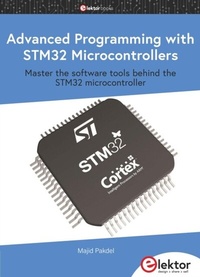
Advanced Programming with STM32 Microcontrollers
Master the Software Tools Behind the STM32 Microcontroller
1st Edition
Published on 1. January 2021
216 pages
978-3-89576-411-0 (ISBN)
Description

This book is project-based and aims to teach the software tools behind STM32 microcontroller programming. Author Majid Pakdel has developed projects using various different software development environments including Keil MDK, IAR Embedded Workbench, Arduino IDE and MATLAB. Readers should be able to use the projects as they are, or modify them to suit to their own needs. This book is written for students, established engineers, and hobbyists. STM32 microcontroller development boards including the STM32F103 and STM32F407 are used throughout the book. Readers should also find it easy to use other ARM-based development boards.
All prices
More details
Other editions
Additional editions
Majid Pakdel
Advanced Programming with STM32 Microcontrollers
Master the software tools behind the STM32 microcontroller
Book
12/2020
1st Edition
Elektor
€29.95
Article exhausted; check different version
Person
Majid Pakdel was born in Mianeh, Iran in 1981. He received his BSc, MSc and PhD in electrical engineering from Amirkabir University of Technology, Isfahan University of Technology and the University of Zanjan respectively. He was a guest PhD student at Aalborg University in 2015-16.
Content
- Intro
- Chapter 1 ? Introduction to STM32 ARM Cortex-M Microcontrollers
- 1.1 ? Introduction
- 1.2 ? Software Tools
- 1.3 ? STM32 Hardware Design and Serial Programmer
- 1.4 ? Proposed STM32F103RET6 Header Board
- 1.5 ? Summary
- Chapter 2 ? Beginning First Projects with STM32 Microcontroller
- 2.1 ? Introduction
- 2.2 ? Beginning the First Project
- 2.3 ? The Second Project
- 2.4 ? The Third Project
- 2.5 ? The Fourth Project
- 2.6 ? Summary
- Chapter 3 ? Adding LCD and Delay Libraries to a Project
- 3.1 ? Introduction
- 3.2 ? STM32CubeMX Settings and Adding LCD Library to the Project
- 3.3 ? Adding LCD and Delay Libraries from Book files Download Section
- 3.4 ? Summary
- Chapter 4 ? External Interrupts in STM32 Microcontrollers
- 4.1 ? Introduction
- 4.2 ? External Interrupt Project Settings
- 4.3 ? Summary
- Chapter 5 ? Analogue to Digital Converters (ADCs) in STM32 Microcontrollers
- 5.1 ? Introduction
- 5.2 ? STM32CubeMX settings for ADC Project
- 5.3 ? Adding Codes and Libraries to the ADC Project
- 5.4 ? Summary
- Chapter 6 ? Digital to Analogue Converters (DACs) in STM32 Microcontrollers
- 6.1 ? Introduction
- 6.2 ? STM32CubeMX settings for DAC Project
- 6.3 ? Adding Codes to main.c
- 6.4 ? Summary
- Chapter 7 ? Timers and Counters in STM32 Microcontrollers
- 7.1 ? Introduction
- 7.2 ? Timer Project Settings
- 7.3 ? Counter Project Settings
- 7.4 ? Summary
- Chapter 8 ? Pulse Width Modulation (PWM) in STM32 Microcontrollers
- 8.1 ? Introduction
- 8.2 ? PWM Project Settings
- 8.3 ? Summary
- Chapter 9 ? Real-Time Clock (RTC) in STM32 Microcontrollers
- 9.1 ? Introduction
- 9.2 ? RTC Project Settings
- 9.3 ? Summary
- Chapter 10 ? Serial Communication in STM32 Microcontrollers
- 10.1 ? Introduction
- 10.2 ? Sending Data Project Settings
- 10.3 ? Receiving Data Project Settings
- 10.4 ? Summary
- Chapter 11 ? Synchronous Peripheral Interface (SPI) in STM32 Microcontrollers
- 11.1 ? Introduction
- 11.2 ? SPI Settings for Master Microcontroller
- 11.3 ? SPI Settings for Slave Microcontroller
- 11.4 ? Header Code of main.c for Master Microcontroller
- 11.5 ? Header Code of main.c for the Slave Microcontroller
- 11.6 ? The main.c File Settings for Master and Slave Microcontrollers
- 11.7 ? Summary
- Chapter 12 ? Watchdog Timer in STM32 Microcontrollers
- 12.1 ? Introduction
- 12.2 ? WWDG Timer Project Settings
- 12.3 ? IWDG Timer Project Settings
- 12.4 ? Summary
- Chapter 13 ? Inter-Integrated Circuit (I2C) in STM32 Microcontrollers
- 13.1 ? Introduction
- 13.2 ? I2C Settings for Slave Microcontroller
- 13.3 ? I2C Settings for Master Microcontroller
- 13.4 ? Summary
- Chapter 14 ? Direct Memory Access (DMA) in STM32 Microcontrollers
- 14.1 ? Introduction
- 14.2 ? DMA Settings for ADC
- 14.3 ? Timer, ADC, and DMA Project Settings
- 14.4 ? DMA and USART Project Settings
- 14.5 ? Summary
- Chapter 15 ? Real-Time Operating System (RTOS) in STM32 Microcontrollers
- 15.1 ? Introduction
- 15.2 ? FreeRTOS Project Settings
- 15.3 ? Summary
- Chapter 16 ? STM32 Microcontrollers Programming using STM32duino
- 16.1 ? Introduction
- 16.2 ? Installing STM32duino in Arduino IDE
- 16.3 ? Automation Control System Programming
- 16.4 ? Multitasking in PLC Programming
- 16.5 ? Summary
- Chapter 17 ? Finite State Machine (FSM) Programming in STM32 Microcontrollers
- 17.1 ? Introduction
- 17.2 ? FSM programming using mikroC PRO for ARM
- 17.3 ? FSM Programming using Mbed Online Compiler
- 17.4 ? FSM Modular Programming Using Functions
- 17.5 ? Summary
- Chapter 18 ? STM32 Microcontrollers Programming using MATLAB/Simulink
- 18.1 ? Introduction
- 18.2 ? Pulse Generation Programming using Simulink
- 18.3 ? SPWM Generation Programming for Three Phase Inverter using Simulink
- 18.4 ? Summary
- ? Index
