

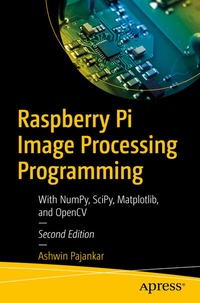
Raspberry Pi Image Processing Programming
Description

This second edition begins with the installation of Raspberry Pi OS on the latest model of Raspberry Pi and then introduces Python programming language, IDEs for Python, and digital image processing. It also illustrates the theoretical foundations of Image processing followed by advanced operations in image processing. You'll then review image processing with NumPy, and Matplotlib followed by transformations, interpolation, and measurements of images.
Different types of filters such as Kernels convolution filters, low pass filters, high pass filters, and Fourier filters are discussed in a clear, methodical manner. Additionally, the book examines variousimage processing techniques such as Morphology, Thresholding, and Segmentation, followed by a chapter on live webcam input with OpenCV, an image processing library with Python. The book concludes with an appendix covering a new library for image processing with Python, pgmagik, followed by a few important tips and tricks relevant to RPi.
What You'll Learn
- Get started with Raspberry Pi and Python
- Understand Image Processing with Pillow
- See how image processing is processed using Numpy and Matplotlib
- Use Pi camera and webcam
Raspberry Pi and IoT enthusiasts, and Python and Open Source professionals
More details
Other editions
Additional editions
Previous edition
Person
Ashwin is currently a freelance online instructor teaching programming and electronics to more than 8200 professionals. He also regularly conducts live programming boot camps for software professionals. His growing Youtubechannel has an audience of more than 11000 subscribers. He has published more than 20 books on programming and electronics with many international publications, including Apress and regularly reviews books on programming written by other authors.
