

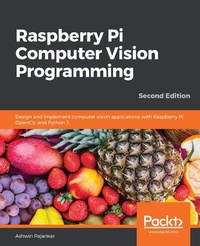
Raspberry Pi Computer Vision Programming
Design and implement computer vision applications with Raspberry Pi, OpenCV, and Python 3
2nd Edition
Published on 23. September 2024
306 pages
978-1-80020-102-6 (ISBN)
Description

Perform a wide variety of computer vision tasks such as image processing and manipulation, feature and object detection, and image restoration to build real-life computer vision applications
Key Features
Explore the potential of computer vision with Raspberry Pi and Python programming
Perform computer vision tasks such as image processing and manipulation using OpenCV and Raspberry Pi
Discover easy-to-follow examples and screenshots to implement popular computer vision techniques and applications
Book DescriptionRaspberry Pi is one of the popular single-board computers of our generation. All the major image processing and computer vision algorithms and operations can be implemented easily with OpenCV on Raspberry Pi. This updated second edition is packed with cutting-edge examples and new topics, and covers the latest versions of key technologies such as Python 3, Raspberry Pi, and OpenCV. This book will equip you with the skills required to successfully design and implement your own OpenCV, Raspberry Pi, and Python-based computer vision projects. At the start, you'll learn the basics of Python 3, and the fundamentals of single-board computers and NumPy. Next, you'll discover how to install OpenCV 4 for Python 3 on Raspberry Pi, before covering major techniques and algorithms in image processing, manipulation, and computer vision. By working through the steps in each chapter, you'll understand essential OpenCV features. Later sections will take you through creating graphical user interface (GUI) apps with GPIO and OpenCV. You'll also learn to use the new computer vision library, Mahotas, to perform various image processing operations. Finally, you'll explore the Jupyter Notebook and how to set up a Windows computer and Ubuntu for computer vision. By the end of this book, you'll be able to confidently build and deploy computer vision apps.What you will learn
Set up a Raspberry Pi for computer vision applications
Perform basic image processing with libraries such as NumPy, Matplotlib, and OpenCV
Demonstrate arithmetical, logical, and other operations on images
Work with a USB webcam and the Raspberry Pi Camera Module
Implement low-pass and high-pass filters and understand their applications in image processing
Cover advanced techniques such as histogram equalization and morphological transformations
Create GUI apps with Python 3 and OpenCV
Perform machine learning with K-means clustering and image quantization
Who this book is forThis book is for beginners as well as experienced Raspberry Pi and Python 3 enthusiasts who are looking to explore the amazing world of computer vision. Working knowledge of the Python 3 programming language is assumed.
Key Features
Explore the potential of computer vision with Raspberry Pi and Python programming
Perform computer vision tasks such as image processing and manipulation using OpenCV and Raspberry Pi
Discover easy-to-follow examples and screenshots to implement popular computer vision techniques and applications
Book DescriptionRaspberry Pi is one of the popular single-board computers of our generation. All the major image processing and computer vision algorithms and operations can be implemented easily with OpenCV on Raspberry Pi. This updated second edition is packed with cutting-edge examples and new topics, and covers the latest versions of key technologies such as Python 3, Raspberry Pi, and OpenCV. This book will equip you with the skills required to successfully design and implement your own OpenCV, Raspberry Pi, and Python-based computer vision projects. At the start, you'll learn the basics of Python 3, and the fundamentals of single-board computers and NumPy. Next, you'll discover how to install OpenCV 4 for Python 3 on Raspberry Pi, before covering major techniques and algorithms in image processing, manipulation, and computer vision. By working through the steps in each chapter, you'll understand essential OpenCV features. Later sections will take you through creating graphical user interface (GUI) apps with GPIO and OpenCV. You'll also learn to use the new computer vision library, Mahotas, to perform various image processing operations. Finally, you'll explore the Jupyter Notebook and how to set up a Windows computer and Ubuntu for computer vision. By the end of this book, you'll be able to confidently build and deploy computer vision apps.What you will learn
Set up a Raspberry Pi for computer vision applications
Perform basic image processing with libraries such as NumPy, Matplotlib, and OpenCV
Demonstrate arithmetical, logical, and other operations on images
Work with a USB webcam and the Raspberry Pi Camera Module
Implement low-pass and high-pass filters and understand their applications in image processing
Cover advanced techniques such as histogram equalization and morphological transformations
Create GUI apps with Python 3 and OpenCV
Perform machine learning with K-means clustering and image quantization
Who this book is forThis book is for beginners as well as experienced Raspberry Pi and Python 3 enthusiasts who are looking to explore the amazing world of computer vision. Working knowledge of the Python 3 programming language is assumed.
More details
Edition
2nd Revised edition
Language
English
Place of publication
Birmingham
United Kingdom
Target group
Professional and scholarly
US School Grade: College Graduate Student
Edition type
Revised edition
File size
20,70 MB
ISBN-13
978-1-80020-102-6 (9781800201026)
Copyright in bibliographic data and cover images is held by Nielsen Book Services Limited or by the publishers or by their respective licensors: all rights reserved.
Schweitzer Classification
Other editions
Additional editions
Ashwin Pajankar
Raspberry Pi Computer Vision Programming
Design and implement computer vision applications with Raspberry Pi, OpenCV, and Python 3, 2nd Edition
Book
06/2020
2nd Edition
Packt Publishing
€46.10
Shipment within 3-4 weeks
Person
Pajankar Ashwin :
Ashwin Pajankar is an author, a YouTuber, and an instructor. He graduated from the International Institute of Information Technology, Hyderabad, with an MTech in Computer Science and Engineering. He has been writing programs for over two and a half decades. He is proficient in Linux, Unix shell scripting, C, C++, Java, JavaScript, Python, PowerShell, Golang, HTML, and assembly language. He has worked on single-board computers such as Raspberry Pi and Banana Pro. He is also proficient with microcontroller boards such as Arduino and the BBC Micro:bit. He is currently self-employed and teaches on Udemy and YouTube. He also organizes programming boot camps for working professionals and software companies.
Ashwin Pajankar is an author, a YouTuber, and an instructor. He graduated from the International Institute of Information Technology, Hyderabad, with an MTech in Computer Science and Engineering. He has been writing programs for over two and a half decades. He is proficient in Linux, Unix shell scripting, C, C++, Java, JavaScript, Python, PowerShell, Golang, HTML, and assembly language. He has worked on single-board computers such as Raspberry Pi and Banana Pro. He is also proficient with microcontroller boards such as Arduino and the BBC Micro:bit. He is currently self-employed and teaches on Udemy and YouTube. He also organizes programming boot camps for working professionals and software companies.
Content
Table of Contents
Introduction to Computer Vision and Raspberry Pi
Prepare Raspberry Pi for Computer Vision
Programming with Python 3, GPIO, NumPy, and Matplotlib
Getting started with Computer Vision
Basics of Image Processing
Colorspaces, Transformations, and Thresholding
Let's Make Some Noise
High Pass Filters and Feature Detection
Image Restoration, Quantization, and Depth Map
Histograms, Contours, and Morphological Transformations
Real-life Computer Vision Applications
Wrapping Up with Mahotas and Jupyter Notebook
Appendix
Introduction to Computer Vision and Raspberry Pi
Prepare Raspberry Pi for Computer Vision
Programming with Python 3, GPIO, NumPy, and Matplotlib
Getting started with Computer Vision
Basics of Image Processing
Colorspaces, Transformations, and Thresholding
Let's Make Some Noise
High Pass Filters and Feature Detection
Image Restoration, Quantization, and Depth Map
Histograms, Contours, and Morphological Transformations
Real-life Computer Vision Applications
Wrapping Up with Mahotas and Jupyter Notebook
Appendix
