

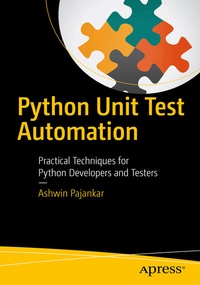
Python Unit Test Automation
Description

Quickly learn how to automate unit testing of Python 3 code with Python 3 automation libraries, such as doctest, unittest, nose, nose2, and pytest.
This book explores the important concepts in software testing and their implementation in Python 3 and shows you how to automate, organize, and execute unit tests for this language. This knowledge is often acquired by reading source code, manuals, and posting questions on community forums, which tends to be a slow and painful process.
Python Unit Test Automation will allow you to quickly ramp up your understanding of unit test libraries for Python 3 through the practical use of code examples and exercises. All of which makes this book a great resource for software developers and testers who want to get started with unit test automation in Python 3 and compare the differences with Python 2.
This short work is your must-have quick start guide to mastering the essential concepts of software testing in Python.
What You'll Learn:
-
Essential concepts in software testing
-
Various test automation libraries for Python, such as doctest, unittest, nose, nose2, and pytest
-
Test-driven development and best practices for test automation in Python
-
Code examples and exercises
Who This Book Is For:
Python developers, software testers, open source enthusiasts, and contributors to the Python community
Reviews / Votes
"It provides a clear introduction to the options available for Python unit test automation, while at the same time introducing many general points about what one needs in a testing framework. For anyone who has begun writing Python programs, but is unsure about how to write automated tests for those programs, this book provides excellent guidance on how to get started." (Computing Reviews, August, 2016)More details
Other editions
New editions
Additional editions
Person
Content
Chapter 1: Introduction to Python
Chapter 2: Getting Started
Chapter 3: UnitTest
Chapter 4: Nose and Nose2
Chapter 5: Pytest
Chapter 6: Tips and Tricks
