

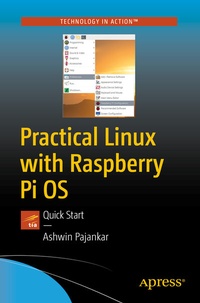
Practical Linux with Raspberry Pi OS
Description

You'll comfortably work with the Linux command prompt, and explore the RPi OS GUI and all its base applications. Then move into writing your own programs with shell-programming and using high-level languages such as C, C++, and Python 3. You'll also study hardware and GPIO programming. Use Python 3 for GPIO programming to drive LEDs and pushbuttons.
Examples are written in Shell, C, C++, and Python 3. Graphical output is displayed in helpful screenshots that capture just what you'll see when working in this environment. All code examples are well tested on actual Raspberry Pi boards. After reading this book and following the examples, you'll be able to write programs for demonstration in your academic/industrial research work, business environment, or just your circle of friends for fun!
What You'll Learn
-
Navigate the core aspects of Linux and programming on a Linux platform
-
Install Raspberry Pi OS on a Raspberry Pi
- Program in Shell, C, C++, and Python
-
Redirect Io and work with the crontab
Who This Book Is For
Linux enthusiasts, software engineers, researchers, business analysts, and managers working with the low-cost Raspberry Pi.
More details
Other editions
Additional editions
Person
Ashwin Pajankar holds a Master of Technology from IIIT Hyderabad, and has over 25 years of programming experience. He started his journey in programming and electronics at the tender age of 7 with BASIC programming language and is now proficient in Assembly programming, C, C++, Java, Shell Scripting, and Python. Other technical experience includes single board computers such as Raspberry Pi and Banana Pro, and Arduino.
He is currently a freelance online instructor teaching programming bootcamps to more than 60,000 students from tech companies and colleges. His Youtube channel has an audience of 10000 subscribers and he has published more than 15 books on programming and electronics with many international publications.
