

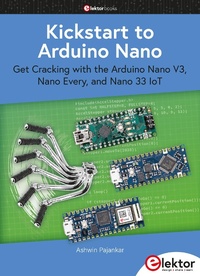
Kickstart to Arduino Nano
Get Cracking with the Arduino Nano V3, Nano Every, and Nano 33 IoT
1st Edition
Published on 28. July 2022
193 pages
978-3-89576-510-0 (ISBN)
Description

The seven chapters in this book serve as the first step for novices and microcontroller enthusiasts wishing to make a head start in Arduino programming. The first chapter introduces the Arduino platform, ecosystem, and existing varieties of Arduino Nano boards. It also teaches how to install various tools needed to get started with Arduino Programming. The second chapter kicks off with electronic circuit building and programming around your Arduino. The third chapter explores various buses and analog inputs, In the fourth chapter, you get acquainted with the concept of pulse width modulation (PWM) and working with unipolar stepper motors.
In the fifth chapter, you are sure to learn about creating beautiful graphics and basic but useful animation with the aid of an external display. The sixth chapter introduces the readers to the concept of I/O devices such as sensors and the piezo buzzer, exploring their methods of interfacing and programming with the Arduino Nano. The last chapter explores another member of the Arduino Nano family, Arduino Nano 33 loT with its highly interesting capabilities. This chapter employs and deepens many concepts learned from previous chapters to create interesting applications for the vast world of the Internet of Things.
The entire book follows a step-by-step approach to explain concepts and the operation of things. Each concepts is invariably followed by a to-the-point circuit diagram and code examples. Next come detailed explanations of the syntax and the logic used. By closely following the concepts, you will become comfortable with circuit building, Arduino programming, the workings of the code examples, and the circuit diagrams presented. The book also has plenty of references to external resources wherever needed.
An archive file (.zip) comprising the software examples and Fritzing-style circuit diagrams discussed in the book may be downloaded free of charge from the book's product and resources page on elektor.com (search for: book title and author).
In the fifth chapter, you are sure to learn about creating beautiful graphics and basic but useful animation with the aid of an external display. The sixth chapter introduces the readers to the concept of I/O devices such as sensors and the piezo buzzer, exploring their methods of interfacing and programming with the Arduino Nano. The last chapter explores another member of the Arduino Nano family, Arduino Nano 33 loT with its highly interesting capabilities. This chapter employs and deepens many concepts learned from previous chapters to create interesting applications for the vast world of the Internet of Things.
The entire book follows a step-by-step approach to explain concepts and the operation of things. Each concepts is invariably followed by a to-the-point circuit diagram and code examples. Next come detailed explanations of the syntax and the logic used. By closely following the concepts, you will become comfortable with circuit building, Arduino programming, the workings of the code examples, and the circuit diagrams presented. The book also has plenty of references to external resources wherever needed.
An archive file (.zip) comprising the software examples and Fritzing-style circuit diagrams discussed in the book may be downloaded free of charge from the book's product and resources page on elektor.com (search for: book title and author).
More details
Other editions
Additional editions
Ashwin Pajankar
Kickstart to Arduino Nano
Get Cracking with the Arduino Nano V3, Nano Every, and Nano 33 IoT
Book
07/2022
1st Edition
Elektor
€34.95
Article exhausted; check different version
Person
Ashwin Pajankar graduated from lIT Hyderabad. With over 25 years of experience in computer programming and electronics, he published over two dozen books on these topics. Currently, he teaches these topics online to over 93,000 students worldwide on Udemy and YouTube.
He is proficient in Linux, Shell Scripting, Windows PowerShell, C, C++, BASIC, Assembly Language of 8085 and x86. Java, JavaScript, Python, HTML, and Golang. He has extensively worked on single-board computers such as the Raspberry Pi and Banana Pro, Arduino, BBC Micro:bit, and Raspberry Pi Pico.
He is proficient in Linux, Shell Scripting, Windows PowerShell, C, C++, BASIC, Assembly Language of 8085 and x86. Java, JavaScript, Python, HTML, and Golang. He has extensively worked on single-board computers such as the Raspberry Pi and Banana Pro, Arduino, BBC Micro:bit, and Raspberry Pi Pico.
Content
- Intro
- Contents
- Acknowledgements
- Dedication
- Preface
- Chapter 1 Introduction to the Arduino Platform and the Arduino Nano
- The Microcontroller
- Popular MCU Families
- Arduino
- The Arduino "Classic" Family
- The Arduino "MKR" Family
- The Arduino "Nano" Family
- The Arduino "Pro" Family
- Arduino is for Everyone
- The Arduino Ecosystem
- Arduino Software
- Official Arduino Boards
- Arduino Clones and Derivatives
- Arduino Counterfeits
- The Arduino Nano and Arduino Nano Every
- Arduino Nano and Arduino Nano Every Pinouts
- Powering the Nano and Nano Every MCU boards
- The Arduino IDE
- Installing the stable version of Arduino IDE
- Installation of Arduino IDE on Raspberry Pi OS
- Working with the Boards Manager
- Working with the Arduino Nano Every
- Working with the Arduino Nano
- Summary
- Chapter 2 Playing with Electronics
- Basics of Programming with Arduino IDE
- Blink in the built-in LED
- Working with the basic electronic components
- Breadboards and power supplies
- Jumper cables
- Light Emitting Diodes
- Resistors
- Pushbuttons
- Improving the LED blink sketch with Functions
- Building your first circuit on a breadboard
- Circuits using Nano
- Working with multiple LEDs
- Adding a pushbutton to the circuit
- Working with RGB LEDs
- Using Arduino Nano boards with expansion shields
- Summary
- Chapter 3 Assorted Buses and the Analog Input
- Parallel and Serial Data Transfer
- Arduino Serial
- SPI and I2C
- Analog Input
- Plotting multiple variables
- Summary
- Chapter 4 Pulse Width Modulation and Driving Unipolar Stepper Motors with Digital I/O
- The Concept of Pulse Width Modulation
- PWM with Arduino Nano
- Working with a Servo Motor
- Working with the 28BYJ-48 Unipolar Stepper Motor and the ULN2003A Motor Driver
- Using a Custom Library for Stepper Motors
- Working with Multiple Stepper Motors
- Summary
- Chapter 5 Plotting Geometric Art on an External Display
- The Ilitek 9225 Driver IC and the Display
- Programming the Display
- Summary
- Chapter 6 Working with a Buzzer and a Sensor
- Working with a Buzzer
- Working with a Joystick
- Working with DS18B20 Temperature Sensor
- Summary
- Chapter 7 Working with the Arduino Nano 33 IoT
- Introduction to the Nano 33 IoT board
- Getting Started
- Working with WiFiNINA library
- A Telnet-based Group Chat Server
- Pinging a Remote Server
- A simple Web Client
- Working with a Real-Time Clock
- Using the DS18B20 Temperature Sensor Jointly with the RTC
- Visualizing the Temperature graph with ThingSpeak
- Programming the Built-in IMU
- Summary
- Conclusion
- Index
