

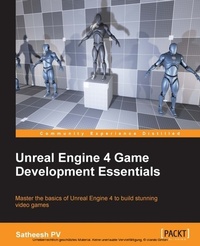
Unreal Engine 4 Game Development Essentials
Master the basics of Unreal Engine 4 to build stunning video games
1st Edition
Published on 8. July 2025
266 pages
978-1-78439-845-3 (ISBN)
Description

Master the basics of Unreal Engine 4 to build stunning video gamesKey Features - [*] Get to grips with the user interface of Unreal Engine 4 and find out more about its various robust features
- [*] Create dream video games with the help of the different tools Unreal Engine 4 offers
- [*] Create video-games and fully utilize the power of Unreal Engine 4 to bring games to life through this step-by-step guide
Book DescriptionUnreal Engine 4 is a complete suite of game development tools that gives you power to develop your game and seamlessly deploy it to iOS and Android devices. It can be used for the development of simple 2D games or even stunning high-end visuals. Unreal Engine features a high degree of portability and is a tool used by many game developers today. This book will introduce you to the most popular game development tool called Unreal Engine 4 with hands-on instructions for building stunning video games. You will begin by creating a new project or prototype by learning the essentials of Unreal Engine by getting familiar with the UI and Content Browser. Next, we'll import a sample asset from Autodesk 3ds max and learn more about Material Editor. After that we will learn more about Post Process. From there we will continue to learn more about Blueprints, Lights, UMG, C++ and more.What you will learn - [*] Download both the binary and source version of Unreal Engine 4 and get familiar with the UI
- [*] Get to know more about the Material Editor and how it works
- [*] Add a post process to the scene and alter it to get a unique look for your scene
- [*] Acquaint yourself with the unique and exclusive feature of Unreal Engine 4-Blueprints
- [*] Find out more about Static and Dynamic lighting and the difference between various lights
- [*] Use Matinee to create cut scenes
- [*] Create a health bar for the player with the use of Unreal Motion Graphics (UMG)
- [*] Get familiar with Cascade Particle Editor
Who this book is forIf you have a basic understanding of working on a 3D environment and you are interested in video game development, then this book is for you. A solid knowledge of C++ will come in handy.
- [*] Create dream video games with the help of the different tools Unreal Engine 4 offers
- [*] Create video-games and fully utilize the power of Unreal Engine 4 to bring games to life through this step-by-step guide
Book DescriptionUnreal Engine 4 is a complete suite of game development tools that gives you power to develop your game and seamlessly deploy it to iOS and Android devices. It can be used for the development of simple 2D games or even stunning high-end visuals. Unreal Engine features a high degree of portability and is a tool used by many game developers today. This book will introduce you to the most popular game development tool called Unreal Engine 4 with hands-on instructions for building stunning video games. You will begin by creating a new project or prototype by learning the essentials of Unreal Engine by getting familiar with the UI and Content Browser. Next, we'll import a sample asset from Autodesk 3ds max and learn more about Material Editor. After that we will learn more about Post Process. From there we will continue to learn more about Blueprints, Lights, UMG, C++ and more.What you will learn - [*] Download both the binary and source version of Unreal Engine 4 and get familiar with the UI
- [*] Get to know more about the Material Editor and how it works
- [*] Add a post process to the scene and alter it to get a unique look for your scene
- [*] Acquaint yourself with the unique and exclusive feature of Unreal Engine 4-Blueprints
- [*] Find out more about Static and Dynamic lighting and the difference between various lights
- [*] Use Matinee to create cut scenes
- [*] Create a health bar for the player with the use of Unreal Motion Graphics (UMG)
- [*] Get familiar with Cascade Particle Editor
Who this book is forIf you have a basic understanding of working on a 3D environment and you are interested in video game development, then this book is for you. A solid knowledge of C++ will come in handy.
All prices
More details
Other editions
Additional editions
Satheesh Pv
Unreal Engine 4 Game Development Essentials
Master the basics of Unreal Engine 4 to build stunning video games
Book
02/2016
Packt Publishing
€55.80
Shipment within 3-4 weeks
Persons
P.V Satheesh :
Satheesh PV is a game programmer living in Mumbai, India. He was selected by Epic Games as one of the closed beta testers for Unreal Engine 4 before its public release. He started his career as a game developer in 2012 by making a first person multiplayer game with his brother and close friend using Unreal Development Kit. He also created Unreal X-Editor, which was an IDE developed for UnrealScript, the native scripting language of Unreal Engine 3. He is also a moderator at Unreal Engine forums as well as a spotlight member and engine contributor.PV Satheesh :
Satheesh PV is a game programmer living in Mumbai, India. He was selected by Epic Games as one of the closed beta testers for Unreal Engine 4 before its public release. He started his career as a game developer in 2012 by making a first person multiplayer game with his brother and close friend using Unreal Development Kit. He also created Unreal X-Editor, which was an IDE developed for UnrealScript, the native scripting language of Unreal Engine 3. He is also a moderator at Unreal Engine forums as well as a spotlight member and engine contributor.
Satheesh PV is a game programmer living in Mumbai, India. He was selected by Epic Games as one of the closed beta testers for Unreal Engine 4 before its public release. He started his career as a game developer in 2012 by making a first person multiplayer game with his brother and close friend using Unreal Development Kit. He also created Unreal X-Editor, which was an IDE developed for UnrealScript, the native scripting language of Unreal Engine 3. He is also a moderator at Unreal Engine forums as well as a spotlight member and engine contributor.PV Satheesh :
Satheesh PV is a game programmer living in Mumbai, India. He was selected by Epic Games as one of the closed beta testers for Unreal Engine 4 before its public release. He started his career as a game developer in 2012 by making a first person multiplayer game with his brother and close friend using Unreal Development Kit. He also created Unreal X-Editor, which was an IDE developed for UnrealScript, the native scripting language of Unreal Engine 3. He is also a moderator at Unreal Engine forums as well as a spotlight member and engine contributor.
Content
- Cover
- Copyright
- Credits
- About the Author
- Acknowledgements
- About the Reviewer
- www.PacktPub.com
- Table of Contents
- Preface
- Chapter 1: Introduction to Unreal Engine 4
- Unreal Engine 4 download
- Downloading the launcher version
- Downloading the GitHub version
- Forking Unreal Engine repository
- Compiling Unreal Engine
- Getting familiar with Unreal Engine
- The viewport toolbar
- Modes
- Content Browser
- Content Browser view options
- World outliner
- Details panel
- Navigating the Viewport
- BSP
- Creating BSP
- Default starting level, splash screen, and game icon
- Summary
- Chapter 2: Importing Assets
- Creating asset in a DCC application
- Creating collision meshes
- Custom collision shapes
- Unreal Engine 4 collision generator
- Simple shapes
- K-DOP shapes
- Auto convex collision
- Materials
- LOD
- Exporting and importing
- Exporting
- Importing
- Context menu
- Drag and drop
- Content Browser import
- Automatic import
- Configuring automatic import
- Result
- Summary
- Chapter 3: Materials
- Material user interface
- Toolbar
- Live preview
- Live nodes
- Live update
- Preview panel
- Details panel
- Graph panel
- Palette panel
- Common material expressions
- Constant
- Constant2Vector
- Constant3Vector
- Texture coordinate (TexCoord)
- Multiply
- Add
- Divide
- Subtract
- Texture sample (Texture2D)
- Component mask
- Linear interpolate (lerp)
- Power
- PixelDepth
- Desaturation
- Time
- Fresnel
- Material types
- Material instances
- Material Instance Constant
- Material Instance Constant example
- Material functions
- Material function example
- Summary
- Chapter 4: Post Process
- Adding Post Process
- LUT
- Post Process Materials
- Creating a Post Process Material
- Summary
- Chapter 5: Lights
- Lighting basics
- Placing lights
- Various lights
- Common light settings
- Light mobility
- Lightmass Global Illumination
- Preparing your assets for precomputed lighting
- Building a scene with Lightmass
- Tweaking Lightmass settings
- Summary
- Chapter 6: Blueprints
- Different Blueprint types
- Getting familiar with the Blueprint user interface
- Components tab
- What are components?
- Adding a component
- Transforming the component
- Adding events for components
- My Blueprints tab
- Creation buttons
- Searching in my Blueprint
- Categorizing in My Blueprint
- Toolbar
- Graph editor
- Details panel
- Blueprint graph types
- Function graph
- Creating functions
- Graph settings
- Editing functions
- Macro graph
- Interface graph
- Blueprint node references
- Node colors
- Variables
- Math expression
- Creating our first Blueprint class
- Creating a new Blueprint
- Spinning static mesh
- Destroying our Blueprint Actor after some seconds
- Spawning our Blueprint class in Level Blueprint
- Summary
- Chapter 7: Matinee
- Creating a new Matinee
- Matinee window
- Manipulating an object
- Cutscene camera
- Director group
- Summary
- Chapter 8: Unreal Motion Graphics
- Setting up a project
- Creating the HUD Widget
- Creating the health bar
- Assigning our HUD to Character
- Creating floating health bars
- Summary
- Chapter 9: Particles
- Cascade particle editor
- Toolbar
- Viewport
- Navigation
- Details
- Emitter
- Emitter types
- Curve editor
- Creating a simple particle system
- Creating a simple material
- Adding gravity
- Applying the color over life module
- Adding collision module
- Playing particle in Blueprints
- Summary
- Chapter 10: Introduction to Unreal C++
- Setting up Visual Studio 2015
- Workflow improvements
- Creating a C++ project
- The character class
- Adding the health system
- C++ to Blueprint
- Summary
- Chapter 11: Packaging Project
- Recap
- Packaging the project
- Quick packaging
- Packaging the release version
- Summary
- References
- Index

