

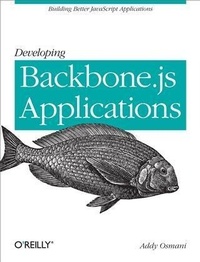
Developing Backbone.js Applications
Building Better JavaScript Applications
Published on 10. May 2013
374 pages
978-1-4493-2856-6 (ISBN)
Description

If you want to build your sites frontend with the single-page application (SPA) model, this hands-on book shows you how to get the job done with Backbone.js. Youll learn how to create structured JavaScript applications, using Backbones own flavor of model-view-controller (MVC) architecture.Start with the basics of MVC, SPA, and Backbone, then get your hands dirty building sample applicationsa simple Todo list app, a RESTful book library app, and a modular app with Backbone and RequireJS. Author Addy Osmani, an engineer for Googles Chrome team, also demonstrates advanced uses of the framework.Learn how Backbone.js brings MVC benefits to the client-sideWrite code that can be easily read, structured, and extendedWork with the Backbone.Marionette and Thorax extension frameworksSolve common problems youll encounter when using Backbone.jsOrganize your code into modules with AMD and RequireJSPaginate data for your Collections with the Backbone.Paginator pluginBootstrap a new Backbone.js application with boilerplate codeUse Backbone with jQuery Mobile and resolve routing problems between the twoUnit-test your Backbone apps with Jasmine, QUnit, and SinonJS
More details
Other editions
Additional editions
Book
06/2013
1st Edition
O'Reilly
€42.50
Shipment within 10-20 days
Content
- Intro
- Copyright
- Table of Contents
- Preface
- Target Audience
- Credits
- Reading
- Conventions Used in This Book
- Using Code Examples
- Safari® Books Online
- How to Contact Us
- Acknowledgments
- Chapter 1. Introduction
- What Is MVC?
- What Is Backbone.js?
- When Do I Need a JavaScript MVC Framework?
- Why Consider Backbone.js?
- Setting Expectations
- Chapter 2. Fundamentals
- MVC
- Smalltalk-80 MVC
- MVC Applied to the Web
- Client-Side MVC and Single-Page Apps
- Client-Side MVC: Backbone Style
- Implementation Specifics
- What Does MVC Give Us?
- Delving Deeper into MVC
- Summary
- Further Reading
- Fast Facts
- Backbone.js
- Used by
- Chapter 3. Backbone Basics
- Getting Set Up
- Models
- Initialization
- Getters and Setters
- Listening for Changes to Your Model
- Validation
- Views
- Creating New Views
- What Is el?
- Collections
- Adding and Removing Models
- Retrieving Models
- Listening for Events
- Resetting/Refreshing Collections
- Underscore Utility Functions
- Chainable API
- RESTful Persistence
- Fetching Models from the Server
- Saving Models to the Server
- Deleting Models from the Server
- Options
- Events
- on(), off(), and trigger()
- listenTo() and stopListening()
- Events and Views
- Routers
- Backbone.history
- Backbone's Sync API
- Overriding Backbone.sync
- Dependencies
- Summary
- Chapter 4. Exercise 1: Todos-Your First Backbone.js App
- Static HTML
- Header and Scripts
- Application HTML
- Templates
- Todo Model
- Todo Collection
- Application View
- Individual TodoView
- Startup
- In Action
- Completing and Deleting Todos
- Todo Routing
- Summary
- Chapter 5. Exercise 2: Book Library-Your First RESTful Backbone.js App
- Setting Up
- Creating the Model, Collection, Views, and App
- Wiring in the Interface
- Adding Models
- Removing Models
- Creating the Backend
- Install Node.js, npm, and MongoDB
- Install Node Modules
- Create a Simple Web Server
- Connect to the Database
- Talking to the Server
- Summary
- Chapter 6. Backbone Extensions
- MarionetteJS (Backbone.Marionette)
- Boilerplate Rendering Code
- Reducing Boilerplate with Marionette.ItemView
- Memory Management
- Region Management
- Marionette Todo App
- Is the Marionette Implementation of the Todo App More Maintainable?
- Marionette and Flexibility
- And So Much More
- Thorax
- Hello World
- Embedding Child Views
- View Helpers
- collection Helper
- Custom HTML Data Attributes
- Thorax Resources
- Summary
- Chapter 7. Common Problems and Solutions
- Working with Nested Views
- Problem
- Solution 1
- Solution 2
- Solution 3
- Solution 4
- Managing Models in Nested Views
- Problem
- Solution
- Rendering a Parent View from a Child View
- Problem
- Solution
- Disposing View Hierarchies
- Problem
- Solution
- Rendering View Hierarchies
- Problem
- Solution
- Working with Nested Models or Collections
- Problem
- Solution
- Better Model Property Validation
- Problem
- Solution
- Backbone.validateAll
- Backbone.Validation
- Form-Specific Validation Classes
- Avoiding Conflicts with Multiple Backbone Versions
- Problem
- Solution
- Building Model and View Hierarchies
- Problem
- Solution
- Calling Overridden Methods
- Backbone-Super
- Event Aggregators and Mediators
- Problem
- Solution
- Event Aggregator
- Mediator
- Similarities and Differences
- Relationships: When to Use Which
- Event Aggregator and Mediator Together
- Pattern Language: Semantics
- Chapter 8. Modular Development
- Organizing Modules with RequireJS and AMD
- Maintainability Problems with Multiple Script Files
- Need for Better Dependency Management
- Asynchronous Module Definition (AMD)
- Writing AMD Modules with RequireJS
- Getting Started with RequireJS
- Require.js and Backbone Examples
- Keeping Your Templates External Using RequireJS and the Text Plug-in
- Optimizing Backbone Apps for Production with the RequireJS Optimizer
- Summary
- Chapter 9. Exercise 3: Your First Modular Backbone and RequireJS App
- Overview
- Markup
- Configuration Options
- Modularizing Our Models, Views, and Collections
- Route-Based Module Loading
- JSON-Based Module Configuration
- Module Loader Router
- Using NodeJS to Handle pushState
- An Asset Package Alternative for Dependency Management
- Chapter 10. Paginating Backbone.js Requests and Collections
- Backbone.Paginator
- Live Examples
- Paginator.requestPager
- Convenience Methods
- Paginator.clientPager
- Convenience Methods
- Implementation Notes
- Plug-ins
- Bootstrapping
- Styling
- Summary
- Chapter 11. Backbone Boilerplate and Grunt-BBB
- Getting Started
- Creating a New Project
- index.html
- config.js
- main.js
- app.js
- Creating Backbone Boilerplate Modules
- router.js
- Other Useful Tools and Projects
- Yeoman
- Backbone DevTools
- Summary
- Chapter 12. Backbone and jQuery Mobile
- Mobile App Development with jQuery Mobile
- The Principle of Progressive Widget Enhancement by jQMobile
- Understanding jQuery Mobile Navigation
- Basic Backbone App Setup for jQuery Mobile
- Workflow with Backbone and jQueryMobile
- Routing to a Concrete View Page, Inheriting from BasicView
- Management of Mobile Page Templates
- DOM Management and $.mobile.changePage
- Applying Advanced jQM Techniques to Backbone
- Dynamic DOM Scripting
- Intercepting jQuery Mobile Events
- Performance
- Clever Multiplatform Support Management
- Chapter 13. Jasmine
- Behavior-Driven Development
- Suites, Specs, and Spies
- beforeEach() and afterEach()
- Shared Scope
- Getting Set Up
- TDD with Backbone
- Models
- Collections
- Views
- View Testing
- Exercise
- Further Reading
- Summary
- Chapter 14. QUnit
- Getting Set Up
- Sample HTML with QUnit-Compatible Markup
- Assertions
- Basic Test Case Using test( name, callback )
- Comparing the Actual Output of a Function Against the Expected Output
- Adding Structure to Assertions
- Basic QUnit Modules
- Using setup() and teardown()
- Using setup() and teardown() for Instantiation and Clean Up
- Assertion Examples
- Fixtures
- Fixtures Example
- Asynchronous Code
- Chapter 15. SinonJS
- What Is SinonJS?
- Basic Spies
- Spying on Existing Functions
- Inspection Interface
- Stubs and Mocks
- Stubs
- Mocks
- Exercise
- Models
- Collections
- Views
- App
- Further Reading and Resources
- Chapter 16. Conclusions
- Appendix A. Further Learning
- A Simple JavaScript MVC Implementation
- Event System
- Models
- Views
- Controllers
- Practical Usage
- MVP
- Models, Views, and Presenters
- MVP or MVC?
- MVC, MVP, and Backbone.js
- Namespacing
- What Is Namespacing?
- What Does DocumentCloud Use?
- Recommendation
- Backbone Dependency Details
- DOM Manipulation
- Utilities
- RESTful Persistence
- Routing
- Backbone Versus Other Libraries and Frameworks
- Appendix B. Resources
- Books and Courses
- Extensions/Libraries
- Index
- About the Author
