

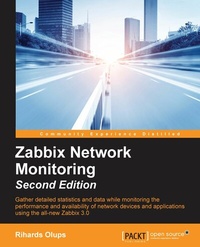
Zabbix Network Monitoring
Discover a smarter way to monitor your network
2nd Edition
Published on 8. July 2025
754 pages
978-1-78216-129-5 (ISBN)
Description

Gather detailed statistics and data while monitoring the performance and availability of network devices and applications using the all-new Zabbix 3.0
Key Features
[*]Monitor your network and deploy impressive business solutions with Zabbix 3.0
[*]Manage hosts and system maintenance to keep your network performing for the people who use it
[*]A step-by-step guide to smarter network monitoring
Book DescriptionThis book is a perfect starting point for monitoring with Zabbix. Even if you have never used a monitoring solution before, this book will get you up and running quickly, before guiding you into more sophisticated operations with ease. You'll soon feel in complete control of your network, ready to meet any challenges you might face. Beginning with installation, you'll learn the basics of data collection before diving deeper to get to grips with native Zabbix agents and SNMP devices. You will also explore Zabbix's integrated functionality for monitoring Java application servers and VMware. Beyond this, Zabbix Network Monitoring also covers notifications, permission management, system maintenance, and troubleshooting - so you can be confident that every potential challenge and task is under your control. If you're working with larger environments, you'll also be able to find out more about distributed data collection using Zabbix proxies. Once you're confident and ready to put these concepts into practice, you'll find out how to optimize and improve performance. Troubleshooting network issues is vital for anyone working with Zabbix, so the book is also on hand to help you work through any technical snags and glitches you might face. Network monitoring doesn't have to be a chore - learn the tricks of the Zabbix trade and make sure you're network is performing for everyone who depends upon it.What you will learn
[*]Get to grips with the fundamentals of Zabbix
[*]Find out how Zabbix s features let you monitor your network with confidence and precision
[*]Learn how to monitor SNMP devices
[*]Manage hosts, users, and permissions while acting upon monitored conditions
[*]Visualize data with the help of ad-hoc graphs, custom graphs, maps, and reports
[*]Simplify complex configurations and learn to automate them
[*]Monitor everything from web pages to IPMI devices and Java applications to and VMware stats
[*]Troubleshoot any network issue - fast
Who this book is forIf you're new to Zabbix look no further than this book. It will show you how to put your sysadmin knowledge to work with Zabbix 3.0 so you can experience the full impact of this useful and increasingly popular tool.
Key Features
[*]Monitor your network and deploy impressive business solutions with Zabbix 3.0
[*]Manage hosts and system maintenance to keep your network performing for the people who use it
[*]A step-by-step guide to smarter network monitoring
Book DescriptionThis book is a perfect starting point for monitoring with Zabbix. Even if you have never used a monitoring solution before, this book will get you up and running quickly, before guiding you into more sophisticated operations with ease. You'll soon feel in complete control of your network, ready to meet any challenges you might face. Beginning with installation, you'll learn the basics of data collection before diving deeper to get to grips with native Zabbix agents and SNMP devices. You will also explore Zabbix's integrated functionality for monitoring Java application servers and VMware. Beyond this, Zabbix Network Monitoring also covers notifications, permission management, system maintenance, and troubleshooting - so you can be confident that every potential challenge and task is under your control. If you're working with larger environments, you'll also be able to find out more about distributed data collection using Zabbix proxies. Once you're confident and ready to put these concepts into practice, you'll find out how to optimize and improve performance. Troubleshooting network issues is vital for anyone working with Zabbix, so the book is also on hand to help you work through any technical snags and glitches you might face. Network monitoring doesn't have to be a chore - learn the tricks of the Zabbix trade and make sure you're network is performing for everyone who depends upon it.What you will learn
[*]Get to grips with the fundamentals of Zabbix
[*]Find out how Zabbix s features let you monitor your network with confidence and precision
[*]Learn how to monitor SNMP devices
[*]Manage hosts, users, and permissions while acting upon monitored conditions
[*]Visualize data with the help of ad-hoc graphs, custom graphs, maps, and reports
[*]Simplify complex configurations and learn to automate them
[*]Monitor everything from web pages to IPMI devices and Java applications to and VMware stats
[*]Troubleshoot any network issue - fast
Who this book is forIf you're new to Zabbix look no further than this book. It will show you how to put your sysadmin knowledge to work with Zabbix 3.0 so you can experience the full impact of this useful and increasingly popular tool.
All prices
More details
Edition
2nd Revised edition
Language
English
Place of publication
Birmingham
United Kingdom
Target group
Professional and scholarly
US School Grade: College Graduate Student
Edition type
Revised edition
File size
14,22 MB
ISBN-13
978-1-78216-129-5 (9781782161295)
Copyright in bibliographic data and cover images is held by Nielsen Book Services Limited or by the publishers or by their respective licensors: all rights reserved.
Schweitzer Classification
Other editions
Additional editions
Book
08/2016
2nd Edition
Packt Publishing
€77.50
Shipment within 3-4 weeks
Person
Olups Rihards :
Rihards Olups has over 20 years of experience in IT, most of it with open source solutions. He started using Zabbix in 2001, and joined Zabbix company later. Rihards spent 6 years at Zabbix, helping users and customers get the most value out of the monitoring tool. He briefly gets his mind off of Zabbix by improving OpenStreetMap.
Rihards Olups has over 20 years of experience in IT, most of it with open source solutions. He started using Zabbix in 2001, and joined Zabbix company later. Rihards spent 6 years at Zabbix, helping users and customers get the most value out of the monitoring tool. He briefly gets his mind off of Zabbix by improving OpenStreetMap.
Content
Table of Contents
Getting Started with Zabbix
Getting Your First Notification
Monitoring with Zabbix Agents and Basic Protocols
Monitoring SNMP devices
Managing Hosts, Users, and Permissions
Detecting Problems with Triggers
Acting upon Monitored Conditions
Simplifying Complex Configuration with Templates
Visualizing the Data with Graphs and Maps
Visualizing the Data with Screens and Slideshows
Advanced Item Monitoring
Automating Configuration
Monitoring Web Pages
Monitoring Windows
High Level Business Service Monitoring
Monitoring IPMI Devices
Monitoring Java Applications
Monitoring VMware
Using Proxies to Monitor Remote Locations
Encrypting Zabbix Traffic
Working Closely with Data
Zabbix Maintenance
Appendix A: Troubleshooting
Appendix B: Being Part of the Community
Getting Started with Zabbix
Getting Your First Notification
Monitoring with Zabbix Agents and Basic Protocols
Monitoring SNMP devices
Managing Hosts, Users, and Permissions
Detecting Problems with Triggers
Acting upon Monitored Conditions
Simplifying Complex Configuration with Templates
Visualizing the Data with Graphs and Maps
Visualizing the Data with Screens and Slideshows
Advanced Item Monitoring
Automating Configuration
Monitoring Web Pages
Monitoring Windows
High Level Business Service Monitoring
Monitoring IPMI Devices
Monitoring Java Applications
Monitoring VMware
Using Proxies to Monitor Remote Locations
Encrypting Zabbix Traffic
Working Closely with Data
Zabbix Maintenance
Appendix A: Troubleshooting
Appendix B: Being Part of the Community

