

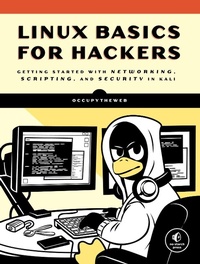
Linux Basics for Hackers
Getting Started with Networking, Scripting, and Security in Kali
Published on 4. December 2018
248 pages
978-1-59327-856-4 (ISBN)
Description

This practical, tutorial-style book uses the Kali Linux distribution to teach Linux basics with a focus on how hackers would use them. Topics include Linux command line basics, filesystems, networking, BASH basics, package management, logging, and the Linux kernel and drivers.
If you're getting started along the exciting path of hacking, cybersecurity, and pentesting, Linux Basics for Hackers is an excellent first step. Using Kali Linux, an advanced penetration testing distribution of Linux, you'll learn the basics of using the Linux operating system and acquire the tools and techniques you'll need to take control of a Linux environment.
First, you'll learn how to install Kali on a virtual machine and get an introduction to basic Linux concepts. Next, you'll tackle broader Linux topics like manipulating text, controlling file and directory permissions, and managing user environment variables. You'll then focus in on foundational hacking concepts like security and anonymity and learn scripting skills with bash and Python. Practical tutorials and exercises throughout will reinforce and test your skills as you learn how to:
- Cover your tracks by changing your network information and manipulating the rsyslog logging utility
- Write a tool to scan for network connections, and connect and listen to wireless networks
- Keep your internet activity stealthy using Tor, proxy servers, VPNs, and encrypted email
- Write a bash script to scan open ports for potential targets
- Use and abuse services like MySQL, Apache web server, and OpenSSH
- Build your own hacking tools, such as a remote video spy camera and a password cracker
Hacking is complex, and there is no single way in. Why not start at the beginning with Linux Basics for Hackers?
If you're getting started along the exciting path of hacking, cybersecurity, and pentesting, Linux Basics for Hackers is an excellent first step. Using Kali Linux, an advanced penetration testing distribution of Linux, you'll learn the basics of using the Linux operating system and acquire the tools and techniques you'll need to take control of a Linux environment.
First, you'll learn how to install Kali on a virtual machine and get an introduction to basic Linux concepts. Next, you'll tackle broader Linux topics like manipulating text, controlling file and directory permissions, and managing user environment variables. You'll then focus in on foundational hacking concepts like security and anonymity and learn scripting skills with bash and Python. Practical tutorials and exercises throughout will reinforce and test your skills as you learn how to:
- Cover your tracks by changing your network information and manipulating the rsyslog logging utility
- Write a tool to scan for network connections, and connect and listen to wireless networks
- Keep your internet activity stealthy using Tor, proxy servers, VPNs, and encrypted email
- Write a bash script to scan open ports for potential targets
- Use and abuse services like MySQL, Apache web server, and OpenSSH
- Build your own hacking tools, such as a remote video spy camera and a password cracker
Hacking is complex, and there is no single way in. Why not start at the beginning with Linux Basics for Hackers?
More details
Other editions
Additional editions
Occupytheweb
Linux Basics for Hackers
Getting Started with Networking, Scripting, and Security in Kali
Book
12/2018
No Starch Press
€67.03
Article in reprint
Person
OccupyTheWeb is an infosec consultant, forensic investigator, and trainer with more than 20 years in the industry. He maintains the Hackers-Arise training site (https://www.hackers-arise.com/) and trains US military personnel, Department of Defense contractors, and federal employees in information security and hacking.
Content
- Intro
- Title Page
- Copyright Page
- Dedication
- About the Author
- About the Technical Reviewer
- BRIEF CONTENTS
- CONTENTS IN DETAIL
- ACKNOWLEDGMENTS
- INTRODUCTION
- What's in This Book
- What Is Ethical Hacking?
- Why Hackers Use Linux
- Downloading Kali Linux
- Virtual Machines
- Setting Up Kali
- 1 GETTING STARTED WITH THE BASICS
- Introductory Terms and Concepts
- A Tour of Kali
- Basic Commands in Linux
- Finding Stuff
- Modifying Files and Directories
- Go Play Now!
- Exercises
- 2 TEXT MANIPULATION
- Viewing Files
- Filtering Text with grep
- Using sed to Find and Replace
- Viewing Files with more and less
- Summary
- Exercises
- 3 ANALYZING AND MANAGING NETWORKS
- Analyzing Networks with ifconfig
- Checking Wireless Network Devices with iwconfig
- Changing Your Network Information
- Manipulating the Domain Name System
- Summary
- Exercises
- 4 ADDING AND REMOVING SOFTWARE
- Using apt to Handle Software
- Adding Repositories to Your sources.list File
- Using a GUI-based Installer
- Installing Software with git
- Summary
- Exercises
- 5 CONTROLLING FILE AND DIRECTORY PERMISSIONS
- Different Types of Users
- Granting Permissions
- Checking Permissions
- Changing Permissions
- Setting More Secure Default Permissions with Masks
- Special Permissions
- Summary
- Exercises
- 6 PROCESS MANAGEMENT
- Viewing Processes
- Managing Processes
- Scheduling Processes
- Summary
- Exercises
- 7 MANAGING USER ENVIRONMENT VARIABLES
- Viewing and Modifying Environment Variables
- Changing Your Shell Prompt
- Changing Your PATH
- Creating a User-Defined Variable
- Summary
- Exercises
- 8 BASH SCRIPTING
- A Crash Course in Bash
- Your First Script: "Hello, Hackers-Arise!"
- Your Very First Hacker Script: Scan for Open Ports
- Common Built-in Bash Commands
- Summary
- Exercises
- 9 COMPRESSING AND ARCHIVING
- What Is Compression?
- Tarring Files Together
- Compressing Files
- Creating Bit-by-Bit or Physical Copies of Storage Devices
- Summary
- Exercises
- 10 FILESYSTEM AND STORAGE DEVICE MANAGEMENT
- The Device Directory /dev
- Mounting and Unmounting
- Monitoring Filesystems
- Summary
- Exercises
- 11 THE LOGGING SYSTEM
- The rsyslog Logging Daemon
- Automatically Cleaning Up Logs with logrotate
- Remaining Stealthy
- Summary
- Exercises
- 12 USING AND ABUSING SERVICES
- Starting, Stopping, and Restarting Services
- Creating an HTTP Web Server with the Apache Web Server
- OpenSSH and the Raspberry Spy Pi
- Extracting Information from MySQL
- Summary
- Exercises
- 13 BECOMING SECURE AND ANONYMOUS
- How the Internet Gives Us Away
- The Onion Router System
- Proxy Servers
- Virtual Private Networks
- Encrypted Email
- Summary
- Exercises
- 14 UNDERSTANDING AND INSPECTING WIRELESS NETWORKS
- Wi-Fi Networks
- Detecting and Connecting to Bluetooth
- Summary
- Exercises
- 15 MANAGING THE LINUX KERNEL AND LOADABLE KERNEL MODULES
- What Is a Kernel Module?
- Checking the Kernel Version
- Kernel Tuning with sysctl
- Managing Kernel Modules
- Summary
- Exercises
- 16 AUTOMATING TASKS WITH JOB SCHEDULING
- Scheduling an Event or Job to Run on an Automatic Basis
- Using rc Scripts to Run Jobs at Startup
- Adding Services to Your Bootup via a GUI
- Summary
- Exercises
- 17 PYTHON SCRIPTING BASICS FOR HACKERS
- Adding Python Modules
- Getting Started Scripting with Python
- Lists
- Modules
- Object-Oriented Programming (OOP)
- Network Communications in Python
- Dictionaries, Loops, and Control Statements
- Improving Our Hacking Scripts
- Exceptions and Password Crackers
- Summary
- Exercises
- INDEX
