

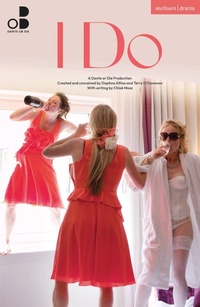
I Do
1st Edition
Published on 4. February 2026
80 pages
978-1-350-62887-8 (ISBN)
Description

Ever wanted to be a fly on the wall in the build up to a wedding?
I Do returns with fresh eyes on love, family, and chaos in the final ten minutes before a wedding.
Peek into the lives of a wedding party as the big moment looms nearer. Across six rooms of a working hotel, piece together a jigsaw revealing a different view of the same tense moment in time. The best man's last-minute speech is floundering, the bride's caught between nerves and expectation, and family secrets ripple beneath the surface.
Follow intimate, overlapping stories - from old flames to hidden pregnancy tests. Become a voyeur in a fully immersive experience where every glance, touch, and whispered secret counts.
I Do premiered at Hilton Islington as part of Almeida Theatre's Almeida Festival in 2013. This edition was published to coincide with the revival production in January 2026.
I Do returns with fresh eyes on love, family, and chaos in the final ten minutes before a wedding.
Peek into the lives of a wedding party as the big moment looms nearer. Across six rooms of a working hotel, piece together a jigsaw revealing a different view of the same tense moment in time. The best man's last-minute speech is floundering, the bride's caught between nerves and expectation, and family secrets ripple beneath the surface.
Follow intimate, overlapping stories - from old flames to hidden pregnancy tests. Become a voyeur in a fully immersive experience where every glance, touch, and whispered secret counts.
I Do premiered at Hilton Islington as part of Almeida Theatre's Almeida Festival in 2013. This edition was published to coincide with the revival production in January 2026.
More details
Other editions
Additional editions

Terry O'Donovan | Daphna Attias | Chloe Moss
I Do
Book
03/2026
Bloomsbury Academic
€15.50
No shipping information available
Persons
As Co-Artistic Directors, Daphna Attias and Terry O'Donovan co-create Dante or Die productions. They put together teams of collaborators and participants specific to each project. They include playwrights and designers as well as leisure centre managers, neuroscientists and people from the communities that they're working in. Hundreds of participants have taken part in their productions, and they've run thousands of hours of development workshops and residencies in person, online and as far afield as Hong Kong. They create partnerships with arts organisations and local businesses and have had the pleasure of collaborating with organisations that they hugely admire such as Almeida Theatre, Traverse Theatre, The Lowry, BAM New York, Cork Midsummer Festival, Lighthouse Poole, Ideas Test, Greenwich + Docklands International Festival. We're proud SITELINES Associate Artists at South Street Reading.
