

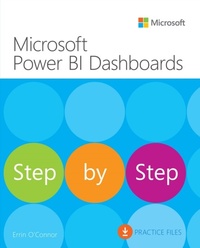
Microsoft Power BI Dashboards Step by Step
1st Edition
Published on 3. December 2018
304 pages
978-0-13-489398-3 (ISBN)
Description

Your hands-on guide to building effective Power BI dashboards
Expand your expertise-and teach yourself how to create world-class Power BI business analysis dashboards that bring data to life for better decision-making. If you're an experienced business intelligence professional or manager, you'll get all the guidance, examples, and code you need to succeed-even if you've never used Power BI before.
Successfully design, architect, and implement Power BI in your organization
Take full advantage of any Microsoft Power BI platform, including Power BI Premium
Make upfront decisions that position your Power BI project for success
Build rich, live dashboards to monitor crucial data from across your organization
Aggregate data and data elements from numerous internal and external data sources
Develop dynamic visualizations, including charts, maps, and graphs
Bring data to life with stunning interactive reports
Ensure dashboard security and compliance
Drive user adoption through effective training
Expand your expertise-and teach yourself how to create world-class Power BI business analysis dashboards that bring data to life for better decision-making. If you're an experienced business intelligence professional or manager, you'll get all the guidance, examples, and code you need to succeed-even if you've never used Power BI before.
Successfully design, architect, and implement Power BI in your organization
Take full advantage of any Microsoft Power BI platform, including Power BI Premium
Make upfront decisions that position your Power BI project for success
Build rich, live dashboards to monitor crucial data from across your organization
Aggregate data and data elements from numerous internal and external data sources
Develop dynamic visualizations, including charts, maps, and graphs
Bring data to life with stunning interactive reports
Ensure dashboard security and compliance
Drive user adoption through effective training
All prices
More details
Series
Edition
1. Auflage
Language
English
Place of publication
Boston
United States
Publishing group
Pearson Education (US)
Target group
Professional and scholarly
File size
10,02 MB
ISBN-13
978-0-13-489398-3 (9780134893983)
Copyright in bibliographic data and cover images is held by Nielsen Book Services Limited or by the publishers or by their respective licensors: all rights reserved.
Schweitzer Classification
Other editions
Additional editions
Errin O'Connor
Microsoft Power BI Dashboards Step by Step
Book
10/2018
1st Edition
Microsoft Press
€46.00
Shipment within 3-4 weeks
Person
Errin O'Connor is the founder and chief architect of EPC Group. O'Connor focuses his efforts on implementing technologies in organizations throughout the country and around the globe. For more than 20 years, O'Connor has assisted in managing EPC Group's corporate strategy and architects the proven methodologies around business intelligence, collaboration, enterprise content management, and custom application development that have set EPC Group apart from its competitors. EPC Group has completed more than 5,000 Power BI, SharePoint, Office 365, and Microsoft stack-related implementations, including efforts around business intelligence (BI), custom application development, hybrid cloud strategy, Microsoft Azure, Office 365, SQL Server, Microsoft Intune, Amazon Web Services (AWS), and Microsoft Project Server. Founded in 1997, EPC Group has pioneered the way organizations implement BI platforms and collaborate.
In addition to this book, O'Connor is also the author or co-author of three other books: SharePoint 2013 Field Guide: Advice from the Consulting Trenches (Sams Publishing, 2014), Microsoft SharePoint Foundation 2010: Inside Out (Microsoft Press, 2011), and Windows SharePoint Services 3.0: Inside Out (Microsoft Press, 2007). O'Connor is a frequent speaker at Microsoft Power BI, Office 365, and Microsoft SharePoint events throughout the United States and Canada.
For more information about O'Connor and EPC Group, visit www.epcgroup.net or contact the company at contact@epcgroup.net.
In addition to this book, O'Connor is also the author or co-author of three other books: SharePoint 2013 Field Guide: Advice from the Consulting Trenches (Sams Publishing, 2014), Microsoft SharePoint Foundation 2010: Inside Out (Microsoft Press, 2011), and Windows SharePoint Services 3.0: Inside Out (Microsoft Press, 2007). O'Connor is a frequent speaker at Microsoft Power BI, Office 365, and Microsoft SharePoint events throughout the United States and Canada.
For more information about O'Connor and EPC Group, visit www.epcgroup.net or contact the company at contact@epcgroup.net.
Content
1. Introduction of Power BI
2. Power BI architecture and administration
3. Visuals in Power BI
4. Power BI report development
5. Use DAX in Power BI
6. Develop Power BI reports from Excel
7. Develop Power BI reports from SharePoint Online
8. Develop Power BI reports from SharePoint On-Premises
9. Develop Power BI reports from SQL
10. Develop Power BI reports from SSAS cube
11. Develop Power BI reports from Azure SQL
12. Develop Power BI reports from Oracle
13. Develop Power BI reports from Dynamics 365
2. Power BI architecture and administration
3. Visuals in Power BI
4. Power BI report development
5. Use DAX in Power BI
6. Develop Power BI reports from Excel
7. Develop Power BI reports from SharePoint Online
8. Develop Power BI reports from SharePoint On-Premises
9. Develop Power BI reports from SQL
10. Develop Power BI reports from SSAS cube
11. Develop Power BI reports from Azure SQL
12. Develop Power BI reports from Oracle
13. Develop Power BI reports from Dynamics 365
