

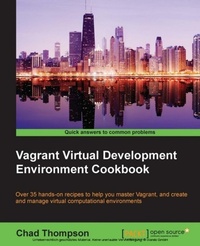
Vagrant Virtual Development Environment Cookbook
35 solutions to help you utilize virtualization with Vagrant more effectively - learn how to develop and manage Vagrant in the cloud to improve collaboration
Published on 7. October 2025
250 pages
978-1-78439-108-9 (ISBN)
Description

Key Features
Book DescriptionIf you are a software developer or administrator who wishes to create simple, reusable environments using Vagrant, this book is the perfect choice for you. Whether you are a system administrator with extensive experience in virtualization or a developer wishing to create development scripts for cloud deployment, you will find easy-to-follow recipes and techniques in this book that will allow you to create robust and reproducible virtual environments.What you will learn
Define single and multiple virtual machine Vagrant environments
Provision Vagrant environments in a consistent and repeatable manner with various configuration management tools
Control powerful cloud resources from a desktop development environment
Use Vagrant to publish and share development environments
Start and expand your Vagrant environment with community resources
Share resources on a development machine with a virtual Vagrant environment
Who this book is forIf you are a software developer or administrator who wishes to create simple, reusable environments using Vagrant, this book is the perfect choice for you. Whether you are a system administrator with extensive experience in virtualization or a developer wishing to create development scripts for cloud deployment, you will find easy-to-follow recipes and techniques in this book that will allow you to create robust and reproducible virtual environments.
Book DescriptionIf you are a software developer or administrator who wishes to create simple, reusable environments using Vagrant, this book is the perfect choice for you. Whether you are a system administrator with extensive experience in virtualization or a developer wishing to create development scripts for cloud deployment, you will find easy-to-follow recipes and techniques in this book that will allow you to create robust and reproducible virtual environments.What you will learn
Define single and multiple virtual machine Vagrant environments
Provision Vagrant environments in a consistent and repeatable manner with various configuration management tools
Control powerful cloud resources from a desktop development environment
Use Vagrant to publish and share development environments
Start and expand your Vagrant environment with community resources
Share resources on a development machine with a virtual Vagrant environment
Who this book is forIf you are a software developer or administrator who wishes to create simple, reusable environments using Vagrant, this book is the perfect choice for you. Whether you are a system administrator with extensive experience in virtualization or a developer wishing to create development scripts for cloud deployment, you will find easy-to-follow recipes and techniques in this book that will allow you to create robust and reproducible virtual environments.
All prices
More details
Edition
Digital original
Language
English
Place of publication
Birmingham
United Kingdom
Target group
Professional and scholarly
US School Grade: College Graduate Student
Edition type
Digital original
File size
7,74 MB
ISBN-13
978-1-78439-108-9 (9781784391089)
Copyright in bibliographic data and cover images is held by Nielsen Book Services Limited or by the publishers or by their respective licensors: all rights reserved.
Schweitzer Classification
Other editions
Additional editions
Chad Thompson
Vagrant Virtual Development Environment Cookbook
Book
02/2015
Packt Publishing
€55.70
Shipment within 3-4 weeks
Person
O Thompson Chad :
Chad Thompson is a software developer, architect, and DevOps specialist in Central Iowa. He has 15 years of experience in creating and deploying applications for the Web. Chad began using Vagrant 3 years ago when he was trying to solve a tough problem in legacy application development. Since then, he has made use of Vagrant and configuration management tools to support the development and deployment of several web applications in data centers and cloud platforms. He holds certifications in Puppet and Oracle technologies and has enjoyed the pleasure of speaking before several technical conferences and camps. Chad holds two degrees in physics and can be found playing low brass instruments in ensembles around the state of Iowa. Chad has written articles for O'Reilly web publications and the IOUG SELECT Journal (where he briefly worked as an executive editor). Recently, he reviewed the book Creating Development Environments with Vagrant for Packt Publishing, and recorded a set of video presentations titled Learning Git by Infinite Skills.
Chad Thompson is a software developer, architect, and DevOps specialist in Central Iowa. He has 15 years of experience in creating and deploying applications for the Web. Chad began using Vagrant 3 years ago when he was trying to solve a tough problem in legacy application development. Since then, he has made use of Vagrant and configuration management tools to support the development and deployment of several web applications in data centers and cloud platforms. He holds certifications in Puppet and Oracle technologies and has enjoyed the pleasure of speaking before several technical conferences and camps. Chad holds two degrees in physics and can be found playing low brass instruments in ensembles around the state of Iowa. Chad has written articles for O'Reilly web publications and the IOUG SELECT Journal (where he briefly worked as an executive editor). Recently, he reviewed the book Creating Development Environments with Vagrant for Packt Publishing, and recorded a set of video presentations titled Learning Git by Infinite Skills.
Content
Table of Contents
Setting Up Your Environment
Single Machine Environments
Basic Provisioning of Vagrant Machines
Provisining With Configuration Management Tools
Networked Environments
Taking Vagrant to the Cloud
Creating Vagrant Boxes
Writing A Simple Vagrant Plugin
Using Vagrant as A Puppet Development Environment
Vagrant and Docker
Setting Up Your Environment
Single Machine Environments
Basic Provisioning of Vagrant Machines
Provisining With Configuration Management Tools
Networked Environments
Taking Vagrant to the Cloud
Creating Vagrant Boxes
Writing A Simple Vagrant Plugin
Using Vagrant as A Puppet Development Environment
Vagrant and Docker

