

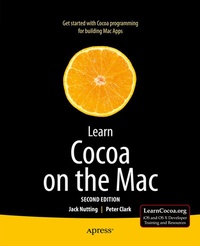
Learn Cocoa on the Mac
2nd Edition
Published on 18. July 2013
XVIII, 424 pages
978-1-4302-4543-8 (ISBN)
Description

The Cocoa frameworks are some of the most powerful for creating native OS X apps available today. However, for a first-time Mac developer, just firing up Xcode 4 and starting to browse the documentation can be a daunting and frustrating task. The Objective-C class reference documentation alone would fill thousands of printed pages, not to mention all the other tutorials and guides included with Xcode. Where do you start? Which classes are you going to need to use? How do you use Xcode and the rest of the tools?
Learn Cocoa for the Mac, Second Edition, completely revised for OS X Mountain Lion and XCode 4, answers these questions and more, helping you find your way through the jungle of classes, tools, and new concepts so that you can get started on the next great OS X app today. Jack Nutting and Peter Clark are your guides through this forest; Jack and Peter have lived here for years, and will show you which boulder to push, which vine to chop, and which stream to float across in order to make it through. You will learn not only how to use the components of this rich framework, but also which of them fit together, and why.
Jack Nutting's approach, combining pragmatic problem-solving with a deep respect for the underlying design philosophies contained within Cocoa, stems from years of experience using these frameworks. Peter Clark will show you which parts of your app require you to jump in and code a solution, and which parts are best served by letting Cocoa take you where it wants you to go. The path over what looks like a mountain of components and APIs has never been more thoroughly prepared for your travels. In each chapter, you'll build an app that explores one or more areas of the Cocoa landscape. With Jack's and Peter's guidance, the steep learning curve becomes a pleasurable adventure. There is still much work for the uninitiated, but by the time you're done, you will be well onyour way to becoming a Cocoa master.
More details
Other editions
Additional editions
Jack Nutting | Peter Clark
Learn Cocoa on the Mac
Book
05/2013
2nd Edition
APress
€32.05
Shipment within 15-20 days
Previous edition
David Mark | Jeff LaMarche | Jack Nutting
Learn Cocoa on the Mac
E-Book
06/2010
APress
€35.30
Available for download
Persons
Jack Nutting has been using Cocoa since the olden days, long before it was even called Cocoa. He has used Cocoa and its predecessors to develop software for a wide range of industries and applications, including gaming, graphic design, online digital distribution, telecommunications, finance, publishing, and travel. When he is not working on Mac or iOS projects, he is developing web applications with Ruby on Rails. Nutting is a passionate proponent of Objective-C and the Cocoa frameworks. At the drop of a hat, he will speak at length on the virtues of dynamic dispatch and run time class manipulations to anyone who will listen (and even to some who won t). Nutting is the primary author of Learn Cocoa on the Mac (Apress, 2010) and Beginning iPad Development for iPhone Developers (Apress, 2010). He blogs from time to time at Nuthole.com.
Content
1. Must Love Cocoa
2. Hello, World
3. Lights, Camera, Actions, part 1
4. Lights, Camera, Actions, part 2
5. GUI components
6. Using Table Views
7. Cocoa Bindings
8. Core Data basics
9. Core Data Relationships
10. Search and Retrieve Core Data with Criteria
11. Windows and Menus and Sheets
12. Document-based Apps
13. exceptions, signals, errors, debugging
14. Drawing in cocoa
15. Advanced drawing topics
16. Working with files
17. Concurrency
18. Future Paths
