

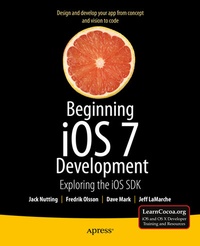
Beginning iOS 7 Development
Description

The team that brought you the bestselling Beginning iPhone Development is back again for Beginning iOS 7 Development , bringing this definitive guide up-to-date with Apple's latest and greatest iOS 7 SDK, as well as with the latest version of Xcode.
There's coverage of brand-new technologies, including a new chapter on Apple's Sprite Kit framework for game development, as well as significant updates to existing material. You'll have everything you need to create your very own apps for the latest iOS devices. Every single sample app in the book has been rebuilt from scratch using latest Xcode and the latest 64-bit iOS 7-specific project templates, and designed to take advantage of the latest Xcode features.
Assuming only a minimal working knowledge of Objective-C, and written in a friendly, easy-to-follow style, Beginning iOS 7 Development offers a complete soup-to-nuts course in iPhone, iPad, and iPod touch programming. The book starts with the basics, walking through the process of downloading and installing Xcode and the iOS 7 SDK, and then guides you though the creation of your first simple application.
From there, you'll learn how to integrate all the interface elements iOS users have come to know and love, such as buttons, switches, pickers, toolbars, and sliders. You'll master a variety of design patterns, from the simplest single view to complex hierarchical drill-downs. The confusing art of table building will be demystified, and you'll learn how to save your data using the iPhone file system. You'll also learn how to save and retrieve your data using a variety of persistence techniques, including Core Data and SQLite. And there's much more!
More details
Other editions
Additional editions
Persons
Content
2. Appeasing the Tiki Gods
3. Handling Basic Interaction
4. More User Interface Fun
5. Autorotation and Autosizing
6. Multiview Applications
7. Tab Bars and Pickers
8. Introduction to Table Views
9. Navigation Controllers and Table Views
10. Collection Views
11. iPad Considerations
12. Application Settings and User Defaults
13. Basic Data Persistence
14. Hey! You! Get onto iCloud!
15. Grand Central Dispatch, Background Processing, and You
16. Core Graphics: Drawing with Quartz
17. Getting Started with Sprite Kit
18. Taps, Touches, and Gestures
19. Where Am I? Finding Your Way with Core Location and Map Kit
20. Whee! Gyro and Accelerometer!
21. The Camera and Photo Library
22. Application Localization
