

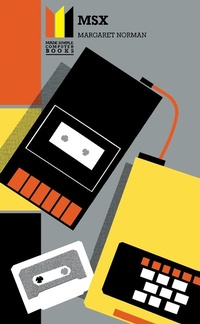
MSX Made Simple
Made Simple Computerbooks
Published on 6. June 2016
276 pages
978-1-4831-4148-0 (ISBN)
Description

MSX Made Simple
More details
Content
- Front Cover
- MSX Made Simple: Made Simple Computerbooks
- Copyright Page
- Table of Contents
- Introduction
- Chapter 1. What is MSX?
- 1.1 Why MSX?
- 1.2 The MSX Standard: the Processors and Memory
- 1.3 Input and Output: the Keyboard and Ports
- 1.4 MSX BASIC
- 1.5 Commercial Software
- Chapter 2. Choosing an MSX Computer
- 2.1 How MSX Computers Differ
- 2.2 A Selection of Machines
- 2.3 Setting up the System
- Chapter 3. Entering, Saving and Loading Programs
- 3.1 Using the Keyboard
- 3.2 Entering and Editing Programs
- 3.3 Saving Programs on Cassette
- 3.4 Loading Programs from Cassette
- 3.5 Merging Programs
- Chapter 4. Writing a BASIC Program
- 4.1 What is a Program?
- 4.2 Flowcharting
- 4.3 Unconditional Jumps
- 4.4 Subroutines
- 4.5 Comments
- Chapter 5. Printing
- 5.1 The Text Modes
- 5.2 Printing
- 5.3 The ASCII Codes
- Chapter 6. Number Systems, Variables and Constants
- 6.1 Number Systems
- 6.2 Variables
- 6.3 Arrays
- 6.4 Type Conversion Functions
- 6.5 Constants
- Chapter 7. Operators and Functions
- 7.1 Numeric Operators
- 7.2 Numeric Functions
- 7.3 Random Numbers
- 7.4 String Operators and Functions
- 7.5 SWAP
- 7.6 User-defined Functions
- Chapter 8. Input Commands and Program Data
- 8.1 Data Input
- 8.2 Putting Data in a Program
- Chapter 9. Loops and Branches
- 9.1 Going around in Circles
- 9.2 Branches
- Chapter 10. Graphics
- 10.1 The Graphics Modes
- 10.2 Colours
- 10.3 Points
- 10.4 Lines and Boxes
- 10.5 Circles, Arcs and Ellipses
- 10.6 Painting
- 10.7 DRAW Strings
- Chapter 11. Function Keys, Cursor Keys, Joysticks and Interrupts interrupts
- 11.1 The Functions Keys
- 11.2 Cursor Keys and Joysticks
- 11.3 Interrupts
- Chapter 12. Sound
- 12.1 Key Click
- 12.2 Beep
- 12.3 Playing Music
- 12.4 The Play Function
- 12.5 Volume Envelopes
- 12.6 The Sound Registers and the Sound Command
- Chapter 13. File Handling
- 13.1 What is a File?
- 13.2 Using Files
- 13.3 Printing on the Graphics Screen
- Chapter 14. Sprite Graphics
- 14.1 Sprite Screens and Sizes
- 14.2 Designing and Defining Sprite Patterns
- 14.3 Displaying and Moving Sprites
- 14.4 Extra Large, Multicoloured and Animated Sprites
- 14.5 Using Static Sprites as Part of the Background Screen Display
- 14.6 Sprite Collisions
- Chapter 15. Error Handling and Debugging
- 15.1 Error Trapping
- 15.2 Program Bugs
- Chapter 16. Introduction to Machine Code
- 16.1 Machine Code and Assembly Language
- 16.2 Entering Machine-code Routines
- 16.3 Executing Machine-code Routines, Passing and Returning Parameters
- Chapter 17. The Video RAM and Video Processor
- 17.1 The Video RAM
- 17.2 The Pattern Name Table
- 17.3 The Pattern Generator and Colour Tables
- 17.4 The Sprite Attribute and Sprite Pattern Tables
- 17.5 The Video Processor Registers
- 17.6 Saving Graphics on Tape
- Chapter 18. Summary of BASIC Keywords
- 18.1 Introduction
- 18.2 BASIC Keywords
- Chapter 19. Some BASIC Programs
- 19.1 Introduction
- 19.2 Joystick Drawing Program
- 19.3 Sprite Designer
- 19.4 Music Synthesizer
- Answers to Exercises
- Appendices
- A-Characters and ASCII Codes
- B-Error Messages
- C-Sample Graphics Design Sheets
- D-Decimal/Hex Conversion Table
- E-Control Code and &CTRL& Key Functions
- F-Colour Codes
- G-Memory Map
- H-Z80 Opcodes
- Index
